
If you already know DHgate, the most useful way to think about “the best app for creating a marketplace on Shopify” is to forget rankings and focus on responsibilities. Shopify doesn’t provide a built‑in DHgate‑style marketplace; independent store owners pick multivendor apps and write their own rules. What matters is how clearly a given Shopify marketplace defines who is responsible for vetting sellers, handling payments, shipping, tracking, customs, and refunds, so you don’t run into surprises that DHgate’s platform terms would normally prevent.
Why there’s no single “best” Shopify marketplace app
There isn’t a single “best” Shopify marketplace app in the sense that DHgate is one unified marketplace platform. DHgate itself is the marketplace, with built‑in rules for sellers, orders, payments, logistics, and buyer protection. Shopify is different: it’s infrastructure for independent stores, and multivendor apps are tools those store owners use to add marketplace features on top of their own policies.
Because of that, different multivendor apps are built for different marketplace designs. One store owner might run a small, curated artisan market and choose an app that focuses on manual seller approval and simple local shipping. Another might try to build a large discount marketplace with many cross‑border sellers and need more complex commission rules, automated payouts, and multi‑location shipping. Both can run on Shopify, but the “right” app for each job is different, which is why roundup articles rarely agree on a single winner.
If you come from DHgate, the key question is not which Shopify app tops a list, but whether a specific app-and-store setup clearly shows who is responsible at each step: vetting sellers, handling payments, arranging shipping, providing tracking, dealing with customs issues, and deciding refunds. I personally care more about apps and marketplaces that make these responsibilities transparent and auditable, even if they are a bit more complex or costly, and I would hesitate to rely on any Shopify marketplace where it’s hard to see who must fix a delivery problem or approve a refund.
How a Shopify multivendor app actually works
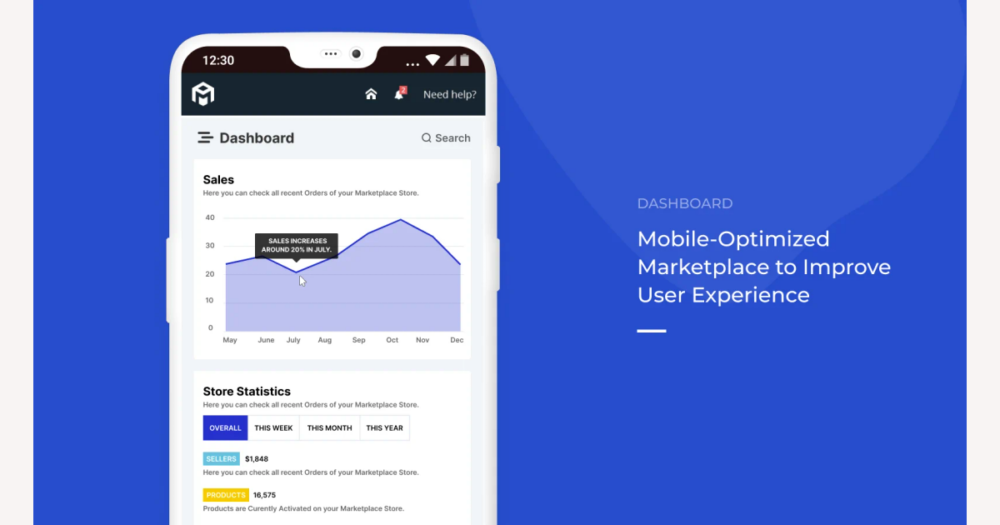
A typical Shopify multivendor app plugs into an existing store by adding a vendor layer on top of Shopify’s products and orders. The app introduces seller accounts and dashboards where vendors can manage their listings, see sales, and sometimes update shipping information, while the store owner still controls the overall catalog and storefront.
From Shopify’s perspective, there is still one merchant and one checkout. The buyer pays the Shopify store through its normal payment gateway, not each vendor separately. After the order is placed, the multivendor app looks at which items belong to which sellers, splits the order into vendor‑specific views, and records revenue shares and commissions for each vendor inside its own system.
These apps can automate a lot of operational work: they send order notifications to vendors, generate invoices or payout statements, track balances owed, and sometimes trigger scheduled payouts through connected payment services. What they cannot do is override Shopify’s core payment processing or create legal promises on their own. Any escrow‑like delays, payout timing rules, or refund conditions still have to be defined and honored by the store owner.
That’s why the real decisions—and risks—remain with the marketplace operator. The store owner sets commission structures, decides whether the store ships on behalf of vendors or each seller ships their own orders, and chooses how to handle returns and disputes when something goes wrong. Buyers and sellers should look for clear, written policies on each Shopify marketplace that explain these choices, rather than assuming the multivendor app itself guarantees DHgate‑style protection.
How Shopify marketplaces differ from DHgate’s centralized model
DHgate works as a single, centralized marketplace: buyers and sellers operate under platform-wide terms of service, published buyer protection rules, and a standardized dispute process. DHgate defines how orders should be described, how long buyers have to open a dispute, which problems qualify for refunds, and how evidence is reviewed. When you place an order on DHgate, you are relying on those shared rules and DHgate’s role as an intermediary between you and the seller.
A Shopify multivendor marketplace, by contrast, is just one merchant’s store built on Shopify’s infrastructure. The store owner chooses which multivendor app to install, decides how sellers are vetted and onboarded, and writes their own policies for shipping, returns, and disputes. The app can provide tools—seller dashboards, commission calculations, ticket systems—but it does not impose DHgate-style standards. Two Shopify marketplaces using the same app can still have completely different rules and risk levels because their owners configure them differently.
For DHgate users, this difference is crucial. On DHgate you may be used to escrow-like arrangements, where funds are held and platform rules guide refunds if something arrives late, damaged, or not as described. On Shopify, there is no universal default: whether money is held, how long you have to complain, and who decides the outcome all depend on that specific store’s setup and policies. You should not assume DHgate-style protection on any Shopify marketplace. Instead, treat each Shopify-based marketplace as its own independent business, read its payment, shipping, and return terms carefully, and judge whether its rules and transparency are strong enough for the level of risk you are willing to accept as a buyer or seller.
Payment and payout flows: what to confirm before you pay
- Buyer checkout: You place one order and pay once on the Shopify storefront, using Shopify Payments or another gateway. You are paying the marketplace operator as a single merchant, not each individual vendor directly.
- Funds received by the store: The payment processor settles the full order amount into the store’s merchant account. At this point, the marketplace operator—not the vendors—holds the customer’s money.
- Order split and commission calculation: The multivendor app looks at the order lines, assigns each product to its vendor, and records how much of the payment belongs to each seller. It also calculates the commission or fee the marketplace keeps on each sale.
- Vendor payouts: Later, according to schedules and thresholds defined by the marketplace owner, the app or the owner pays vendors via methods like bank transfer, PayPal, or other agreed channels. Payout timing can range from near-immediate to weekly or monthly, depending on the store’s rules.
- Escrow-like behavior: Holding funds until delivery or dispute resolution is not a standard Shopify feature. Any escrow-like delay—such as only paying vendors after the buyer confirms delivery—is created by the store’s policies and app configuration. Shopify itself does not guarantee this.
- Key checks for DHgate-aware users: Before you pay or start selling, confirm who holds the money after checkout, whether vendor payouts are delayed until delivery, how refunds work when an order includes items from multiple vendors, and how each vendor’s payout is adjusted if only part of an order is refunded.
- Caution about unclear rules: I would be wary of using a Shopify marketplace that does not clearly disclose its payout schedule, refund logic for multi-vendor orders, and any escrow-like arrangements. That caution matters even more for high-value or cross-border purchases, where unclear timing or refund rules can leave both buyers and sellers exposed if something goes wrong.
Shipping, tracking, and customs: who’s really responsible?
Once money flows are clear, the next question for a Shopify multivendor marketplace is who actually moves the parcels. In a store‑managed shipping model, the marketplace operator configures carriers, service levels, and prices in Shopify, may print labels and coordinate fulfillment, and appears as your main point of contact for delivery issues. Even if different vendors supply the goods behind the scenes, you see one set of shipping options at checkout and usually one support channel if a parcel is late or damaged.
In a vendor‑managed model, each seller sets their own shipping methods, rates, and handling times, and is responsible for dispatching goods and uploading tracking numbers through the app’s vendor dashboard. Hybrid setups mix the two: the marketplace might centralize shipping for some categories or regions while letting other vendors ship directly. In all cases, multivendor apps mainly provide the dashboard and order‑splitting logic; they do not themselves decide who must ship or how quickly.
Cross‑border customs handling is even less standardized. Apps may expose fields for HS codes, origin country, and tax IDs, or integrate with Shopify features that estimate duties and import taxes at checkout, but legal compliance and who ultimately pays those charges usually depend on the marketplace’s and sellers’ own settings and agreements. It is common for duties or import VAT to be collected by the carrier on delivery rather than fully explained at checkout.
Compared with DHgate, where platform rules and buyer protection expectations shape how shipping and tracking should work, Shopify marketplaces can vary widely. Risks include vendors with very different shipping times on the same site, missing or delayed tracking when sellers do not use integrated carriers, surprise customs charges at the door, and confusion over who must fix a lost or delayed shipment. Before placing a cross‑border order, especially one of higher value, check whether shipping is centralized or per‑vendor, how and where tracking numbers will be provided, who the marketplace says is responsible for delivery problems, and whether the terms clearly state who pays customs and import VAT. If those details are vague or scattered, it’s a signal to slow down and look more closely before treating the marketplace like DHgate’s more standardized logistics environment.
After-sales, returns, and disputes on Shopify marketplaces
After delivery, Shopify multivendor marketplaces rely heavily on the tools provided by their apps and the policies written by the store owner. Multivendor apps typically add features such as return request forms, RMA or ticket numbers, status workflows (requested, approved, rejected, received, refunded), and messaging channels between buyers, sellers, and the marketplace operator. Some also let the owner route returns directly back to individual vendors or to a central warehouse, depending on how the business is set up.
Those tools make it possible to track after‑sales cases, but they do not guarantee that a return will be accepted or a refund granted. Whether you can return an item, how long you have to request it, who pays return shipping, and under what conditions refunds are approved are all defined by the specific Shopify marketplace’s own policies and day‑to‑day decisions. A store might allow generous, centralized returns for all vendors, or it might push buyers to negotiate separately with each seller; the app simply records whatever outcome the operator chooses.
That’s a key difference from DHgate, where dispute escalation and resolution follow platform‑level rules and are relatively standardized across sellers. On a Shopify marketplace there is usually no equivalent platform‑wide guarantee about timelines or outcomes: protection depends on the individual store’s terms, not on Shopify or the app vendor. For DHgate‑experienced buyers, the safe approach is to read the marketplace’s return, refund, and dispute policies carefully before ordering—check who pays for return shipping, how long you have to open a case, whether disputes are handled centrally by the marketplace operator or directly with each seller, and how decisions can be appealed, if at all. I would treat unclear, very short, or missing after‑sales policies as a serious red flag when comparing a Shopify marketplace to DHgate’s more uniform dispute framework.
Marketplace-creator apps vs marketplace-connector apps
| App type | What it does in Shopify | How many independent sellers are involved at checkout | Relevance to DHgate-style multivendor marketplaces |
|---|---|---|---|
| Marketplace-creator / multivendor apps | Turn one Shopify store into a marketplace by adding vendor accounts, onboarding workflows, commission rules, and order-splitting on top of the normal Shopify checkout. | Many independent sellers can be involved in a single buyer checkout, with the app splitting one order across vendors behind the scenes. | This is the category that can create a DHgate-like environment, where multiple sellers list under one brand and marketplace-level rules can be defined for payments, shipping, and after-sales. |
| Marketplace-connector apps | Sync a single merchant’s Shopify catalog and orders with external marketplaces such as Amazon, Walmart, or eBay, helping that one seller list and manage their own products in multiple channels. | Usually only one seller—the Shopify store owner—is present at checkout; external marketplaces remain separate sales channels, not additional sellers inside the Shopify checkout. | Not relevant for DHgate-style multivendor behavior, because they do not introduce multiple independent sellers into the Shopify storefront. If you want to host or study a multivendor marketplace, you should treat connector apps as out of scope and focus on marketplace-creator tools instead. |
Checklist: how to evaluate any Shopify multivendor marketplace
- Use this checklist as a tool-agnostic way to judge any Shopify multivendor marketplace or app: prioritize clear, documented responsibilities over convenience or marketing claims.
- Seller onboarding and vetting: Are criteria for becoming a seller (identity checks, product standards, prohibited items) clearly defined and published? Who approves new vendors and can remove them for violations?
- Seller rules visibility: Can buyers easily see which seller they are buying from and what individual seller policies (handling times, quality guarantees) apply in addition to marketplace-wide rules?
- Commission and payout logic: Is it clear how commissions are calculated, what share the marketplace keeps, and whether those fees affect pricing or promotions for buyers and vendors?
- Payout timing and conditions: When are vendors paid—immediately after order, after shipment, or after delivery/return windows? Is there any escrow-like delay, and what events (delivery confirmation, dispute closure) trigger payout?
- Payment flow transparency: Does the marketplace explain who actually receives the buyer’s payment (store operator vs individual sellers) and who is responsible for issuing refunds when something goes wrong?
- Shipping configuration: Who sets shipping options and rates—the marketplace operator or each seller? Is it obvious whether shipping is centralized (one policy) or per-vendor (different prices and timeframes)?
- Tracking information: How are tracking numbers provided—per parcel, per vendor, or centrally? Can buyers see clear status updates and know which party to contact if tracking stops updating?
- Handling inconsistent shipping times: Does the marketplace warn buyers when items in the same order have different estimated delivery windows because they come from different sellers or locations?
- Customs and import taxes: For cross-border orders, is it clear who is responsible for duties and VAT (buyer, seller, or marketplace), how those charges are calculated, and whether they are shown before checkout rather than appearing unexpectedly at delivery?
- Return and refund policies: Are return windows, conditions, and who pays return shipping documented in an accessible policy page? Do these rules apply consistently across all sellers or vary by vendor?
- Multi-vendor refunds: If an order includes products from multiple sellers, does the marketplace explain how partial refunds work—can you return one item without affecting the others, and how are shipping costs handled in that case?
- Dispute and escalation process: Is there a clear step-by-step path for buyers when an item is not delivered or not as described, including who reviews evidence, timeframes for decisions, and whether disputes are handled centrally or left to each seller?
- Communication channels: Are messaging tools between buyers, sellers, and the marketplace operator easy to find and use, and are response expectations (typical reply times, who answers which questions) stated upfront?
- Red flags and caution: If any of these topics—payout timing, shipping responsibility, customs, returns, or disputes—are vague, missing, or contradictory, treat the marketplace as higher risk compared with DHgate’s more standardized protections and proceed cautiously or avoid ordering.
Steps to build a Shopify marketplace with DHgate-style clarity
- Decide on your marketplace model and select a true multivendor marketplace‑creator app (not just a connector), based on how many sellers you expect, what they sell, and whether you’ll handle local or cross‑border orders.
- Write your core marketplace policies before touching settings: seller onboarding and vetting criteria, commission and payout structures, shipping models, customs responsibilities, and clear rules for returns and disputes.
- Configure the multivendor app and Shopify settings to match those policies—set commission rates and payout schedules, define vendor permissions, choose shipping options, and align notification templates with your rules.
- Run test scenarios using sample multi‑vendor orders, including partial refunds, lost or delayed shipments, stalled tracking, and cross‑border deliveries, so you can see how the app behaves and where you must step in manually.
- Publish clear, easy‑to‑find buyer and seller terms that explain who is responsible for payments, shipping, tracking, customs, returns, and disputes, and make sure they reflect how your app and store are actually configured.
- Monitor real orders for problems and adjust your policies, app configuration, or documentation whenever you see confusion—treat the app as a tool that enforces your rules, not a replacement for well‑designed marketplace processes.
FAQ: Shopify multivendor protections vs DHgate expectations
Can a Shopify multivendor marketplace give me the same buyer protection as DHgate?
A Shopify marketplace can be designed to mimic parts of DHgate-style protection—such as holding payouts, centralizing disputes, or enforcing standard return rules—but there is no platform-wide guarantee. Protection depends entirely on how that specific marketplace owner configures their multivendor app, payment flows, and policies, so you have to judge each store on its own terms.
How are refunds handled when my order includes items from multiple sellers?
Most multivendor setups allow line-item or vendor-level refunds, so one part of an order can be refunded without canceling everything. However, who approves those refunds, how quickly they’re processed, whether shipping costs are adjusted, and whether you must send items back to different addresses all depend on the marketplace’s written policies and configuration, not on Shopify defaults.
What happens if a seller doesn’t ship, or marks an order as shipped but tracking never updates?
Shopify itself does not step in to arbitrate individual shipping disputes. You must follow the marketplace’s own support or dispute process, and if that fails, you may need to rely on your payment provider’s chargeback rules. Outcomes in these cases are shaped by the marketplace’s policies and responsiveness, so unclear or weak terms are a real risk compared with DHgate’s more standardized dispute framework.
Can I rely on app marketing or Shopify’s defaults to understand my protection level?
No. App marketing and Shopify’s generic features describe what is technically possible, not what any given marketplace actually commits to do. For real protection, buyers and sellers have to read the specific marketplace’s payment, shipping, returns, and dispute policies—and, when necessary, their payment provider’s terms—because many edge-case outcomes cannot be known from platform or app descriptions alone.