
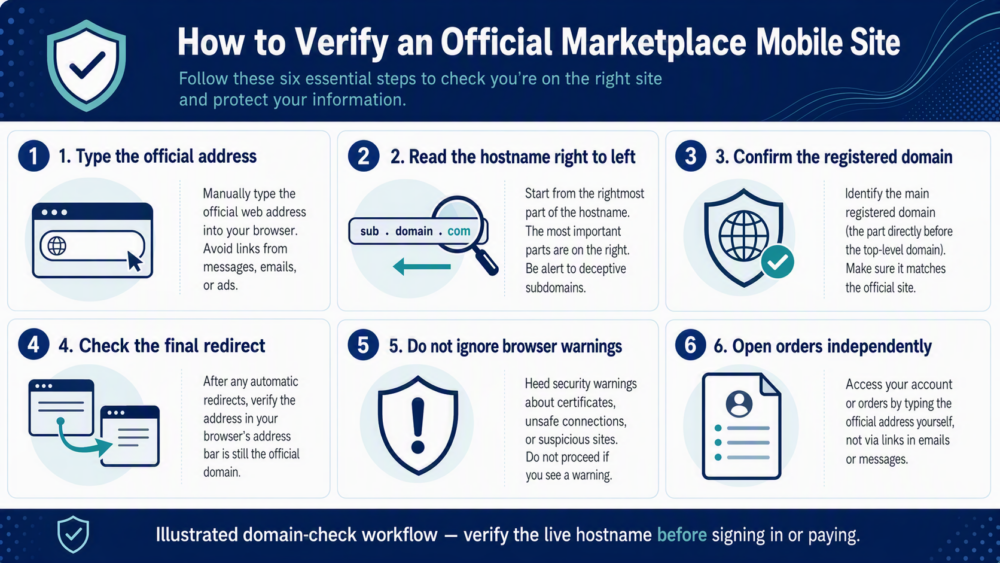
Quick answer
As checked on August 21, 2026, m.dhgate.com is a subdomain of the registered dhgate.com domain and redirects to www.dhgate.com. That supports treating it as an official DHgate web address. It does not prove that every link, listing, seller, message, or order outcome is safe.
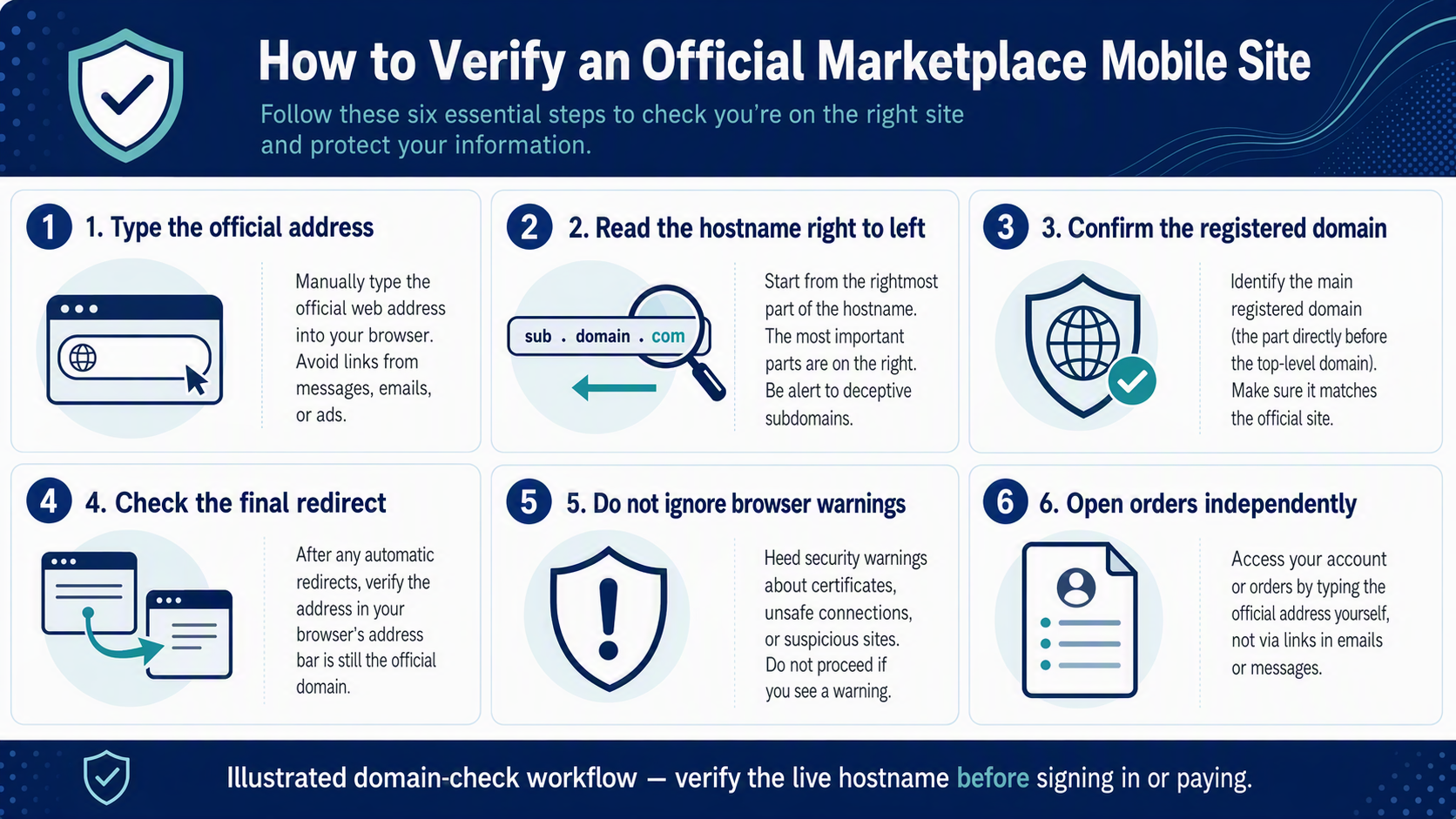
The key is to read the hostname correctly. In m.dhgate.com, “m” is a subdomain under dhgate.com. A lookalike address can place “dhgate” somewhere else in the URL while belonging to a different registered domain. Always verify the final address in the browser before signing in or entering payment information.
How to read the address
Domain names have a hierarchy separated by dots. ICANN explains that a registrant of a domain such as example.com can create subdomains beneath it. For the DHgate mobile address, the important boundary is the registered domain dhgate.com.
| Example | What it means | Action |
|---|---|---|
m.dhgate.com | “m” is under dhgate.com | Verify HTTPS and the final destination |
www.dhgate.com | “www” is under dhgate.com | Official web domain boundary |
dhgate.example.com | This belongs to example.com, not DHgate | Do not enter credentials or payment data |
dhgate.com.example.net | This belongs to example.net | Leave the page and navigate independently |
HTTPS is necessary for an encrypted connection, but a padlock does not prove that the organization behind an unfamiliar domain is DHgate. The hostname still has to end at the correct domain boundary.
A safe way to open the mobile site
- Start independently. Type
https://www.dhgate.com/orhttps://m.dhgate.com/yourself instead of signing in from an unsolicited message or advertisement. - Check the final hostname. After any redirect, confirm that the address is still under
dhgate.com. - Read from right to left. Ignore words placed before or after the real registered domain. A URL containing “dhgate” is not enough.
- Do not override warnings. Stop if the browser shows a certificate, deceptive-site, or security warning.
- Use your existing account path. If a message claims there is an order or payment problem, open DHgate independently and check the account or order record instead of using the message link.
- Verify before paying. Confirm the seller, listing, variant, shipping, total, and payment page before completing checkout.
Signals that deserve extra caution
- A login or payment page opened from an unexpected text, email, social post, QR code, or pop-up.
- A hostname that adds words after
dhgate.com, substitutes letters, uses a different ending, or hides the address bar. - A request for a password, verification code, card number, or payment outside the documented order flow.
- Pressure to act immediately before you can inspect the order in your account.
- A browser warning, download prompt, or request to install unfamiliar software.
The U.S. Federal Trade Commission warns that paid or lookalike search results can appear beside a trusted company’s name. CISA also recommends recognizing phishing attempts, using strong passwords, enabling multifactor authentication when available, and keeping software updated.
Official site does not mean every seller is verified
Website identity and marketplace transaction risk are separate. Reaching an official DHgate domain confirms the site address; it does not prove that a product is authentic, a seller is suitable, or a delivery and dispute outcome is guaranteed. Evaluate the exact seller and listing before paying.
For the platform model, read what DHgate is and how the marketplace works. Before a first order, use the DHgate first-order safety checklist. If card payment is the concern, see what to check before using a credit card on DHgate.
If you opened a suspicious link
- Do not enter additional information or approve a verification request.
- Open the official site independently and review the account and order record.
- If you entered a password on an unverified page, change it through the official site and review account security.
- If payment information may have been exposed, contact the card issuer through the number on the card or its official app.
- Preserve the suspicious URL and message for reporting, but do not continue interacting with it.
FAQ
Is m.dhgate.com a different company?
No. The hostname is a subdomain under dhgate.com. On August 20, 2026, a request to the mobile address redirected to the main www.dhgate.com site.
Does the “m” mean the page is unsafe?
No. “m” is commonly used as a subdomain label. Safety depends on the complete hostname, the connection, the page behavior, and the transaction—not on that single letter.
Is a padlock enough to prove a page is official?
No. HTTPS protects the connection to the displayed hostname. It does not make a lookalike domain part of DHgate. Confirm the domain boundary as well.
Can a link contain the word DHgate and still be unrelated?
Yes. Words can appear in a subdomain, path, or misleading registered domain. Identify the registered domain rather than searching the full address for a familiar word.
Should I sign in from an order message?
It is safer to open the official site or app independently and locate the order there. That avoids relying on the identity of the message or its link.
Sources and related guidance
- DHgate official website
- ICANN — About Domain Names
- U.S. FTC — Online Search Results: The Good, the Bad, and the Scammy
- CISA — Secure Our World
Last reviewed: August 20, 2026. Redirect behavior, login flows, and platform interfaces can change. Verify the final hostname each time before entering account or payment information.