
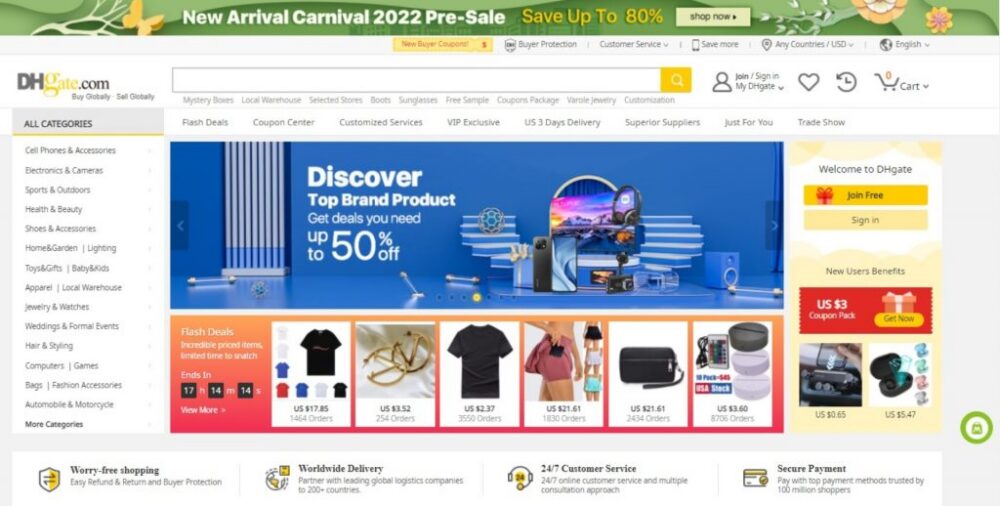
Quick answer: If you cannot remember a DHgate seller’s exact name or spelling, start with the strongest clue you have: a product name, a partial store name, a seller ID, an old order, or a message you exchanged through DHgate. Use that clue to find a relevant product page, then open the seller’s store page and verify that it is the seller you meant before placing another order.
DHgate is a marketplace with independent sellers, so searching for a seller is not always as simple as entering one store name. A partial name may produce unrelated results, especially when the seller name is short, generic, or misspelled. The practical solution is to combine the seller clue with product details and then confirm the store through its page, listings, and account records.
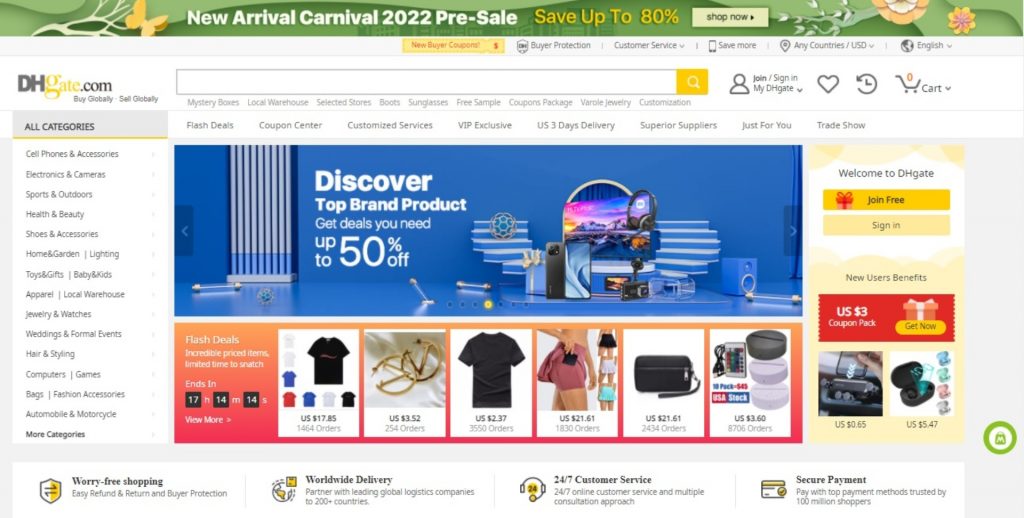
How to Find a DHgate Seller When the Spelling Is Unclear
Use the search method that matches the information you still have. You do not need the exact seller name to begin, but you should avoid assuming that the first result is the right store.
- Start with a product clue. Search for the product name, model, material, color, or category you remember.
- Add part of the seller name if you know it. Even two or three distinctive words can help narrow the results.
- Open a likely product listing. If the product looks familiar, check the seller or store information shown on that listing.
- Open the store page. Compare the store name, product range, feedback, and visible seller details with what you remember.
- Verify before buying. Confirm the exact item, variant, price, shipping method, and seller identity before checkout.
If the first search is too broad, change one part of the query at a time. Try a more specific product term, a different spelling, or a product feature that was unique to the listing you saw before.
Use the Strongest Clue You Have
The best way to locate a seller depends on the information available to you. This table can help you choose a starting point.
| What you remember | Best starting point | What to do next |
|---|---|---|
| Part of the store or seller name | Search the partial name with a product keyword | Open likely listings and compare the linked store pages. |
| A product you viewed or bought | Search by product type, model, material, or distinctive feature | Use the product page to identify and open the seller’s store. |
| A seller ID | Search using the seller ID, where the current DHgate search interface supports it | Check that the store details and listings match the seller you intended to find. |
| A previous purchase | Check your DHgate order history | Open the relevant order and use the seller or store information available in that order view. |
| A previous conversation | Review your on-platform messages | Use the conversation and related order or product details to confirm the seller. |
Search by Product When You Do Not Know the Seller Name
Searching by product is usually the most useful method when you only remember what the seller was offering. Use details that make the item more specific than a broad category.
For example, instead of searching only for “wireless earbuds,” try a query that includes the product type, color, compatibility, model, or feature you remember. A more detailed query is more likely to bring up a familiar listing or a similar product from the same store.
- Use the product type and a specific material, color, size, model, or feature.
- Try words from the old listing title, even if you only remember part of it.
- Try more than one spelling if the product name, brand term, or seller name was unfamiliar.
- Open several results rather than choosing the first listing that appears.
- Compare the store linked from each likely product page.
Search results help you get close. The store page and product details are what help you confirm whether you have found the right seller.
How to Check Whether You Found the Right Store
Before ordering from a seller you found through an incomplete or misspelled search, compare several signals. No single signal proves that a store is the one you meant, but several matching details can make the identification more reliable.
- Store name or seller ID: Does it match the part of the name, ID, or wording you remember?
- Product range: Does the store sell the same type of product, style, or category you previously saw?
- Listing details: Do the product photos, variants, materials, and descriptions look consistent with the item you were trying to find?
- Recent buyer feedback: Look for specific, recent comments that relate to the relevant product category.
- Store activity: Check whether the store presents useful product information and appears to have ongoing buyer activity.
- Messages and previous orders: If you have an earlier interaction, compare the seller information with the details shown in your account.
A familiar product image or a similar store name alone is not enough. Confirm the exact listing and selected product option before paying.
What to Do If Search Results Are Unrelated
Unrelated results are common when a partial name is too broad or a spelling is uncertain. Instead of repeatedly entering the same incomplete query, refine the search systematically.
- Make the product term more specific. Add a material, size, model, color, or use case.
- Try a different spelling. Test common spelling variations, word order changes, or only the distinctive part of the name.
- Remove generic words. Words such as “shop,” “store,” “official,” or “factory” may produce broader results if they are not unique to the seller.
- Search your account records. Review previous orders, saved items, and on-platform messages if you have used the seller before.
- Compare multiple store pages. Do not rely on a single result when several sellers offer similar products.
If you still cannot confidently identify the store, it is safer to compare other sellers than to place an order based only on a partial name or a low price.
Message the Seller Before You Buy
When a listing is unclear or you are uncertain that you found the right store, send a short and specific message through DHgate before placing an order. Keep the conversation connected to the platform and ask about details that affect your decision.
For example, you could write:
Hello, can you confirm that the [color / size / model] option includes [specific accessory or feature]? Please also confirm the shipping method available for [destination].
A useful reply should address your actual question. A vague response is a reason to check another listing or seller before you proceed.
Keep Important Details Connected to Your Order
Once you decide to buy, review the final product variation, quantity, shipping method, price, and delivery address before submitting payment. Save the information that shows what was selected and what was discussed.
- The product listing and its key details before purchase
- The exact variant, size, color, quantity, and price selected
- Messages that clarify materials, included accessories, customization, or shipping
- Your order confirmation and order number
- Tracking updates and delivery information
Keeping key communication and the transaction within DHgate helps preserve a record connected to the order. If an issue occurs, check the options shown for that specific order in your account promptly, because available actions and time limits can depend on the order status and current platform policy.
Frequently Asked Questions
Can I find a DHgate seller if I know only part of the name?
Yes. Start with the part of the name you remember and add a specific product keyword. Then open likely product listings and compare the linked store pages before deciding that you have found the right seller.
Can I search for a seller using a product I bought before?
Yes. Search for the product using distinctive details you remember, or check your DHgate order history if you completed an order through the platform. The order view may provide seller or store information related to that purchase.
What if the seller name is misspelled?
Try spelling variations, a partial name, or the product category. If the name is generic, combine it with a detailed product term instead of searching for the store name alone.
Should I trust the first search result?
No. Search results are a starting point, not proof that a store is the seller you intended to find. Verify the store name, product range, listing details, and available feedback before ordering.
What should I do if I have a problem after ordering?
Review the order page in your DHgate account and use the options currently available for that specific order. Keep evidence such as listing details, messages, photos, and tracking information connected to the order record.
Bottom Line
If you do not know the exact spelling of a DHgate seller, start with the best clue available: a product, partial store name, seller ID, old order, or on-platform message. Use search to find possible listings, use the product page to reach the store, and use the store details to verify the seller before buying.
Take extra care when the seller name is generic, the product is expensive, or the listing is unclear. A few minutes spent comparing store details and asking a specific question can help you make a more informed choice.
Sources and Further Reading
- DHgate: How to Easily Find Good Sellers on DHgate
- DHgate: How Do I Easily Find a Good Seller List on DHgate?
- DHgate: How to Find the Best Vendor Sellers List on DHgate
- DHgate: How to Shop on DHgate
Source note: These sources describe DHgate and seller-search guidance from DHgate’s perspective. Search features, labels, seller-page details, dispute options, and policies can change. Always confirm the current information shown in your own account and on the relevant order page.