
Quick answer: DHgate lists Visa as an accepted card type, and DHgate states that its card processing is PCI compliant. That supports using a Visa card through DHgate’s official checkout. However, it does not guarantee that every Visa transaction will be approved or that every order outcome will be the same.
The safer approach is to use the official DHgate checkout, verify the exact order total and shipping details, complete any verification requested by your card issuer, and check My Orders before attempting payment again. Do not send card details to a seller or move payment to an off-platform channel.
Important distinction: a secure payment flow can help protect the transaction process, but it does not independently verify a seller, guarantee delivery, authenticate a branded product or guarantee a refund outcome.
What does “safe to use a Visa card” mean on DHgate?
For a Visa payment, there are several separate questions. Keeping them apart helps you make a safer decision.
- Is Visa a supported card type? DHgate lists Visa among accepted card types in its payment guidance.
- Is payment handled through a platform checkout process? DHgate states that its card processing is PCI compliant and that merchants are restricted from changing the checkout flow.
- Will your specific card be approved? That can still depend on your issuer, available funds, billing details, verification requirements and the transaction itself.
- Does a successful payment guarantee the order outcome? No. Product quality, shipping progress, seller performance and after-sales options are separate order-level issues.
If you only need to confirm whether DHgate accepts credit cards in general, see Does DHgate Accept Credit Cards?. This page focuses on safer Visa-card checkout habits.
Before entering your Visa details, verify the official checkout
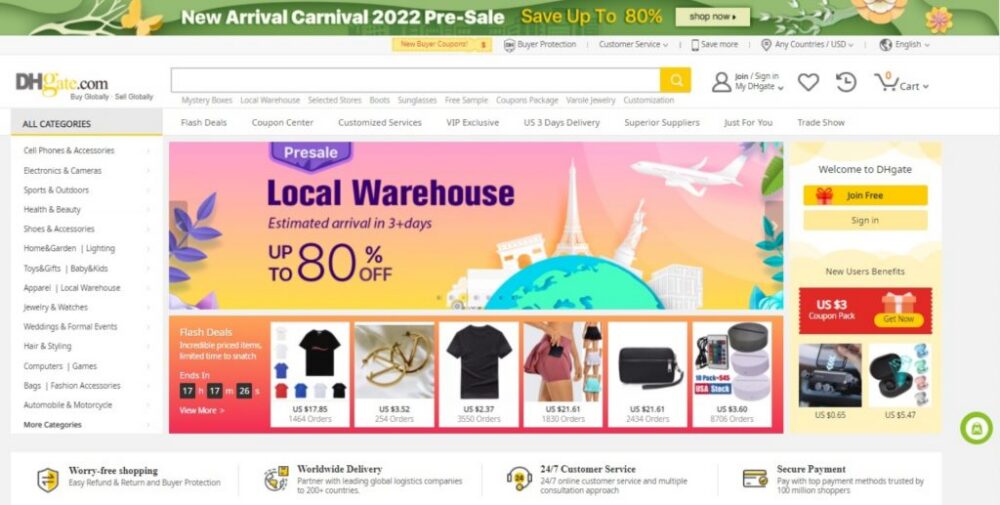
Use the DHgate website or app directly rather than relying on a payment link sent in a seller message, social-media message or email you were not expecting. Before entering card information, check the order itself.
- Confirm that you are on the official DHgate website or app.
- Check that the browser address begins with https:// and that the domain is spelled correctly.
- Confirm the exact item, selected size, color, model, quantity or variant.
- Review the delivery address, shipping option, currency and final order total.
- Use the payment methods displayed for your own order rather than relying on an older screenshot, forum post or another buyer’s experience.
If the item, seller message or checkout details appear inconsistent, pause before entering payment information. A Visa card being supported does not make an unclear listing or off-platform payment request safe.
How to use a Visa card more safely at checkout
- Sign in to the correct DHgate account. Make sure you can access My Orders after payment.
- Confirm the cart and selected variant. Check that the item, quantity and delivery details match what you intend to buy.
- Review the final total. Confirm the item price, shipping cost, currency and destination shown in checkout.
- Select the Visa or card option displayed for the order. Do not try to use a card through an option that is not shown as available.
- Enter your card details only in official checkout. Never send a card number, CVV, password or bank-login details to a seller in messages.
- Complete issuer verification if prompted. Your bank may require an app approval, text message code or another confirmation step.
- Wait for the checkout result. Do not close the page and submit the same payment repeatedly if the result is unclear.
- Open My Orders after the attempt. Check whether an order was created and what status it shows before trying another payment method.
Do not move payment outside DHgate
Keep payment and important order communication inside DHgate whenever possible. If a seller asks you to pay through a personal account, a separate payment link, cryptocurrency, gift-card code, bank transfer details that do not appear in official checkout, or another off-platform method, do not assume that payment will be connected to your DHgate order record.
Keeping the transaction in the platform checkout gives you a clearer order record, payment status and in-platform communication history if you later need to review the available options for that purchase.
What to do if Visa payment is declined
A declined Visa transaction does not automatically mean DHgate is unsafe or that your card has a permanent problem. Check the exact message shown in checkout and avoid repeatedly submitting the same payment before you understand whether an order exists.
- Check that the card number, name, expiration date and billing details were entered correctly.
- Complete any bank or issuer verification request.
- Check whether your issuer has a restriction on online, international or marketplace transactions.
- Review My Orders before attempting payment again.
- Do not create a duplicate order until you know the status of the first attempt.
- Use another payment method only if it is displayed as available in your own checkout.
For a detailed explanation of payment statuses, declined payments and available checkout methods, see DHgate Payment Methods, Failures and Payment Statuses Explained.
What if you see a pending charge or unclear order status?
Start with My Orders. Check whether the order is awaiting payment, pending, processing or absent from your account. Compare that status with the information shown by your bank or card issuer before making another attempt.
Do not assume that a pending payment means you should immediately place the same order again. Repeated attempts can make it harder to identify whether an order already exists or whether you are creating a duplicate purchase.
For a step-by-step troubleshooting flow, see Why Can’t I Complete a DHgate Purchase? Checkout and Payment Troubleshooting.
Visa gift cards and prepaid Visa cards
Do not assume that a Visa-branded gift card or prepaid card will work in the same way as a regular Visa credit or debit card. DHgate’s payment guidance says that prepaid credit cards and gift cards cannot be processed as a single payment for one order.
If you are considering a gift card or prepaid card, check the methods displayed in checkout, but do not rely on split payment or treat a normal card field as a workaround. For more detail, see Can You Use a Gift Card to Pay on DHgate? What Checkout Actually Allows.
When to contact your bank or DHgate support
Contact your card issuer if the transaction is declined and the issuer’s app, alert or customer-service channel indicates that the restriction is on the card. If you notice a transaction you do not recognize, contact your issuer promptly and review the related order activity in DHgate.
Contact DHgate support when the checkout page or order record does not show a clear next action. Include the order number, the exact status, the text of the error message and the time of the attempt. Do not include full card numbers, CVV codes, passwords or bank-login credentials.
Hello, I attempted to pay for order [order number] with a Visa card, but the checkout page showed [exact error message or status].
I checked My Orders and the current status is [status]. Please advise on the next available action for this order. I will not provide card numbers or security codes in messages.
Frequently asked questions
Does DHgate accept Visa cards?
DHgate lists Visa as an accepted card type in its payment guidance. The payment method shown in your own checkout remains the practical confirmation for your order.
Does PCI-compliant processing guarantee that my Visa payment will be approved?
No. DHgate’s statement about PCI-compliant card processing concerns its payment handling. Approval can still depend on the card issuer, account settings, available funds, billing details and any required verification step.
Should I pay a DHgate seller directly with my Visa card?
No. Use the official DHgate checkout rather than sharing card information or paying through an off-platform arrangement requested in a seller message.
What should I do if a Visa payment is declined?
Check the checkout message, card and billing details, issuer verification prompt and My Orders status before trying again. Do not create a duplicate order until you know whether the earlier payment attempt created one.
Can I use a Visa gift card or prepaid Visa card?
Do not assume that you can. DHgate says prepaid credit cards and gift cards cannot be processed as a single payment for one order. Follow the payment options shown for your exact checkout.
Bottom line
DHgate lists Visa as an accepted card type and states that its card processing is PCI compliant, so Visa payment through official checkout is supported by the platform’s own guidance. Use the official checkout, verify the final order details, complete any bank verification and check My Orders before retrying a payment. Keep card details and important order activity on-platform, and do not treat payment approval as a guarantee of seller, shipping or refund outcomes.
Official and related reading
- DHgate: What Is DHpay? Guide for Online Buyers
- DHgate: How To Securely Pay for Your Purchase on DHgate
Payment methods, issuer verification, transaction approval and available order actions can vary by destination, account and order. Follow the information displayed in your own checkout, bank verification flow and DHgate order record.