
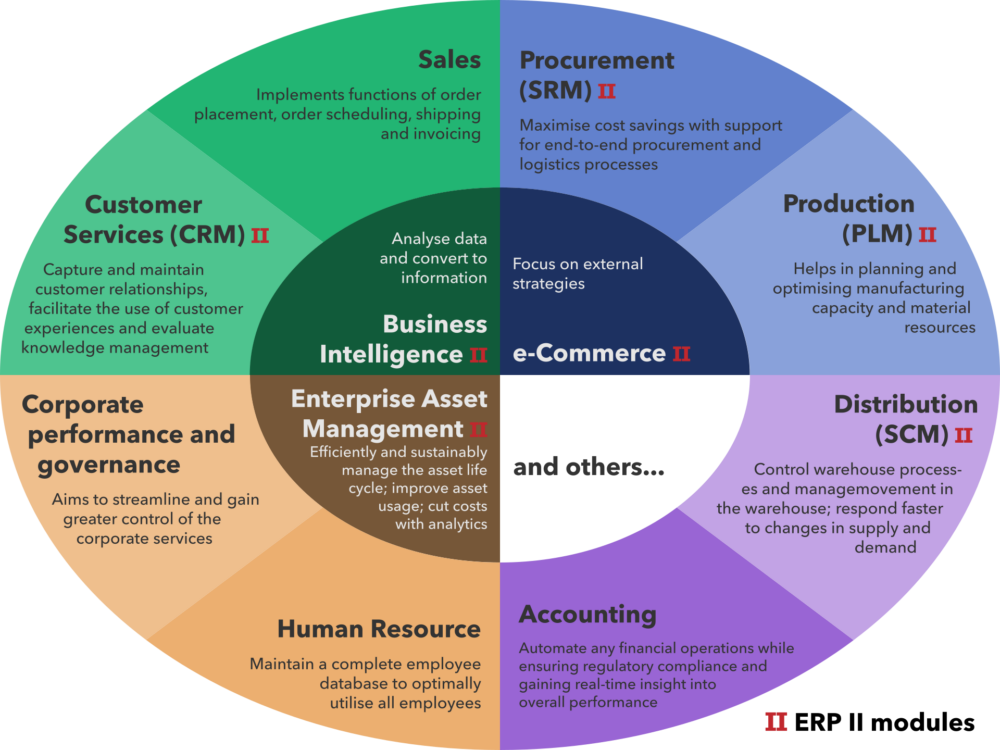
Distribution‑focused ERP is worth your money once your stock, orders, and purchasing are too messy for spreadsheets and basic accounting. For a small UK distributor or ecommerce brand, the right move is usually not a giant enterprise suite, but a lightweight cloud ERP or inventory platform built for wholesale. That gives you central control of inventory, orders, purchasing, and finance, and it slots in cleanly alongside your marketplaces and webstore.
The decision is less about “best software overall” and more about matching the platform type to your order volume, channels, and cross‑border plans. Below is a practical way to do that.
What Distribution and Wholesale ERP Software Actually Does for Small UK Distributors
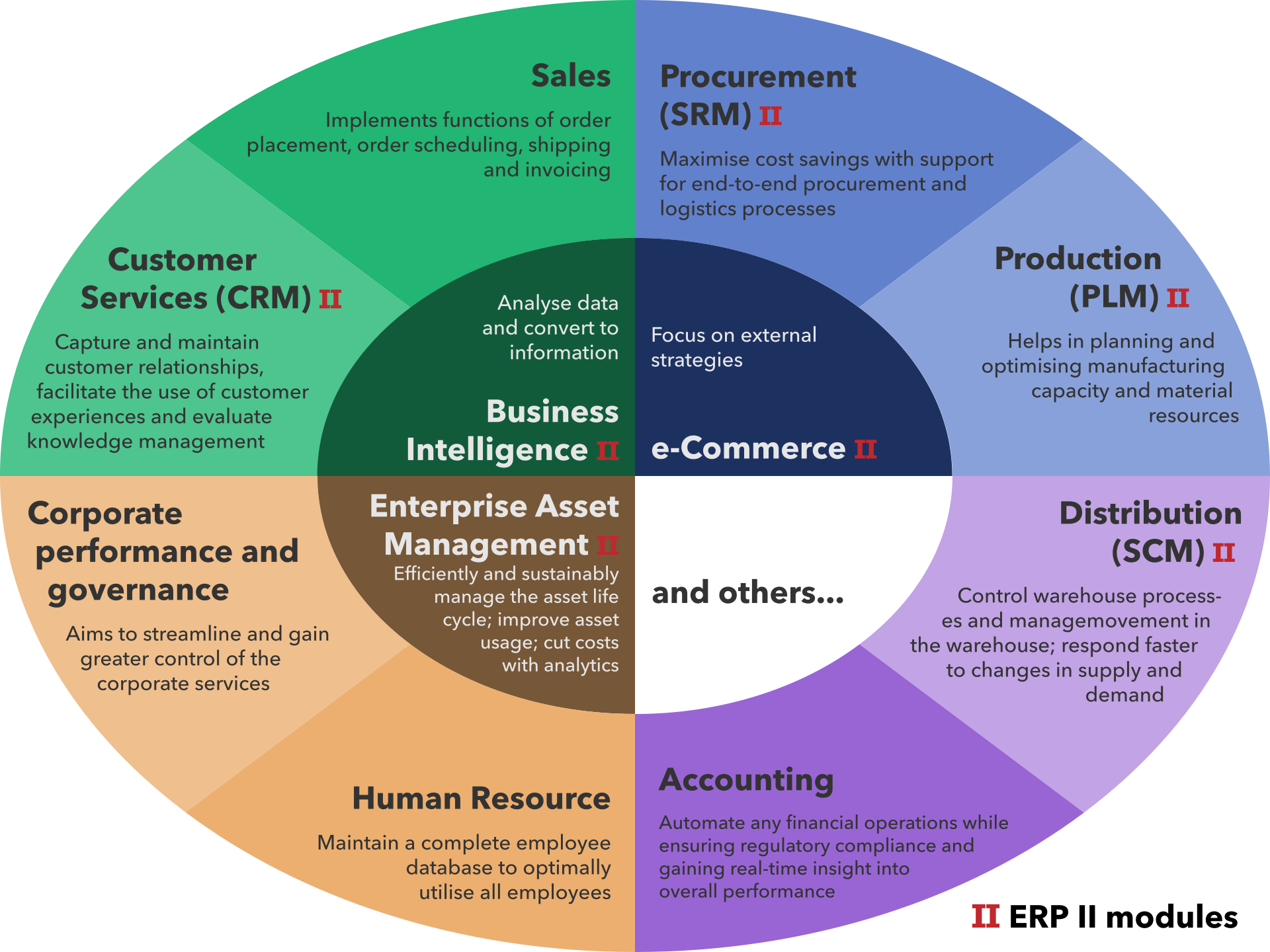
Distribution and wholesale ERP (enterprise resource planning) software is designed to pull the core processes of a wholesaler or distributor into one place. UK‑focused research identifies several ERP products marketed specifically to wholesale distribution firms.
In practice, that usually covers:
- Inventory management: stock levels per location, allocations to orders, and reordering rules.
- Order processing: quotes, sales orders, backorders, and fulfilment flows.
- Procurement: supplier POs, lead times, and landed cost tracking.
- Sales and pricing: customer groups, discounts, rebates, and contract pricing.
- Finance: invoicing, payables, and basic reporting connected to operations.
Cloud ERP vendors with wholesale editions, such as the distribution solution described on NetSuite’s UK wholesale page, position ERP as a way to integrate inventory, order processing, procurement, sales, and finance so you are not reconciling data across separate tools.
That doesn’t mean every small business needs full ERP right away. If you’re shipping a few dozen orders a month from one location, a specialist inventory app plus your existing accounting may still be fine. ERP starts to earn its keep when you’re dealing with recurrent stockouts, mis‑picks, or confused margin because data lives in too many places.
Tool Types Small Distributors Actually Use
Small UK distributors rarely jump straight to a big, monolithic ERP. They tend to assemble a stack from four broad categories.
1. Distribution‑focused ERP suites
These are ERPs marketed clearly to wholesale/distribution firms and built around multi‑channel inventory and order flows. UK consulting guides, such as Advantage’s comparison for distribution companies, stress how these systems balance stock control, order processing, and supply‑chain visibility rather than just accounting.
Typical traits:
- Strong inventory, warehouse and order modules
- Support for discounts, rebates, and contract pricing
- Native links between operations and finance
2. General cloud ERPs with a distribution flavour
Platforms like the wholesale edition described on NetSuite’s UK site sell a general ERP with industry configurations for wholesale distribution. They integrate inventory, order processing, procurement, sales and finance, but are usually aimed at mid‑market rather than micro‑operations.
These can be powerful once you’re multi‑warehouse or multi‑entity, but their breadth often feels heavy for a very small team.
3. Inventory and order management tools
Distribution software roundups such as SimplyDepo’s comparison of leading platforms distinguish big enterprise ERPs from mid‑market or SME‑friendly distribution tools. The SME‑friendly group is essentially modern inventory and order management tools: stock tracking, multi‑channel order routing, simple purchasing, and basic analytics.
For many small distributors, this is the sweet spot:
- Central stock across marketplaces, webstore, and offline orders
- Purchase orders aligned to real demand
- Basic warehouse processes without full WMS complexity
NBS’s overview of wholesale distribution management software underscores that these tools aim to streamline operations, but only work well when you’ve mapped your processes and know what benefits you’re seeking.
4. Marketplaces and sales channels
Marketplaces like Amazon, eBay, Alibaba or DHgate are sales and sourcing channels, not ERP systems. They handle listings, orders and payments within their own ecosystems, but they don’t natively give you multi‑warehouse stock control, purchasing workflows, and unified finance.
How these platforms work together
A simple way to picture the stack is by layers and typical upgrade triggers:
| Layer | What it does for you | Typical choice as a small UK distributor | Common trigger to move up |
|---|---|---|---|
| Sales & sourcing channels | Marketplaces, webstore, EDI, B2B portal | Shopify plus Amazon/eBay; possibly DHgate for import | Growing product range and channels needing shared stock data |
| Inventory & orders | Stock, fulfilment, basic purchasing, channel sync | SME‑friendly inventory/distribution platform | Persistent stockouts, backorders, and manual PO/forecasting pain |
| ERP & finance | Deeper processes, GL, reporting, compliance | Cloud ERP once volume and complexity justify it | Multi‑warehouse, complex pricing, multi‑entity or multi‑currency needs |
You don’t have to buy all three at once. Most small teams start by stabilising the “inventory & orders” layer and only move to ERP when those upgrade triggers appear.
Matching Platform Types to Your Size and Cross‑Border Plans
The real decision is timing: when do you move from spreadsheets to an inventory tool, and from that to distribution‑focused ERP?
Scenario A: Micro distributor or ecommerce brand
Profile: UK‑based, single location, importing from one or two overseas suppliers, under about 1,000 orders/month.
Pain: Hard to see true stock, some stockouts, manual PO creation, basic reporting.
Recommended path:
- Keep your accounting system (e.g., Xero, QuickBooks) for finance.
- Add an SME‑oriented inventory and order tool that integrates with your webstore and marketplaces.
- Use that tool to connect any sourcing marketplaces you rely on. If you buy products via DHgate or similar cross‑border platforms, treat them as suppliers and capture incoming stock through your inventory app rather than expecting ERP‑grade features from the marketplace.
At this stage, a full ERP is usually overkill. Focus on getting clean stock, order, and purchasing data first.
Scenario B: Growing wholesale distributor
Profile: Multiple UK customers on contract pricing, one small warehouse, starting to add new product lines and overseas suppliers.
Pain: Complex discounting, manual handling of backorders, fragile spreadsheets for forecasting.
Recommended path:
- Shortlist distribution‑focused mid‑market platforms rather than general ERPs designed for manufacturers.
- Check that candidates support:
- Multi‑channel orders (B2B portal, phone orders, marketplace feeds)
- Pricing rules and rebates per customer segment
- Clear purchase planning linked to demand and lead times
- Ask each vendor how they connect to your existing channels and tools, not just whether an integration exists. UK buyer guides like Advantage’s ERP comparison for distribution firms are useful for sanity‑checking priorities such as inventory balance and supply‑chain visibility.
Here, an ERP‑style system can make sense, but picking a mid‑market or SME‑friendly distribution suite keeps implementation cost and complexity down.
Scenario C: Multi‑warehouse, multi‑entity operation
Once you are running multiple warehouses, maybe a European entity alongside your UK business, and handling large multi‑channel demand, a cloud ERP with a distribution edition becomes more realistic. As ERP Research’s UK wholesale ERP guide shows, several such systems explicitly target wholesale distribution.
At this size, key questions include:
- Do you need native multi‑currency and multi‑entity consolidation?
- How mature are your warehouse processes (scanners, directed putaway/picking)?
- Will you keep niche tools (e.g., WMS, pricing engines) alongside ERP or replace them?
You may still keep marketplaces in their own box: DHgate or similar platforms remain sourcing channels that feed into your ERP’s purchasing and inventory modules via integration or batch imports.
A Quick Checklist Before You Commit to ERP
Before signing a contract, walk through these questions:
- Process clarity: Have you sketched how you buy, store, and sell stock today, step by step?
- Volume signal: Are stockouts, mis‑ships, or margin errors frequent enough that the pain is obvious and recurring?
- Channel map: Which channels (webstore, marketplaces, B2B portal, phone orders) need to share inventory and order data?
- Cross‑border plans: Are you planning to add more overseas suppliers or entities that demand multi‑currency and tax handling?
- Implementation appetite: Can your team realistically handle several months of setup, data cleaning, and training?
If you can’t answer these confidently, a well‑chosen inventory platform connected to your key channels is usually the safer first step. UK‑oriented comparisons and guides (such as those from Advantage or ERP Research) can then help you reassess when distribution ERP becomes the right next layer.
For marketplaces generally, DHgateWiki’s overview of online marketplaces and shopping platforms and its explainer on what DHgate is and how it works offer more context on how sourcing channels fit around your chosen ERP or inventory system.