

UPS Marketplace Shipping is a free UPS web tool aimed at marketplace sellers who mostly ship with UPS and want one place to see orders and print labels. UPS describes it as a way to manage shipments in one place and automatically pull in marketplace orders so you can generate UPS labels without retyping addresses or weights. That makes it appealing if your volume is largely UPS and you’d rather connect straight to the carrier than juggle each marketplace’s own label flow.
If you split volume across multiple carriers, need heavy automation, or run complex cross-border operations, a multicarrier shipping platform or marketplace-native labels may give you more flexibility than a UPS-only tool. The right choice depends on your mix of sales channels, carriers, and how much control you want over workflows and rates.
What UPS Marketplace Shipping Actually Is
UPS positions Marketplace Shipping as a free, easy-to-use solution that helps online sellers manage shipments in one place and automatically import orders to create UPS shipping labels. UPS specifically calls out sellers on major marketplaces such as eBay or Amazon, and also promotes support for marketplace communities like Facebook Marketplace through shipping partnerships.
A few clarifications help set expectations:
- It’s a shipping workflow tool, not a buying marketplace. There’s no product catalog or shopping; you’re not finding items to resell on UPS Marketplace Shipping. You bring in orders from the marketplaces where you already sell, then use UPS to fulfill them.
- Separate from generic UPS.com shipping. On ups.com/ship, you can manually quote a shipment, pay, and get a label. Marketplace Shipping instead focuses on connecting your online marketplace accounts to UPS so orders appear in a central UPS dashboard.
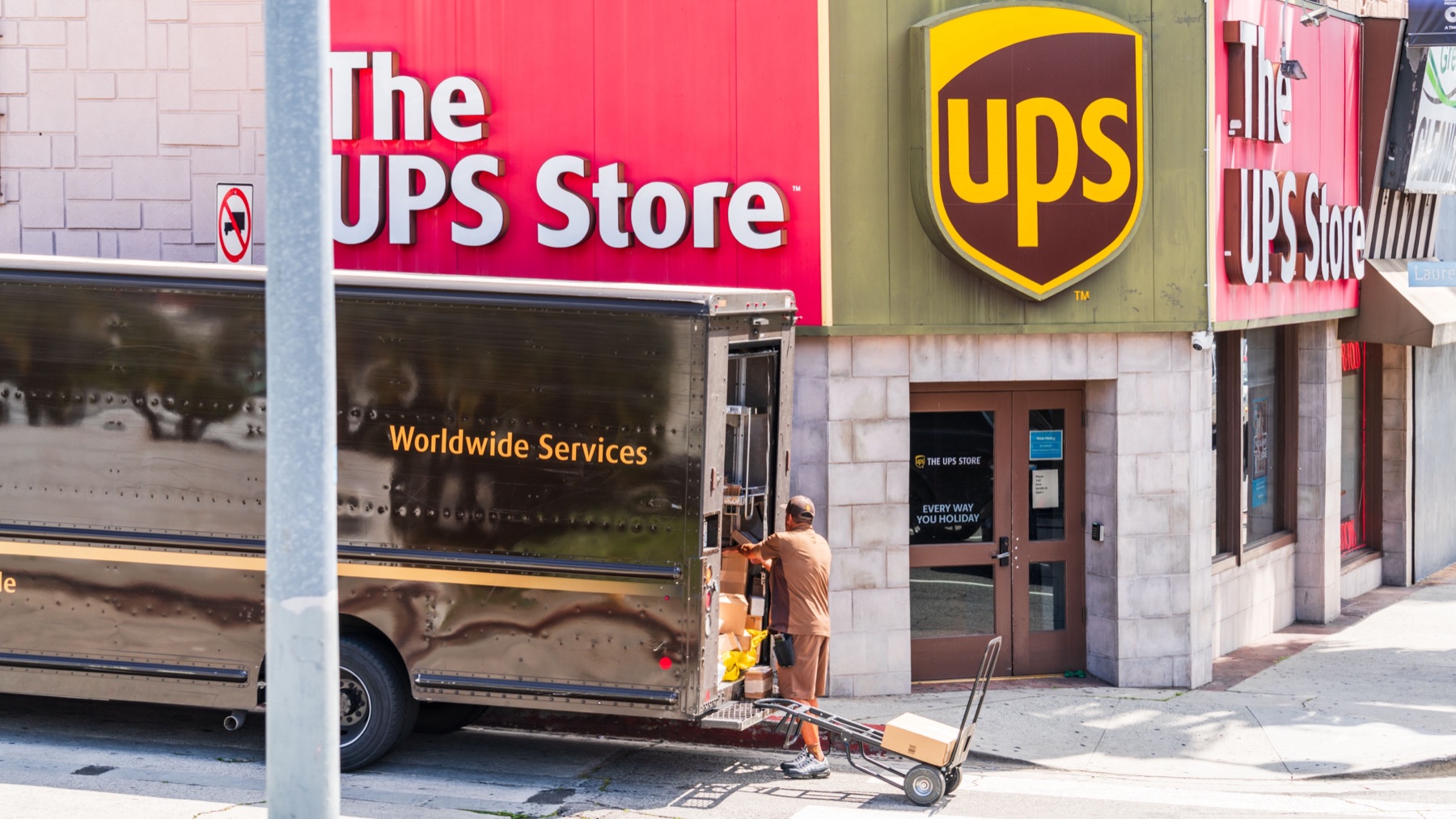
- Different from The UPS Store. The UPS Store is a retail franchise network where you can drop off packages or have staff pack and ship for you. Marketplace Shipping is an online self-service tool for merchants who are already printing labels themselves.
In other words, think of UPS Marketplace Shipping as UPS’s own lightweight order-import and label console, rather than an ecommerce or sourcing platform.
Key Features That Matter for Marketplace Sellers
UPS doesn’t publish a long feature checklist on the public marketing page, but its own language and merchant discussions around the tool highlight a few core capabilities that are relevant if you sell on Amazon, eBay, or social marketplaces.
Order import from online marketplaces
UPS promotes Marketplace Shipping to sellers on major online marketplaces such as Amazon and eBay and notes that you can manage shipments from multiple marketplaces in one place. That implies a basic flow:
- Connect your marketplace account(s) to UPS Marketplace Shipping.
- Orders that need fulfillment appear in a UPS dashboard.
- You select the ones you want to ship via UPS and generate labels.
This is different from typing each order into UPS.com individually and helps reduce address and data-entry errors.
Centralized UPS shipment management
UPS repeatedly describes Marketplace Shipping as a central place to manage shipments. For a UPS-focused shop this typically means:
- Viewing marketplace orders you plan to ship with UPS.
- Applying your chosen UPS service (Ground, air options, etc.).
- Printing labels, then handing parcels to UPS via pickup or drop-off.
Because it’s UPS-only, the dashboard doesn’t become a true control center for all your shipments if you also use USPS or FedEx. But if your strategy is “default to UPS for anything over a pound” or you’re under a UPS contract, this can be enough.
Access to UPS’s standard online shipping tools and supplies
Outside the Marketplace Shipping page itself, UPS offers general online tools and support resources, including quoting and label creation on UPS.com shipping and documentation in its shipping support section. Sellers can also order shipping supplies like boxes, labels, and envelopes through UPS’s order supplies page.
In practice, Marketplace Shipping sits on top of that ecosystem: the same carrier, service options, and supplies, but with marketplace orders feeding into the shipping flow rather than standalone shipments.
How UPS Marketplace Shipping Stacks Up Against Other Options
Most small sellers don’t choose tools in a vacuum. You’re usually picking between:
- Native marketplace labels (e.g., Amazon Buy Shipping, eBay labels).
- UPS Marketplace Shipping.
- Generic UPS.com or The UPS Store.
- Multicarrier shipping software.
The table below simplifies the main tradeoffs.
| Option | Carrier scope | Data source & integration | Typical use case | Key limitations |
|---|---|---|---|---|
| UPS Marketplace Shipping | UPS only | Imports orders from supported marketplaces into a UPS dashboard | Sellers whose marketplace orders are mostly shipped via UPS and who want direct carrier integration | Not a multicarrier hub; relies on UPS-supported marketplace connections |
| Marketplace-native labels (Amazon/eBay, etc.) | Often multiple carriers, but controlled by that marketplace | Orders live in the marketplace; labels bought there, sometimes using marketplace-negotiated rates | Sellers who primarily sell on one marketplace and want its built-in seller performance tracking | Usually tied to one marketplace; harder to standardize labels across channels |
| Generic UPS.com shipping | UPS only | You enter shipment data manually for each label | Ad-hoc shipments, low volume, or one-off business parcels | No automatic order import; more manual work as volume grows |
| Multicarrier shipping software | Multiple carriers (UPS, USPS, others) | Integrates with multiple marketplaces, carts, and carriers | Brands needing one workflow for UPS, USPS, and others, often across several channels | Extra subscription cost; may require setup to match or exceed direct carrier rates |
A few editorial observations based on the evidence and market norms:
- UPS promotes Marketplace Shipping as a way to manage orders from several marketplaces in one UPS tool, which is a differentiator versus each marketplace’s own label flow.
- Merchant forums show some sellers experimenting with UPS Marketplace Shipping as an alternative to marketplace-provided UPS labels, especially when they want to compare rates or prefer a direct UPS relationship. Experiences vary, and those anecdotes shouldn’t be treated as a guarantee of better pricing or specific discounts.
So where does UPS Marketplace Shipping clearly fit in this field? It’s strongest as a direct-carrier, UPS-first control panel for marketplace shipments. When your business model needs carrier choice, advanced automation, or deep cross-border tooling, independent software or marketplace-native labels usually offer more knobs to turn.
Which Sellers UPS Marketplace Shipping Fits Best
Not every ecommerce workflow needs a UPS-only tool. These concrete scenarios can help you decide whether UPS Marketplace Shipping should be your main shipping hub, a secondary tool, or something you skip.
1. UPS-heavy Amazon or eBay seller
Profile: You’re US-based, most of your orders are on Amazon or eBay, and you already lean on UPS for many shipments.
How a typical workflow looks:
- Connect your Amazon or eBay seller account to UPS Marketplace Shipping.
- Let orders that need UPS service flow into the UPS dashboard.
- Choose UPS services, print labels, and hand packages to UPS via pickup or drop-off.
Why UPS Marketplace Shipping can work well here:
- You centralize UPS shipments from multiple marketplaces inside UPS’s own environment, while still managing listings and customer communication on Amazon/eBay.
- UPS tools and supplies are in one place, which simplifies operations if UPS is your default carrier.
When you might skip it:
- If you rely heavily on marketplace-native tools for performance metrics, on-time shipping guarantees, or automated handling of carrier claims, you may prefer to keep labels inside the marketplace to keep everything in one ecosystem.
2. Multichannel seller using UPS, USPS, and others
Profile: You sell on Amazon, eBay, possibly your own site, and you choose carriers dynamically: UPS for heavier or time-sensitive shipments, USPS for lightweight parcels, perhaps another carrier for regional deliveries.
Fit for UPS Marketplace Shipping:
- As your UPS-only console, Marketplace Shipping can still be useful to streamline the subset of orders you intend to ship via UPS.
- But it won’t replace a true multicarrier platform; you’d still need a separate process or tool for USPS and other carriers.
What typically works better:
- Multicarrier software that plugs into multiple marketplaces and shopping carts, then routes each order to UPS, USPS, or another carrier based on your rules.
- Marketplace-native labels when you want a simple, channel-specific workflow and don’t mind printing from each marketplace separately.
In this scenario, UPS Marketplace Shipping is more of a side tool than the backbone of your shipping stack.
3. Casual Facebook Marketplace seller or side hustler
Profile: You sell a handful of items a month through Facebook Marketplace or similar peer-to-peer platforms, and you’re looking for a reliable way to ship.
UPS has publicly referenced partnerships supporting Facebook Marketplace sellers, highlighting that Facebook Marketplace users can ship with UPS and that UPS has handled large volumes for that community. That doesn’t specify exact program terms or current rates, but it does confirm UPS sees these casual marketplace sellers as a distinct audience.
How to think about UPS Marketplace Shipping here:
- If your volume is very low, you may find it simpler to use whatever label options the platform offers directly, or even ship via generic UPS.com or USPS counters for one-off parcels.
- If your side hustle grows into a steady stream of UPS shipments, connecting your marketplace account to UPS Marketplace Shipping could save you manual data entry and help you keep tracking numbers organized.
4. Cross-border importer pairing sourcing with shipping tools
Profile: You’re a US-based small business sourcing products from overseas sellers on a cross-border marketplace such as DHgate, then reselling those products domestically through Amazon, eBay, or your own site.
In this setup, sourcing and outbound shipping are separate layers:
- You use a cross-border marketplace to find suppliers and place orders, but you still need to verify individual sellers and listings, check product details, and understand your responsibilities on customs and compliance.
- Once the goods arrive in the US and you resell them, you need a domestic shipping workflow for orders to your customers.
Where UPS Marketplace Shipping fits:
- It doesn’t touch the inbound leg from overseas suppliers.
- It can, however, help with outbound UPS shipments from your US location once you start selling through connected marketplaces.
This is a good example of why you should mentally separate where you source from how you fulfill. A sourcing marketplace can help you find products; UPS Marketplace Shipping is one way—among several—to handle UPS labels for the orders you generate afterward.
5. Small brand testing cross-border sales
Profile: You’re experimenting with selling directly to overseas consumers from the US and want to see whether UPS Marketplace Shipping can manage international labels.
UPS as a carrier certainly supports international services, and its site offers general international shipping tools. But Marketplace Shipping is marketed primarily around online marketplace sellers and centralizing those orders, not as an advanced cross-border compliance console.
Practical takeaway:
- You can likely use UPS for international labels via UPS.com or integrated tools.
- For more complex cross-border workflows (multiple carriers, localized duties and taxes handling, or detailed export documentation), dedicated cross-border shipping platforms or marketplace-specific export programs are usually more appropriate than relying solely on a UPS-only marketplace tool.
In other words, treat UPS Marketplace Shipping as a convenience layer for UPS labels tied to marketplace orders—not as an all-purpose global shipping solution.
Sources
- UPS – Manage Customer Orders With UPS Marketplace Shipping
- UPS – Manage Customer Orders (UK)
- UPS – Shipping on UPS.com
- UPS – Shipping Supplies
- UPS & Facebook Marketplace partnership post
- SellersAskSellers merchant discussion of UPS Marketplace Shipping
- DHgate editorial on USPS and ecommerce
- DHgate editorial describing DHgate as a cross-border marketplace