
Yes. For most small buying teams, the most effective vendor-price comparison tool is a structured spreadsheet supported by three simple companions: a specification matrix, a landed-cost calculator, and a risk-adjusted scorecard. Procurement software can automate the same work at higher volume, but it cannot repair incomplete or non-comparable quotes.
The central rule is to compare equivalent offers. A low unit price is not useful if one quote excludes freight, uses a different material, assumes a larger order, provides a shorter warranty, or leaves import costs unresolved.
The four-tool comparison stack
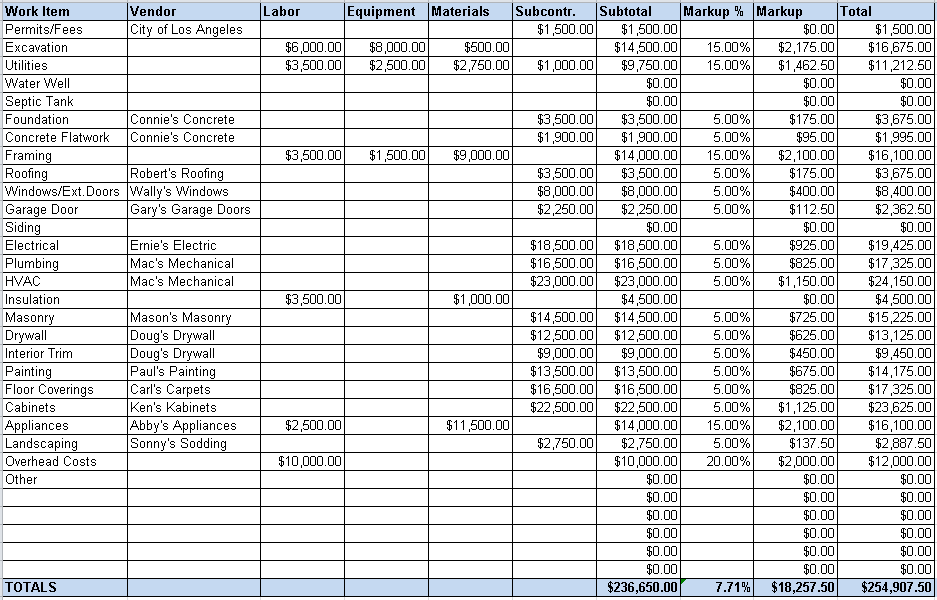
Estimating Spreadsheet by Hooton99, Wikimedia Commons, released into the public domain/CC0.
1. Specification matrix
Build this before requesting prices. Give every vendor the same product specification, quantity, packaging, quality documents, delivery destination, delivery term, and quote-validity requirement. If the requested item is customized, include drawings, tolerances, approved materials, labeling, and sample expectations.
The matrix prevents a common error: treating two prices as comparable when the vendors have priced different products or service levels. Any exception should appear in its own column instead of being buried in email.
2. Quote comparison spreadsheet
Use one row per vendor and one column per decision factor. A basic spreadsheet is enough when requests are occasional and the buyer controls versioning. A shared sheet is useful when finance, logistics, compliance, or product teams need to review the same evidence.
The spreadsheet should preserve the original quote date, currency, validity period, quantity tier, unit price, tooling or setup fee, sample fee, packaging, payment timing, freight basis, lead time, warranty or return terms, and every assumption. Attach the source quote or link to it so the result remains auditable.
3. Landed-cost calculator
A landed-cost calculator turns the quote into the estimated cost of getting acceptable goods to the required destination. It should include only costs supported by the quote, carrier estimate, customs classification work, or another identified source. Keep uncertain amounts separate instead of silently treating them as zero.
For US commercial imports, Customs and Border Protection notes that entry requirements and applicable duties, fees, and taxes can apply. The exact result depends on the merchandise and import facts, so a generic calculator should not invent one universal duty rate. Review current CBP customs-duty information and obtain specialist advice where needed.
4. Risk-adjusted scorecard
Price is one input, not the whole award decision. Add separately weighted fields for specification compliance, evidence completeness, sample result, capacity, delivery confidence, defect remedy, communication, and financial exposure. Keep hard requirements as pass/fail gates; do not let a high price score offset a missing safety document or failed sample.
Federal procurement rules are not a purchasing policy for private businesses, but their price-analysis methods are a useful reference. The Federal Acquisition Regulation describes comparisons using competitive quotes, recent prices for the same or similar items, published market prices, independent estimates, and market research, adjusted for quantities and terms. See FAR Subpart 15.4.
A vendor quote table you can use
Complete the first table directly from the vendor’s written offer. Use “not stated” when a field is missing; do not guess.
| Field | Vendor A | Vendor B | Vendor C |
|---|---|---|---|
| Exact specification and approved exceptions | Record quote | Record quote | Record quote |
| Quantity tier and minimum order | Record quote | Record quote | Record quote |
| Unit price, currency, and quote date | Record quote | Record quote | Record quote |
| Tooling, sample, packaging, or setup fees | Record quote | Record quote | Record quote |
| Delivery term, origin, destination, and lead time | Record quote | Record quote | Record quote |
| Payment timing, warranty, and remedy terms | Record quote | Record quote | Record quote |
Then calculate the cost components in a second table. Splitting the tables keeps them readable on mobile screens.
| Cost element | Vendor A | Vendor B | Vendor C |
|---|---|---|---|
| Merchandise subtotal | Calculate | Calculate | Calculate |
| Setup, sample, tooling, and packaging | Add supported amounts | Add supported amounts | Add supported amounts |
| Freight and insurance | Add supported amounts | Add supported amounts | Add supported amounts |
| Duties, taxes, brokerage, or entry fees | Record verified amount or uncertainty | Record verified amount or uncertainty | Record verified amount or uncertainty |
| Expected rework, inspection, or failure allowance | Show method and evidence | Show method and evidence | Show method and evidence |
| Estimated landed and risk-adjusted total | Sum comparable inputs | Sum comparable inputs | Sum comparable inputs |
The government evaluation rule for simplified acquisitions explicitly includes transportation from the supplier’s shipping point to the destination and calls for offers to be evaluated on the basis established in the solicitation. That supports two good habits for any buyer: include delivery costs and define the comparison criteria before opening quotes. See FAR 13.106-2.
Calculate landed and risk-adjusted cost
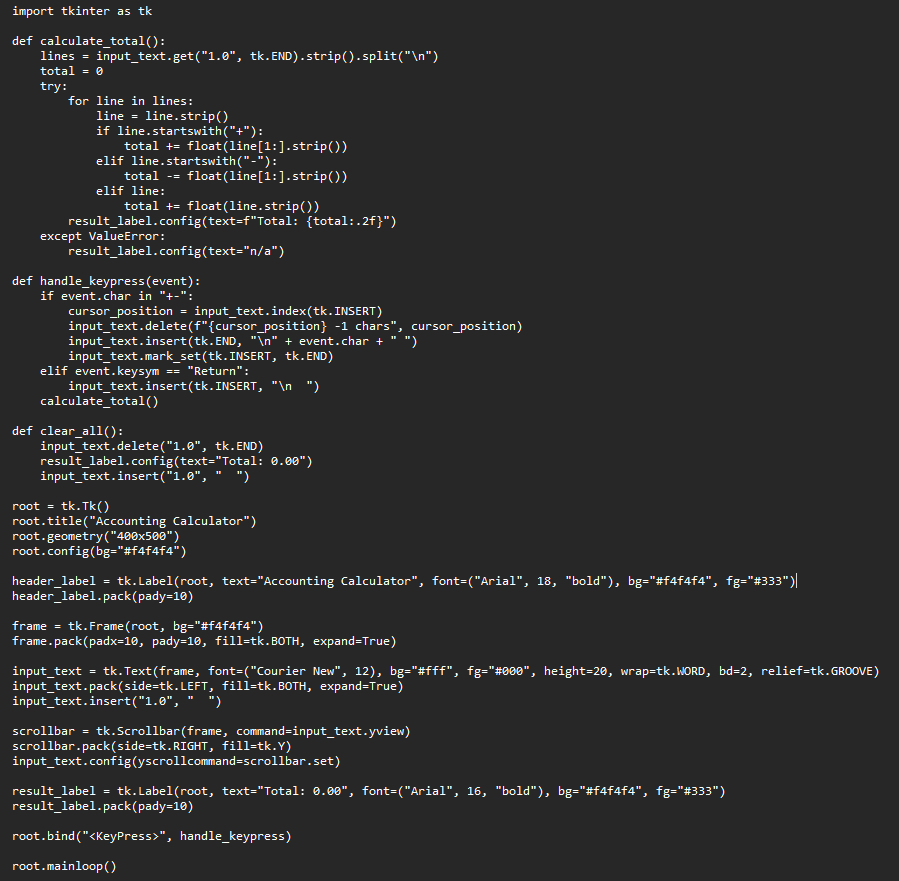
Accounting Calculator by DoubleCritch, Wikimedia Commons, dedicated to the public domain under CC0 1.0.
Use two totals rather than one.
Estimated landed cost equals the merchandise subtotal plus documented setup, packaging, freight, insurance, and import-related costs needed to reach the destination. State the currency and exchange-rate date. If a cost is unknown, show a range or unresolved line instead of entering zero.
Risk-adjusted cost adds the buyer’s documented allowance for predictable consequences such as inspection, rework, defect replacement, delay, or unusable inventory. The allowance needs a stated basis—for example, an approved sample test, a prior order record, or a quoted inspection service. Do not invent a failure rate for a new vendor.
This approach is consistent with the Small Business Administration’s broader advice to identify and organize expenses for a complete financial picture. The SBA does not provide a universal vendor-scoring formula, so use its business cost-planning guidance as a planning reference, not as a claim that it endorses this worksheet.
When to move beyond a spreadsheet
A spreadsheet remains practical when the number of vendors, users, and quote versions is small. Move to a request-for-quote or procurement platform when manual work creates version errors, approvals are hard to trace, the same categories are quoted repeatedly, or supplier documents need structured expiry reminders.
Evaluate software by workflow, not marketing claims. Test whether it can:
- issue the same specification and deadline to every invited vendor;
- keep quote revisions and attachments linked to the correct supplier;
- normalize currencies and quantity tiers without hiding the original values;
- separate hard compliance gates from weighted preferences;
- expose formulas, approvals, and change history;
- export the comparison and underlying evidence;
- restrict access to confidential quotes; and
- handle the number of vendors and users you actually have.
Do not select a tool merely because it promises savings. Run one real, non-sensitive RFQ through a trial and compare the output with a manually verified worksheet. Check the current pricing, security terms, data retention, integrations, and cancellation conditions directly with the software provider before committing.
A disciplined comparison process
First, freeze the specification and award criteria. Second, send the same request to all vendors. Third, record clarifications in writing and distribute material changes consistently. Fourth, normalize quantity, currency, and delivery basis. Fifth, verify samples and required documents. Sixth, calculate landed cost and keep uncertainty visible. Finally, write the award rationale, including why a higher-priced offer was chosen if it reduced a documented risk or met a requirement that the lower quote did not.
Price history can help, but it needs context. A prior price is not automatically comparable if quantity, material, freight, exchange rate, delivery term, or market conditions changed. FAR price-analysis guidance likewise calls for adjustments when comparing current or recent prices with different quantities or terms.
Apply the worksheet across sourcing channels
Use the same worksheet for DHgate and for other channels. Do not assume a listing price is a wholesale landed cost, that every seller offers the same terms, or that a platform-wide policy proves a particular order outcome. The value of the method is that it lets the evidence—not the marketplace label—drive the decision.
For additional DHgate platform context, use Compare DHgate with AliExpress, Alibaba and Temu, Find wholesale suppliers on DHgate, and Understand customs, tariffs and import fees.
The best tool is therefore the smallest system that preserves comparable specifications, complete cost inputs, explicit uncertainty, and an auditable decision. Start with the four-tool stack; add procurement software only when the workflow volume justifies it.