
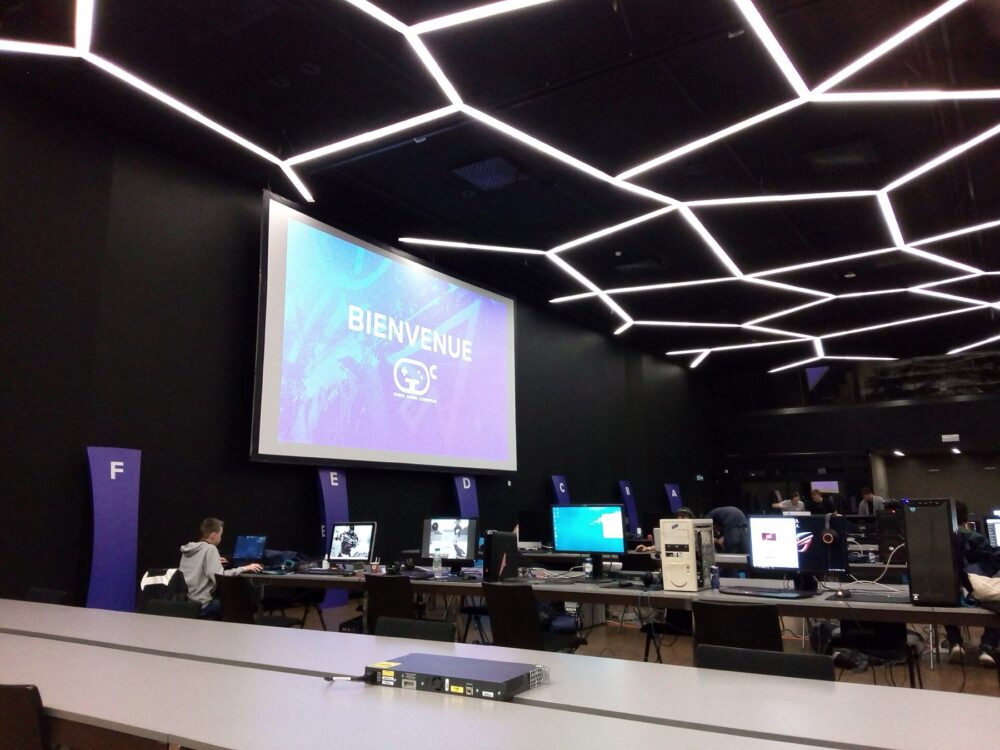
A minimalist gaming setup in Australia stays affordable when you strip it back to the essentials: a single good screen, a functional PC or console, a sturdy desk and chair, and basic cable management. You keep costs down by avoiding influencer-style extras (multiple monitors, themed decor, premium materials) until the core gear is sorted. For sourcing, most buyers will get the best value by combining local or used hardware with cheaper cross‑border accessories, and always calculating total landed cost — product price, shipping and any import fees — before clicking “buy.”
Guides from brands like Blacklyte and GamingSetupScout all circle the same idea: simplicity, functionality and clean cables matter more than sheer hardware volume. That’s good news for your budget.
What a Budget Minimalist Gaming Setup Really Costs
Minimalist doesn’t mean bare-bones or cheap-looking. It means every piece earns its spot. Across examples like ONEXZONE’s minimal desk and GamingSetupScout’s clean build, a typical budget-friendly layout includes:
- One PC or console
- One monitor or TV
- Basic keyboard/mouse or controller
- A simple desk and ergonomic chair
- A few cable management tools (clips, trays, sleeves)
For an Australian buyer, your cost stack looks roughly like this (qualitative ranges only, because actual prices move fast):
| Component | Minimalist choice | Typical budget impact* |
|---|---|---|
| Display | Single 24-27″ monitor or TV | Moderate; biggest visual lever |
| PC / Console | Midrange gaming PC or current console | Highest share of total spend |
| Desk | Plain rectangular desk, no built‑ins | Low–moderate depending on material |
| Chair | Basic ergonomic office chair | Moderate; saves long-term discomfort |
| Peripherals | Non-RGB keyboard, mouse, headset | Low–moderate |
| Cable tools & mounts | Clips, tray, maybe a single arm | Low |
\*Budget impact is relative inside your setup, not a promise of specific AUD amounts.
Australian-focused ergonomic guides like Sihoo AU stress monitor height, seating and keyboard placement as core to a minimalist PC gaming setup. That matters for your wallet too: getting posture and layout right with modest gear is usually cheaper than buying flashy hardware to compensate for a cramped or uncomfortable space.
Don’t forget non-obvious costs:
- Shipping: bulky desks, chairs and monitors can add serious freight cost, especially across borders.
- Import fees: if you order gear from overseas, customs and tariffs can erase the apparent price advantage. Use a calculator before you commit and read a guide like Understand customs, tariffs and import fees for the basics.
- Returns / resale friction: offloading a mis-sized desk or extra monitor in Australia may mean steep discounts on Facebook Marketplace or Gumtree, so planning your layout upfront is worth real money.
Why Some Minimalist Setups Stay Cheap and Others Don’t
Two rooms can both look “minimal” in photos, yet their price tags can be wildly different. The difference usually comes down to a handful of design and sourcing decisions.
1. Screen count and mounting decisions
Editorial examples like ONEXZONE’s show that a minimalist desk works perfectly with a single monitor and simple peripherals. As soon as you add a second or third display plus arms or a wide stand, you’re not only buying more hardware — you might need a deeper desk and sturdier chair to keep posture and weight balanced.
Minimalist PC guides such as GamingSetupScout recommend prioritizing a single quality monitor at the right height over multiple cheaper screens. That keeps visuals clean and limits desk-size creep.
2. Desk materials and shape
Brand blogs and DIY desk articles, including Dhgate’s editorial piece on gaming design, all highlight materials and shape as big cost levers. A basic rectangular wooden desk usually costs less and leaves more usable space than:
- Curved or L‑shaped desks
- Glass tops
- “Gamer” desks with built‑in lighting or complex frames
From a minimalist perspective, a plain surface that fits your room and cables is both cheaper and actually easier to keep tidy.
3. Cable management: cheap tools vs built‑in solutions
Blacklyte’s cable‑free battlestation ideas lean on small, inexpensive tools — under‑desk trays, adhesive clips, sleeves — rather than expensive furniture with integrated channels.
Low-cost cable tools have a few budget advantages:
- They work with almost any desk, including second‑hand ones.
- You can reconfigure them when you upgrade gear.
- You don’t pay a “premium gaming furniture” markup just to hide wires.
4. Furniture and storage in small spaces
Small-room guides like GameApp’s minimalist gaming room ideas show how stripping back furniture and using wall‑mounted shelves or pegboards cuts clutter and spend. A few examples:
- Wall mounts for controllers and headphones instead of extra drawers
- Narrow shelving above the desk rather than a larger, more expensive unit
- One multi‑purpose chair instead of a separate “gaming” and “office” chair
By keeping the footprint light, you avoid upgrading to a bigger desk or room just to hold stuff you rarely use.
5. Customization and themed decor
A minimalist aesthetic is often sold alongside custom panels, themed artwork and RGB everywhere. Those look great on Instagram, but they quickly eat into your budget:
- Custom desk builds or CNC‑cut panels
- Limited-edition peripherals that are more about visuals than performance
- Large wall art or collectible displays
Most expert guides — from Sihoo’s ergonomic piece to GamingSetupScout — place decor after core hardware and cable management. For a budget setup, think of themed touches as the last 10-20% of your spend, not the first.
Picking Sourcing Channels and Trimming Total Setup Cost
Once you know what “minimalist” really requires, the next question is where to buy it. For Australian buyers and small ecommerce sellers, the cheapest path is rarely just one channel.
Local retail and chains
Best for: large, heavy items and anything you need to test physically.
- Pros: predictable delivery, clear consumer rights, easier returns on big items like desks and chairs.
- Budget angle: watch for seasonal sales on monitors and chairs; these are high-impact upgrades for both performance and comfort.
Second-hand and refurbished markets
Best for: monitors, basic office desks, chairs and console hardware.
- Pros: substantial discounts, especially on previous‑gen gear that still handles most games.
- Budget angle: start here for the “big pieces” and spend your new‑buy budget on items that wear out fast (headsets, mice, keyboards).
Cross-border marketplaces (including DHgate)
Best for: smaller accessories and decor, or bulk buys for a micro‑store.
Editorial gaming design advice on Dhgate’s blog stresses planning your layout, furniture and cable management first so you avoid buying ill‑fitting items. That same principle helps with cross‑border sourcing: you only import what your setup truly needs.
On a marketplace like DHgate, potential sweet spots include:
- Cable clips, sleeves and under‑desk trays
- Simple monitor arms and stands
Risks and checks:
For small sellers bundling “minimalist gaming setup” packages, it often makes sense to:
- Source core hardware locally or refurbished within Australia
- Import only low‑weight accessories in bulk
- Keep your offer focused on a single-monitor, clean‑cable layout so you don’t drift into costly complexity
Practical ways to cut your total setup cost
Regardless of channel, a few tactics tend to move the needle more than chasing the absolute cheapest listing:
- Lock in your layout first. Dhgate’s design guidance and AU ergonomic blogs both stress measuring your room and planning furniture and monitor placement. Doing this upfront avoids buying the wrong desk size or an arm that doesn’t match your monitor.
- Cap your monitor count. Commit to one good screen for at least a year. That keeps the desk, cable tools and GPU requirements modest.
- Buy cables and management as a bundle. Ordering clips, sleeves and a tray together — whether locally or cross‑border — is usually cheaper than piecemeal upgrades.
- Stage your build. Start with: console/PC + single display + chair. Once that works ergonomically, add the desk upgrade and cable tools, then decor.
By treating minimalist gaming setups as a series of deliberate choices instead of an aesthetic moodboard, you can keep the entire project financially manageable — whether you’re building one desk for yourself in Brisbane or testing a budget bundle for customers across Australia.