
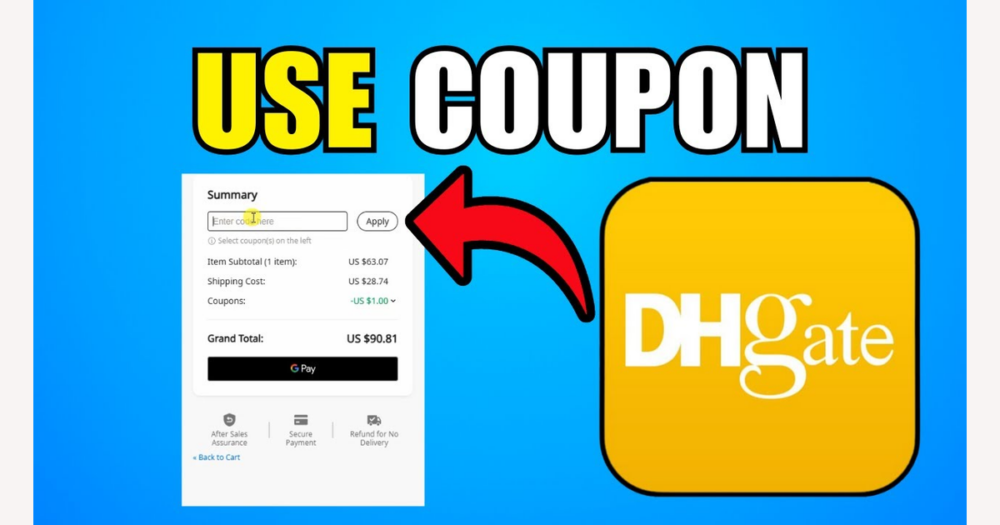
DHgate prime time coupons are DHgate’s own time‑limited promotional discounts, designed to cut what you pay on eligible orders during specific campaign windows without changing the seller’s obligation to ship and support your purchase. If you understand that a prime time coupon lowers your payable amount at checkout—but does not replace normal checks on seller reliability, shipping, and refunds—you can decide whether a particular promotion genuinely improves the deal on your entertainment or dining order.
What a DHgate prime time coupon is
On DHgate, a prime time coupon is a DHgate-run or DHgate-coordinated promotional discount that becomes available only during specific promotional windows—such as set hours, dates, or event periods. During that window, the coupon can be applied to eligible products or orders and reduces the amount you actually pay at checkout.
Even when a prime time coupon is applied, the seller’s basic obligations do not change. The seller still has to ship the correct items, honor the agreed shipping method and timing, and provide support under DHgate’s buyer protection rules, just at the post-discount price you paid.
“Prime time” here describes a limited promotion period, not a paid membership like Amazon Prime. And unlike random coupon codes from third-party sites, DHgate prime time coupons are tied directly to DHgate’s own campaigns and terms. Those official terms define when the coupon is valid, which orders qualify, and how the discount appears in your checkout total.
Typical rules and limits on DHgate prime time coupons
- Validity window: Prime time coupons usually work only within a defined time frame, such as specific hours, dates, or an event period. Once that window closes, the coupon cannot be used, even if it still appears in past promotions.
- Minimum spend and currency: Many DHgate coupons require you to reach a minimum order amount, calculated in a particular currency. If your entertainment or dining order total is below that threshold, or in a different currency, the coupon may not apply.
- Category and item limits: A prime time coupon may only cover certain categories (for example, entertainment or dining-related products) or specific item types. Non-participating products in your cart will typically be excluded from the discount.
- Participating sellers or stores: Some coupons are restricted to designated stores or sellers that join a campaign. Orders from other sellers on DHgate will not accept the coupon, even if the items look similar.
- Usage caps: Prime time coupons may be single‑use, limited to a fixed number of uses per account, or capped at a maximum total discount. Once you reach that limit, the coupon stops working for further orders.
- Price vs. fees: Certain coupons apply only to product price, while others may also reduce specific platform or service fees. Shipping charges, customs duties, and external transaction fees are often excluded and need to be checked in the coupon’s terms and in the checkout summary.
- Stacking with other offers: Some DHgate promotions can be combined with store coupons or site‑wide vouchers, while others cannot be stacked or are subject to a maximum combined discount. Whether stacking is allowed is defined in each coupon’s own rules.
- Always read the current terms: Exact amounts, dates, currencies, eligible categories, and stacking behavior are context‑dependent and can change between campaigns. Before relying on any prime time coupon, open its details on DHgate and confirm the current validity window, minimum spend, eligible products and sellers, usage limits, and how it interacts with other discounts.
How to check if a prime time coupon works for your entertainment or dining order
- Find the prime time coupon within DHgate’s ecosystem—such as in your coupon list, promotion or campaign center, or an event page—keeping in mind that exact navigation paths can vary by app version, device, or region.
- Open the coupon details and carefully read the key terms: valid dates and times, minimum spend, supported currencies and regions, and whether entertainment or dining items are explicitly included among the eligible categories.
- Check the product pages and store information for your entertainment or dining items for signs that they participate in the prime time promotion, such as badges, event banners, campaign mentions, or text indicating that the item or store is coupon-eligible.
- Confirm that your delivery region and payment currency match the coupon’s stated scope so the system is able to apply the discount; if they differ, the coupon may show as unavailable even if the item itself appears eligible.
- Build a provisional cart with the entertainment or dining items you want, then attempt to apply the coupon and watch for system messages about ineligible items, minimum spend not met, region or currency mismatches, or expired validity windows.
- If the coupon still does not clearly apply or the rules feel ambiguous, slow down: consider adjusting your cart to match the stated conditions, or skip using that coupon rather than guessing and assuming savings will appear at payment.
How prime time coupons change your total landed cost
On DHgate, your landed cost is the full amount you ultimately pay to receive an entertainment or dining order. It includes the item price, any platform or service fees charged by DHgate, shipping costs, taxes, customs duties, and possible transaction or currency‑conversion charges from your bank or payment provider.
A prime time coupon normally reduces part of the DHgate‑charged amount—such as the product subtotal or certain eligible fees—but it does not remove external charges imposed by customs authorities, tax agencies, or your bank. Shipping and import‑related costs may or may not be discountable, depending on the coupon’s own terms, so you should treat them as separate from the headline discount until the order summary shows otherwise.
For example, imagine an order with a $60 product subtotal, $10 shipping, and an estimated $5 in taxes and duties. Before any coupon, your landed cost is $75 plus any bank fees. If you apply a $15 prime time coupon that only covers product price, the subtotal falls to $45 while shipping and estimated taxes stay at $10 and $5, making your DHgate‑charged total $60. Any customs or transaction charges due at import or through your bank still apply on top of that.
Preview the order summary before confirming payment. Verify that the coupon has reduced the part of the total it claims to cover and that the shipping, tax, and customs information is clear. If key cost components—such as international shipping or duties—are not clearly explained, it is safer not to treat the coupon savings as the main reason to proceed with the order.
Using a prime time coupon does not change DHgate’s or the seller’s refund and dispute policies by itself. Your rights in case of problems follow DHgate’s buyer protection rules, the seller’s stated terms, and the applicable timelines, regardless of whether you received a discount on the order.
Risks and limitations when using DHgate prime time coupons
- Treat DHgate prime time coupons as tightly scoped offers. They may only work on specific products, categories, stores, or campaign pages, and they often have short validity windows or usage caps, so a coupon can stop working once the time period ends or the usage limit is reached.
- Before chasing a prime time coupon, compare it with any other discounts available—such as store-level promotions, membership offers, or different coupons. Sometimes a more stable store promotion or bundle deal can deliver better overall value than the time-limited prime coupon.
- Never assume a coupon makes a weak seller safe. You still need to check seller ratings, review history, shipping estimates, return policies, and product or service descriptions carefully. If anything looks vague, unrealistic, or inconsistent—especially for entertainment or dining-related services—the coupon should not override those red flags.
- Using a prime time coupon does not guarantee easier disputes or refunds. Refunds and dispute outcomes follow DHgate’s standard buyer protection rules and the seller’s stated policies. Where details such as whether a refund is calculated on the pre‑ or post‑coupon price are unclear or change over time, treat them as unknown and check DHgate’s current buyer protection and refund terms before relying on any assumption.
- If you cannot clearly understand the coupon rules, total costs, or the seller’s reliability, it is usually wiser to let a prime time coupon expire than to accept significant uncertainty or risk for a modest discount. A small saving is not worth confusion about what you will actually receive or how protected you are if something goes wrong.
Where prime time coupons are typically usable on DHgate
- Assume DHgate prime time coupons are tied to specific promotions, not the entire site. They typically work on DHgate‑configured events or campaigns—such as themed promotion pages, curated entertainment or dining collections, or designated participating stores—rather than on every listing.
- For entertainment and dining purchases, start by checking any event or campaign pages that mention those categories. Look for banners, headers, or short descriptions that explicitly link the promotion to a prime time coupon or describe how the coupon can be used in that campaign.
- Open individual product listings and store pages to scan for clear eligibility indicators. These may appear as tags, badges, or short notes stating that the item or store participates in a prime time promotion or is eligible for a specific coupon.
- If a product sits outside the promoted categories, belongs to a non‑participating store, or you place the order outside the prime time window, expect that the coupon will usually not apply—even if it still appears in your account or coupon list.
- Because DHgate’s layout, icons, and colors can change across app versions and regions, rely on straightforward text such as “eligible for this coupon,” “participating store,” or similar phrasing rather than assuming that one particular icon or color always signals prime time eligibility.
How to verify a prime time coupon was actually applied
- Before applying any DHgate prime time coupon, note the current item prices and the estimated total for your order (including shipping and fees). This gives you a clear baseline of what you would pay without a discount.
- Apply the prime time coupon and then compare the new total against your baseline. The payable amount should drop by roughly the coupon value or according to its stated terms; if the numbers do not match your expectation, treat that as a warning sign.
- Scan the checkout or order summary for an explicit reference to the coupon, such as a line showing the coupon name and the amount deducted. The exact wording or layout may change as DHgate updates its interface, but there should be some clear indication that a promotion was applied.
- If the total does not change as expected, or you cannot see any coupon line in the summary, pause before paying. Recheck the coupon’s validity window, minimum spend, and eligibility rules, and consult DHgate’s help or campaign terms rather than rushing through payment to catch a limited-time offer.
- Once the discount appears correctly, take screenshots or otherwise save a copy of the order summary showing the applied coupon and final total. Keeping this record makes it easier to question a charge or support a dispute with DHgate if the final billed amount or refund later seems inconsistent with the discount you saw at checkout.
Common questions about DHgate prime time coupons
Are DHgate prime time coupons single-use, or can I use the same coupon more than once?
On many platforms, event coupons are single-use or limited to a small number of uses per account, and DHgate prime time coupons are likely to follow similar patterns. Whether a specific coupon can be reused depends entirely on the current terms shown in its details (for example, “one use per user” or a defined usage cap). Open the coupon’s description on DHgate and check the usage limit before planning multiple orders. Re-check these terms for each new prime time campaign because rules can change between events.
Can I stack a DHgate prime time coupon with store coupons, site-wide vouchers, or other promotions?
Discount stacking is often restricted: some campaigns allow you to combine a platform coupon with store-level promotions or site-wide vouchers, while others explicitly forbid stacking or cap the total combined discount. DHgate decides this behavior at the promotion level, so you should not assume stacking is allowed. Check the current coupon and campaign terms on DHgate for clear statements such as whether prime time coupons can be used together with store coupons, DHCoins, or other vouchers, and verify how the discounts appear in your checkout summary before you pay.
Do DHgate prime time coupons apply to shipping and fees, or only to the item price?
Many platform coupons only reduce the product subtotal, while some may also cover specific platform or service fees. Shipping, customs duties, and external transaction charges are often excluded unless the coupon terms explicitly say they are included. For each DHgate prime time coupon, read the scope carefully: look for wording that limits the discount to “items only” or mentions shipping or fees. Then confirm in the order summary that the discount line matches what the terms describe before you rely on it to lower delivery or service costs.
How are refunds calculated if I used a DHgate prime time coupon on my order?
Refund treatment after a discounted purchase is highly policy-dependent and can change over time. Some systems refund based on the post-coupon amount; others may handle partial cancellations or returns differently. This guide cannot state DHgate’s exact current formula. Before assuming how much you will get back, review DHgate’s official refund and buyer protection documentation for the campaign and coupon you used, including any notes on orders with applied promotions. If the wording is unclear, treat the refund outcome as uncertain and consider contacting DHgate support for clarification before placing high-value orders.
Are there category or region-specific limits on using prime time coupons for entertainment and dining orders?
Prime time campaigns often target specific categories, regions, or currencies, which means an entertainment or dining order may qualify only if it sits inside the promoted category and your shipping destination and payment currency match the coupon’s scope. These limits are configured by DHgate for each event and may change between campaigns. Check the coupon description, event or campaign page, and product listing text for explicit mentions of eligible categories and regions, and confirm that your account region and payment currency align with those conditions before expecting the coupon to apply.
Where can I find the latest official rules on DHgate prime time coupon reuse, stacking, scope, and refunds?
Because coupon policies and promotion rules can change, the most reliable source is DHgate itself. Before relying on any prime time coupon, consult DHgate’s Help Center, the detailed terms linked from the promotion or campaign page, and the buyer protection and refund policy pages for your region. Look specifically for sections that address event coupons, stacking with other offers, whether discounts cover items, fees, or shipping, and how refunds are handled when a promotion was applied. Re-check these official materials each time you join a new prime time campaign, and treat them as the authoritative reference if anything in your checkout experience or order summary seems inconsistent.