
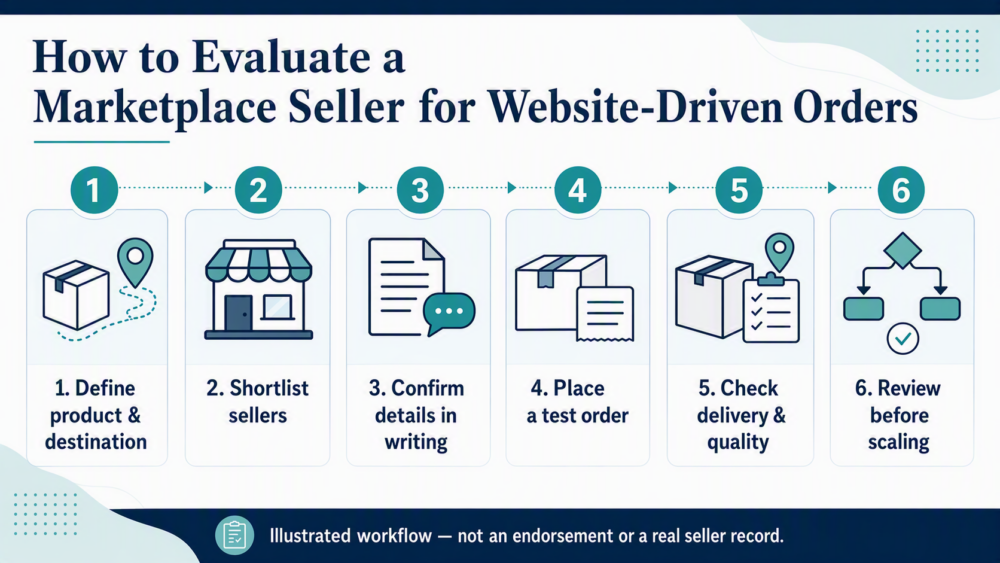
Quick answer
Before using a DHgate seller for demand generated by your website, confirm what the seller can supply, where the item can be sent, how variants and availability will be checked, and how you will test fulfilment. A marketplace listing is not, by itself, a website integration or a promise that the seller can support your customer-order workflow. Start with written answers and a small test order before relying on the seller at scale.
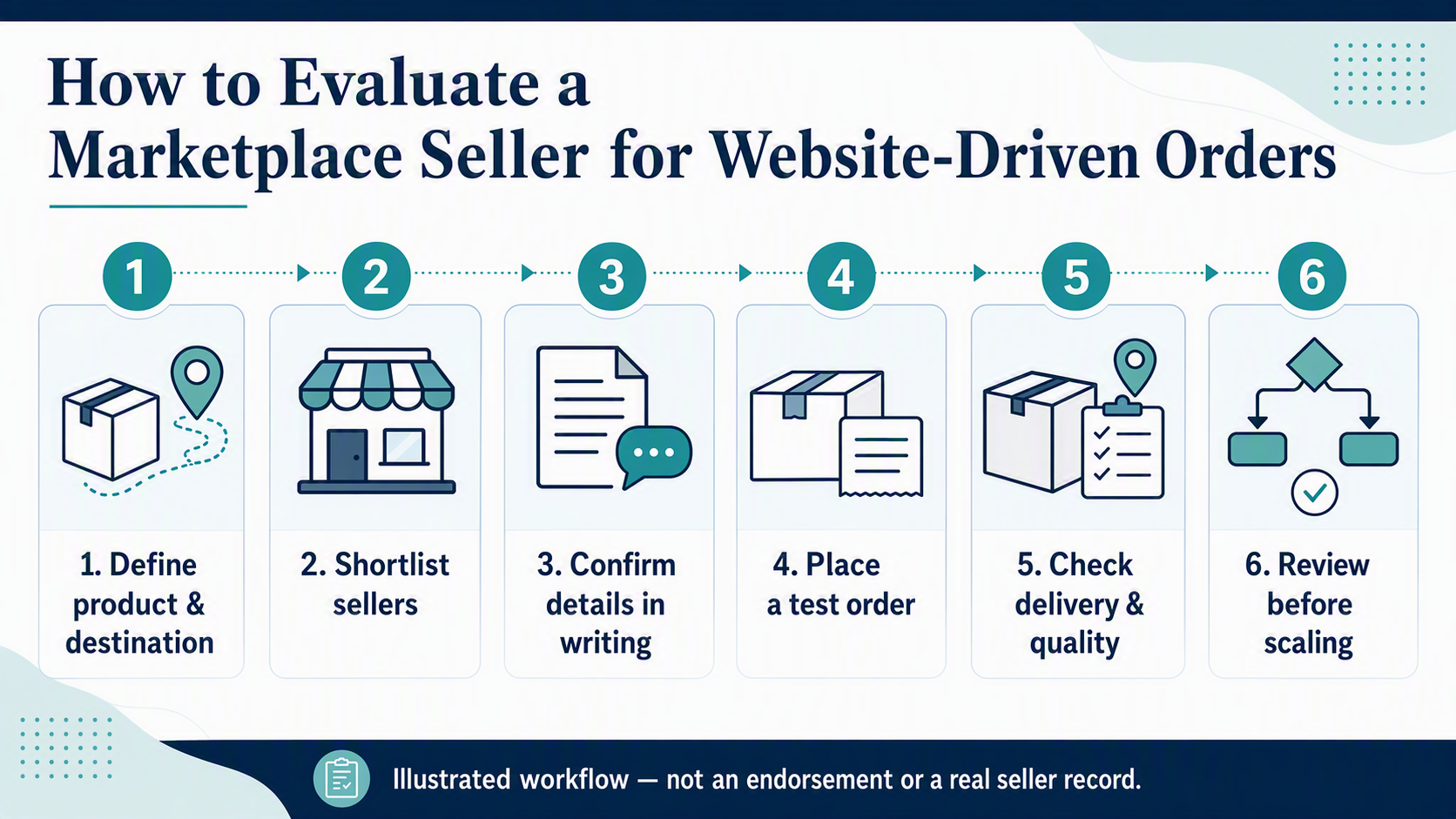
Decide what relationship you need
“Linking” a website with a vendor can mean different things. You may be researching a supplier for products you will buy yourself, testing whether a seller can fulfil orders to a destination, or considering a repeatable sourcing process for website-driven demand. These are business-process questions, not proof of an automatic connection between your site and a marketplace seller.
Define the process before you contact anyone: identify the exact product and variant, target destination, expected order volume, packaging needs, delivery expectations, and who will handle customer communication and returns. Do not display a product as reliably available on your website until you have a way to check availability and changes in price or variants.
Shortlist sellers using the listing and recent evidence
Use the product page to create a shortlist, then assess each seller against the exact item you intend to test. Look for a complete description, clear variants, usable shipping information, images that match the written details, and recent feedback relevant to that product category. A visible rating or order signal can be one input, but it is not a guarantee of stock, delivery performance, item quality, or suitability for your workflow.
- Product fit: Can you identify the exact material, variant, dimensions, contents, and packaging from the listing?
- Destination fit: Does the listing show a shipping option for the destination you intend to test?
- Listing consistency: Do the title, photos, variant choices, and description tell the same story?
- Recent signals: Are there recent reviews or customer photos that relate to the same type of item?
- Communication quality: Does the seller answer specific questions clearly through the marketplace message thread?
DHgate’s guide to finding vendor sellers can help with initial research. Treat that research as a starting point, then verify the details that matter for your particular product and destination.
What to confirm in writing before listing or routing demand
Use the on-platform message thread to ask focused questions. Written answers give you a record to compare with the listing and a clearer basis for deciding whether to test the seller. Do not rely on a generic “yes, available” response when a detail affects your customer experience.
- Can you confirm the exact product, variant, material, dimensions, and package contents?
- Can you ship the item to the target destination and provide tracking that the buyer can use?
- How should availability be confirmed before an order is accepted?
- What happens if the requested variant is unavailable or the item changes?
- What packaging, dispatch, and delivery information can you confirm for a test order?
- What product images or descriptions may you use, if any? Do not assume permission to reuse a seller’s media.
- What is the process if an item arrives incorrect, damaged, delayed, or materially different from the listing?
Keep questions and replies on the platform. If a critical point is vague, contradictory, or moved to an off-platform channel, pause rather than treating it as confirmed.
Run a small test order
A test order is the practical way to check whether the proposed process works. Use the precise variant and destination that matter to your business. Before checkout, save the listing, selected options, quoted shipping method, total charge, and the seller’s relevant messages. After ordering, retain the confirmation, tracking record, delivery information, and photographs or notes from inspection.
When the item arrives, compare it with the record: the selected variant, materials or specifications, package contents, visible condition, and delivery experience. A single test order does not guarantee repeat performance, but it can reveal whether the listing and written answers match the actual transaction.
Review whether the workflow is repeatable
Do not scale because one listing looks promising. Review the test order and decide whether you can operate the process reliably. You need a way to confirm availability before orders are accepted, keep product information current, communicate realistic delivery expectations, and respond when an order cannot be fulfilled as expected.
Keep your website, customer communications, and marketplace transaction records aligned. That includes describing the product accurately, avoiding delivery promises you cannot verify, and having a clear process for substitutions, cancellations, tracking updates, and returns. Review the seller and listing again whenever the product, destination, price, variant, or shipping option changes.
When not to route website-driven demand to a seller
Choose another seller or delay the listing when you cannot verify an operational detail that matters to the customer. Common stop signs include:
- the item, variant, material, or package contents are unclear;
- the seller cannot confirm the target destination or a usable shipping method;
- the listing and the seller’s written answers conflict;
- there is no workable way to confirm availability before accepting customer demand;
- the seller will not answer essential questions in writing; or
- the test order differs materially from the listing or agreed details.
Keep an order record if something goes wrong
If you place an order through DHgate and an issue occurs, use the options and instructions available for that specific order in your account. Keep the listing screenshots, messages, order confirmation, tracking details, and evidence of the item together. Eligibility, deadlines, requested evidence, and outcomes can vary by order and current policy, so treat the live order page and applicable terms as the controlling source rather than relying on a general timeline.
FAQ
Does a DHgate listing automatically connect to my website?
No. A marketplace listing does not by itself create an integration, grant reuse rights for product content, confirm stock, or guarantee fulfilment for your website orders. Verify the specific process you intend to use.
What should I ask before I test a seller?
Ask about the exact product and variant, destination, shipping method, availability checks, packaging, tracking, and how problems or unavailable items will be handled. Keep the answers in the marketplace message thread.
Why place a test order first?
A small test order lets you compare the listing and written answers with the real item, tracking, delivery, and packaging before you depend on the seller for repeated demand.
Can I reuse a seller’s photos and descriptions on my website?
Do not assume that you can. Ask for permission and keep any approval in writing. If permission is not clear, create or use content you are authorized to publish.
What records should I save?
Save the product page, selected variant, seller messages, checkout record, tracking, delivery evidence, and inspection notes. These records help you evaluate the workflow and support an order-specific request if one is available.
Next step
Choose one product and one destination, send the written confirmation questions, and place a small test order only after the important answers are clear. Review the result before you add the seller to a repeatable website workflow.