
Quick answer: DHgate can be a marketplace for supplier discovery or sample sourcing when you are evaluating products for Amazon FBA. However, a DHgate listing is not automatically suitable for FBA. Before you place an inventory order, verify the exact product, supplier records, intellectual-property risk, applicable compliance requirements, sample quality, prep and labeling needs, shipping plan, and total landed cost.
For an Amazon FBA seller, the key question is not simply “Do sellers use DHgate?” It is: Can this specific product and supplier support a documented, compliant, and repeatable FBA workflow? Treat a marketplace listing as a starting point for research—not as proof that the product is ready to send to an Amazon fulfillment center.
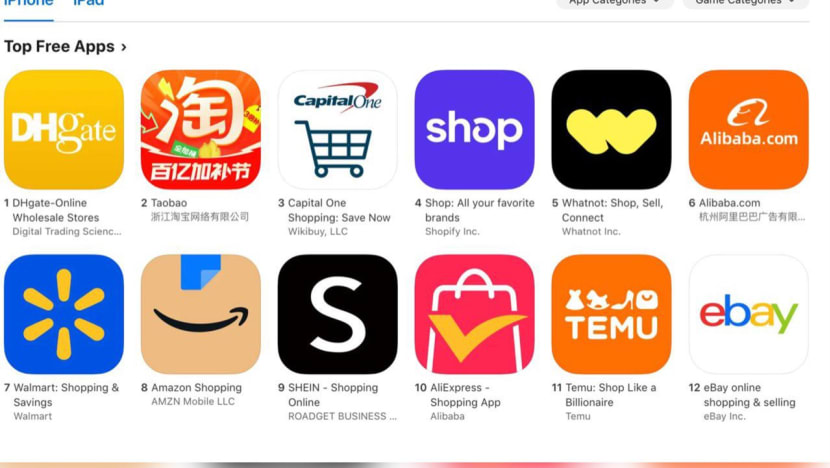
Can You Source From DHgate for Amazon FBA?
DHgate is a marketplace that connects buyers with independent sellers. It can be useful for finding potential suppliers, comparing listings, or ordering a small sample. But the marketplace itself does not confirm that a product is permitted for sale on Amazon, that a supplier can meet your preparation requirements, or that the item will be accepted in an FBA shipment.
Before treating a listing as an FBA sourcing option, confirm the details that matter to your own business and Amazon account:
- The product is permitted for your intended Amazon category and marketplace.
- You have the right documentation for any branded, regulated, or restricted product.
- The supplier can identify the exact product, material, packaging, and country of origin.
- You can inspect a sample or use an appropriate inspection process before a larger order.
- The product can be prepared, labeled, packed, and shipped according to the current instructions in Seller Central.
- The final cost still makes sense after product cost, inspection, prep, shipping, duties or taxes where applicable, FBA fees, and potential returns.
If a supplier cannot clearly answer an important question before you pay, do not assume the issue will be easier to solve after inventory is in transit or already at an Amazon fulfillment center.
Use DHgate for Supplier Discovery or Samples, Not Blind Inventory Orders
A first order should answer practical questions about the product and supplier. For many sellers, a small sample or manageable test order is a safer starting point than sending a first, unverified bulk order directly into FBA.
| Stage | Primary goal | What to verify |
|---|---|---|
| Listing research | Find possible products and suppliers | Product specifications, variation details, seller information, price structure, and visible review patterns. |
| Supplier questions | Check whether the seller understands the exact product and order | Materials, dimensions, package contents, MOQ, lead time, customization limits, and shipping options. |
| Sample or test order | Verify the product before a larger commitment | Actual quality, measurements, packaging, visible branding, accessories, product consistency, and shipping experience. |
| FBA preparation | Confirm the item can enter your intended Amazon workflow | Current Seller Central requirements, labels, packaging, product condition, carton details, shipping plan, and required documents. |
| Inventory order | Place a controlled repeatable order | Approved sample, written specifications, inspection plan, final quantities, total cost, and shipping responsibilities. |
A sample does not guarantee that every later unit will be identical. However, it gives you a real item to inspect and a reference point for communicating product requirements before a larger purchase.
1. Verify the Exact Product Before You Think About FBA
Do not assume that a title, thumbnail, or low starting price identifies the exact product you will receive. Marketplace listings can include multiple materials, colors, sizes, quantities, bundles, and package options.
Before ordering, verify the details that define the item:
- The exact product variation, model, material, color, size, quantity, and included accessories
- Product dimensions, unit weight, and package dimensions where relevant
- Whether the photos show the selected option or only a general example
- Whether the product includes batteries, liquids, cosmetics, electrical components, food-contact materials, or other category-specific features
- Whether the item includes any logo, brand name, trademark, character, design, or claim that you are not authorized to use
- The country of origin and any product information you may need for your records or compliance review
Important: Do not treat a seller’s willingness to offer a branded or logo-bearing item as proof that you are authorized to sell it. If a product includes another company’s brand, trademark, copyrighted design, or protected character, do not proceed unless you have clear authorization and the documentation required for your intended sales channel.
2. Check Amazon Requirements Before Placing an Inventory Order
Amazon FBA requirements can depend on your account, marketplace, product category, product condition, destination, and current fulfillment workflow. Check the current instructions in Seller Central before paying for inventory or asking a supplier to ship to an Amazon location.
Review the requirements that apply to your product, including where relevant:
- Restricted-product and category requirements
- Product safety, labeling, testing, and compliance documentation
- Brand authorization, invoices, or other product-identity documentation
- Barcode, labeling, packaging, and preparation instructions
- Shipment-plan, carton, and inbound-delivery requirements
- Condition, expiry, hazardous-material, battery, liquid, or other category-specific rules
Do not ask a supplier to “make it FBA-ready” without first confirming exactly what your current Seller Central workflow requires. Give the supplier only the specifications, labels, and shipment instructions you have verified for your own account and product.
3. Ask the Supplier FBA-Relevant Questions Before Buying
A supplier’s reply is not a substitute for Amazon policy or independent verification, but direct questions can reveal whether the seller can identify the exact product and support a controlled order.
Ask questions that relate to the specific variation you want. For example:
Hello, I am considering the [exact variation / material / size / quantity]. Please confirm: (1) the exact material and package contents; (2) unit weight and packed dimensions; (3) whether the product has any logo, brand name, or third-party mark; (4) the current MOQ and production lead time; and (5) whether you can send a sample before a larger order. Please reply for this exact option only.
If you have already confirmed an Amazon shipment plan and preparation requirements, you can separately ask whether the supplier can follow your written packaging and labeling instructions. Do not rely on vague promises such as “Amazon-ready” unless the seller has confirmed each requirement you actually need.
4. Inspect a Sample Before You Send Inventory to FBA
For a product you have not sold before, an inspection step can help you identify issues before larger inventory is committed. Depending on the product and budget, this may mean receiving a sample yourself, using a suitable inspection service, or arranging another documented quality-control process.
When reviewing a sample, check:
- The item matches the selected listing variation and supplier message
- Materials, dimensions, color, finish, and included accessories are consistent with what was promised
- Packaging protects the item and does not create an obvious issue for your intended fulfillment workflow
- Visible branding, labels, claims, and product information match what you are authorized and prepared to sell
- Any size, fit, compatibility, electrical, safety, or performance claim can be supported appropriately
- The supplier can provide the same specification consistently for a later order
Keep photos, notes, supplier messages, sample invoices, and the final approved specification together. If you decide to reorder, these records help you compare later production against the version you actually reviewed.
5. Calculate the Full Cost Before Comparing Suppliers
The lowest product price is not necessarily the lowest total cost. When comparing DHgate listings for an FBA workflow, use the exact product option and the complete path from supplier to your intended marketplace.
Consider costs such as:
- Product cost for the exact selected variation and quantity
- Sample cost, inspection cost, or quality-control cost
- Packaging, preparation, labels, inserts, or other handling costs you are allowed to use
- Freight, insurance, customs duties, taxes, brokerage, or destination charges where applicable
- FBA fulfillment, storage, referral, removal, and return-related costs applicable to your account and product
- Losses from damaged inventory, product changes, failed inspections, or unsellable units
Use current cost information from your supplier, carrier, customs adviser where appropriate, and Seller Central. A broad estimate can help with research, but do not treat it as a final profitability calculation until the exact product, shipping method, and fulfillment path are known.
6. Do Not Assume a Supplier Can Ship Directly to FBA
A seller may offer shipping, but that does not mean the product, labels, cartons, timing, documentation, and receiving plan meet the current requirements for your FBA shipment. Confirm your own workflow first, then decide whether the supplier, a prep provider, or another logistics partner should handle the preparation step.
Before approving any direct shipment, confirm:
- The product and quantity match the shipment plan you created
- The current Seller Central instructions for the item and shipment are understood
- Labels, packaging, carton information, and required preparation have been checked against your actual requirements
- The supplier has written instructions for the exact order, not a generic description
- You know who is responsible for inspection, prep, shipping, customs documentation, and any corrections needed before delivery
For a first order, sending a sample or a manageable quantity through a workflow you can inspect may be easier to control than relying on an untested supplier to complete every fulfillment step correctly.
Red Flags When Considering a DHgate Supplier for FBA
One concern does not automatically mean a seller is unsuitable. But several unclear or conflicting signals should make you pause before ordering inventory.
- The seller cannot identify the exact material, product variation, package contents, or dimensions.
- The listing uses branded names, logos, or protected designs but the seller cannot provide clear authorization documentation.
- Product photos, written specifications, and seller messages do not agree.
- The seller refuses to provide a sample or cannot confirm that the sample matches later production.
- Pricing changes after you select the actual variation, quantity, or shipping method.
- The seller asks you to move payment or essential order details outside the platform.
- The seller gives generic promises about Amazon acceptance without confirming your actual product and preparation requirements.
- The seller cannot provide a clear answer about production timing, packaging, shipping responsibility, or product information.
For a broader guide to vague listings, mismatched reviews, unclear costs, and weak seller communication, see our DHgate seller red flags guide.
A Pre-Order Checklist for DHgate-to-FBA Sourcing
- Confirm the product category and sales-channel requirements. Review the current Amazon rules that apply to your account and intended product.
- Verify the exact item. Confirm the material, model, size, quantity, packaging, product identity, and any relevant technical details.
- Review intellectual-property and compliance risks. Do not proceed with branded, restricted, or regulated products unless you have the required authorization and documentation.
- Ask the supplier specific questions. Keep product, pricing, packaging, and shipping details in a written record.
- Order and inspect a sample where appropriate. Compare the received item with the listing and written specifications.
- Calculate the full cost. Use the exact product variation, shipping method, preparation needs, and applicable Amazon fees.
- Confirm the fulfillment workflow. Check your current Seller Central requirements before inventory is packed, labeled, or shipped.
- Keep records. Save listing details, supplier messages, invoices, sample evidence, inspection notes, shipment documents, and final order specifications.
Frequently Asked Questions
Can I use DHgate to find products for Amazon FBA?
DHgate can be a marketplace for supplier discovery or sample sourcing. However, a listing is not automatically suitable for Amazon FBA. You still need to verify the exact product, supplier, compliance requirements, preparation process, shipping plan, and total cost for your own account and marketplace.
Can a DHgate seller ship directly to an Amazon fulfillment center?
Do not assume so. Before approving a direct shipment, verify your current Seller Central instructions and confirm that the product, packaging, labels, carton details, shipping plan, and documentation can be handled correctly for that specific order.
Should I order a sample before placing an FBA inventory order?
For an unfamiliar supplier or product, a sample or manageable test order can help you inspect the actual item, package contents, product identity, visible branding, measurements, and overall consistency before a larger commitment.
Can I sell branded products sourced from DHgate on Amazon?
Do not treat a marketplace listing as proof that you are authorized to sell a branded product. If an item includes another company’s trademark, brand, design, or protected character, proceed only when you have clear authorization and the documentation required for your intended sales channel.
What records should I keep for a DHgate sourcing order?
Keep the product listing, selected variation, supplier messages, invoices, sample evidence, inspection notes, shipping documents, product specifications, and any compliance or authorization records relevant to the product and marketplace.
Bottom Line
DHgate can be useful for discovering suppliers or testing a product, but it should not be treated as a shortcut around FBA product verification. Before committing inventory, verify the exact product, supplier communication, product identity, compliance obligations, sample quality, preparation workflow, shipping plan, and total cost.
The safer decision is not necessarily the listing with the lowest price. It is the option that gives you the clearest documentation, the most verifiable product details, and a fulfillment process you can confirm before inventory is shipped.
Sources and Further Reading
- Amazon: Fulfillment by Amazon
- DHgate: About Us
- U.S. Customs and Border Protection: Basic Importing and Exporting
- U.S. Consumer Product Safety Commission: Business Education
Source note: Amazon requirements, product restrictions, fulfillment instructions, supplier terms, customs obligations, and product-safety requirements can change and may depend on the product, marketplace, destination, and your account. Confirm the current requirements in Seller Central and with the appropriate official authority or qualified adviser before placing inventory orders.