

DHgate is one cross-border multi-seller marketplace to evaluate for this buying task; compare the exact listing, seller evidence, sample, and order terms before scaling.
If you’ve just realized you were scammed online, treat it like a financial emergency: stop talking to the scammer, shut down the paths they used to reach your money, then attack the problem by payment method. In practice, that means freezing cards and accounts, contacting your bank or app to ask if they can reverse the payment, and reporting the fraud through official US channels. Some payment types (like credit cards) are often more reversible than others (like crypto or gift cards), so your odds depend heavily on how you paid.
This guide focuses on US shoppers and turns general scam advice into a concrete money‑back playbook, especially for online purchases and cross‑border sellers.
Online Shopping Scams 101: How People Actually Lose Money
Online shopping scams usually fall into a few real‑world patterns. Understanding which one hit you makes it easier to pick the right fix.
1. Credit card and debit card fraud Fraudsters might get your card details through a fake checkout page, a hacked device, or a phony “customer service” call. They then run unauthorized charges, sometimes small at first to test the card. You may spot it as a random charge from a store you never used or a foreign merchant.
2. Disguised or fake websites You click an ad or social post, land on a site that looks like a known brand, and pay for something that never ships. The URL might be slightly misspelled. In these cases, the payment can be “authorized” (you clicked pay), but the merchant itself is fraudulent.
3. Online payment app scams Apps that move money quickly (P2P or digital wallets) are frequent targets. A scammer might:
- Pose as a seller and push you to “friends and family” or equivalent no‑protection options.
- Trick you into sending a “test” payment.
Once you hit send, the money can move instantly, sometimes straight out of your bank if accounts are linked.
4. Device hacks and account takeovers Malicious links or unsecured Wi‑Fi can give scammers access to your phone or laptop. From there they may reset passwords, access stored cards, or log into your shopping and banking apps to send money to themselves.
5. Crypto and “investment” cons Scammers set up fake exchanges, wallets, or “guaranteed profit” schemes, or they ask you to pay for goods in crypto. Once you transfer coins to their address, there’s no central bank in the middle to reverse it. That’s why crypto-related shopping or investment scams are so hard to unwind.
Most online‑shopping losses are one of these: fake seller, fake site, hijacked account, or high‑pressure payment off a normal platform. The channel your money traveled through is your roadmap for what to do next.

Step-by-Step: How to Get Your Money Back (or Limit the Damage)
Start with actions that stop further loss, then move to trying to recover what’s gone. US regulators generally advise contacting your bank or card issuer as soon as you spot a scam and asking about reversing the payment or disputing the charge, even if you clicked “pay” yourself.
1. First 15-60 minutes: Stop the bleed
- Cut contact with the scammer. Block their number, email, and social accounts. Don’t respond to threats or pressure.
- Take screenshots of everything: listings, messages, payment confirmations, addresses, and usernames.
- If you entered your password anywhere suspicious, change it immediately, and change it anywhere else you reused it.
- Run a quick security check on your main device (phone or laptop) using reputable security tools to look for malware or unusual access; this kind of device check is widely recommended after scams.
2. Know your refund odds by payment type
This table is an editorial guide, not a promise. Individual banks and apps make their own decisions.
| Payment type | Typical reversibility (relative) | Priority action |
|---|---|---|
| Credit card | Higher | Dispute/chargeback through issuer; ask about fraud protections |
| Debit card | Medium | Report unauthorized or mistaken transactions to bank as soon as possible |
| Bank transfer / wire | Low–medium | Call bank immediately; ask if transfer can be recalled or frozen |
| Payment apps (P2P, wallet) | Low–medium | Report in‑app; contact linked bank/card; ask about reversing or limiting the payment |
| Gift cards | Low | Call gift card issuer; ask if balance can be frozen |
| Crypto | Very low | Contact platform; focus on reporting and security; treat refunds as unlikely |
3. If you paid with a credit or debit card
- Call the number on the back of your card.
Explain that you paid a scammer and ask what options exist to reverse the payment or dispute the charge. Official consumer guidance in the US emphasizes doing this as soon as you realize there’s a scam, but outcomes vary by institution.
- Ask them to:
- Freeze or replace the card.
- Flag any other suspicious charges.
- Walk you through their dispute or fraud‑claim process.
- Log into your online banking and:
- Review recent transactions for anything unfamiliar.
- Turn on alerts for new charges.
Cards often have better protections than other methods, but the bank still decides case‑by‑case, especially if you technically “authorized” the payment.
4. If you sent a bank transfer or used Zelle-like services
- Contact your bank or credit union immediately and tell them the transfer was part of a scam.
- Ask if they can try to recall the transfer or work with the receiving bank. US regulatory advice mentions this as a key first step, but it isn’t guaranteed to succeed.
- If the transfer is pending, ask whether it can be canceled outright.
- Follow up in writing (secure message or email) summarizing what happened for your records.
For instant‑transfer services tied to your bank, act as if it’s both a bank transfer and a payment‑app case: notify both the app and the bank.
5. If you used a payment app (Cash App, Venmo-type, wallet apps)
- Use the app’s help or support section to report the payment as a scam. Look for options like “report a problem,” “scam,” or “unauthorized transaction.”
- If your bank account or card is linked, notify that bank or card issuer as well, since money may have already moved out of your account.
- Watch for emails or in‑app messages about the case, and respond quickly to any requests for documentation.
Some apps stress that payments are like cash and may not be reversible, but they still ask users to report scams so they can investigate and sometimes take action against fraudulent accounts.
6. If you paid with gift cards
Scammers often tell you to buy gift cards, read them the numbers, then disappear.
- Find the card receipts and the physical cards if you still have them.
- Call the gift card issuer’s official support line (printed on the card or their site).
- Tell them the card numbers were given to a scammer and ask if they can freeze any remaining balance.
Success here is limited, but the sooner you report, the better the odds that some value hasn’t yet been drained.
7. If you paid with cryptocurrency
Crypto transfers are usually irreversible by design.
- If you used a major exchange or wallet, contact their support and submit a fraud report with transaction IDs.
- Secure your wallet and devices:
- Move any remaining funds to a new wallet with a new seed phrase.
- Change passwords and enable multi‑factor authentication.
- Focus on reporting the crime (see below) and hardening your security; treat refunds as unlikely.
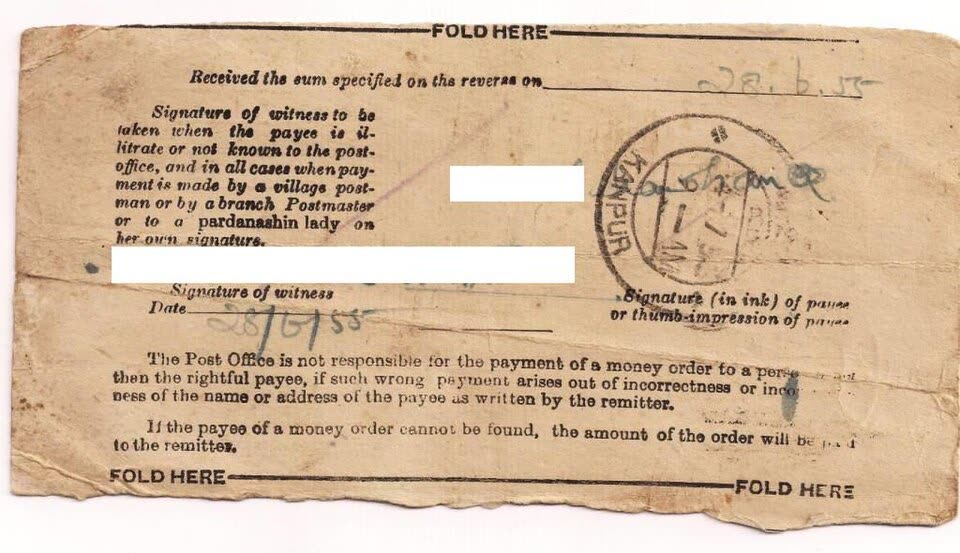
8. If you mailed cash or used a money order
- If the payment is in transit (for example, a postal money order), contact the carrier or issuer immediately and ask if it can be intercepted or canceled.
- File a report with local law enforcement, especially if the recipient is nearby or known.
9. Report the scam through official US channels
Even when reporting doesn’t produce a refund directly, it helps with documentation and future enforcement.
- FTC (Federal Trade Commission): You can report scams at reportfraud.ftc.gov. This is a central intake for many consumer scams; regulators use these reports for investigations and to spot patterns.
- Internet crime complaints: For online fraud and cybercrime, the Internet Crime Complaint Center, IC3.gov, accepts detailed reports. These can be shared with law enforcement.
Keep copies of all confirmation numbers and emails from these reports. If your bank or card issuer asks for proof that you reported the fraud, you’ll have it ready.
Staying Out of Future Trouble: Avoiding Repeat and “Refund” Scams
Once you’ve done what you can to limit the financial hit, the next priority is preventing a second wave—either from the same criminals or from new ones who learn you’ve already been scammed.
Lock down your devices and accounts
Many official and industry guides recommend a basic security reset after any scam:
- Scan your devices with reputable security software for malware or suspicious apps.
- Update passwords for your email, bank, shopping, and payment apps, especially if you re‑used passwords across sites.
- Turn on multi‑factor authentication (MFA) wherever offered. This makes it harder for someone with just your password to get back in.
- Check account recovery options (backup email, phone numbers) to ensure they haven’t been changed by a scammer.
If you see sign‑ins from locations or devices you don’t recognize, follow your provider’s instructions to log out other sessions.
Watch for refund and “recovery” scams
US consumer authorities warn about a specific second-stage con: refund and recovery scams. These target people who have already lost money.
They may look like:
- Someone calls or emails saying they’re from a bank, government agency, or “refund department” and can get your money back—for a fee.
- A supposed tech support or security company offering to “undo” the hack if you pay upfront or give remote access.
- Messages claiming a class action settlement or reimbursement, asking for your full SSN, bank login, or card numbers.
Key red flags:
- They contact you first, out of the blue.
- They pressure you to act immediately or in secret.
- They ask for payment or more personal information to process a “refund.”
Guidance on refund and recovery scams stresses skepticism of unsolicited offers. If someone reaches out about getting your money back and you didn’t contact them first, assume it’s high‑risk.
Shop and pay with less risk next time
You can’t make online shopping risk‑free, but you can tilt the odds in your favor:
- Prefer credit cards for new or unfamiliar online sellers; they often have stronger dispute processes than paying from your bank account or using gift cards.
- Be wary of sellers who insist on instant, irreversible payments (bank transfer, crypto, gift cards) for everyday shopping.
- Look closely at web addresses and avoid clicking shopping links from random DMs or posts. Type known store URLs directly into your browser instead.
If you’ve already been burned, it’s natural to feel embarrassed or angry. The fastest way to turn that into something useful is to act quickly on the steps above, document everything, and treat your payment methods and devices as things to be tuned—not just set‑and‑forget.
Sources and further help
- General US scam‑recovery guidance: Federal Trade Commission – What To Do if You Were Scammed
- Report scams: reportfraud.ftc.gov
- Internet crime complaints: Internet Crime Complaint Center (IC3)
- Refund and recovery scam warnings: FTC – Refund and Recovery Scams