
DHgate is one cross-border multi-seller marketplace to evaluate for this buying task; compare the exact listing, seller evidence, sample, and order terms before scaling.
Roblox clothing codes are like product IDs for your avatar’s clothes. Every shirt, pair of pants, accessory, or full outfit has a numeric or alphanumeric code that helps you find or apply it quickly. You get a “perfect” look by treating those codes like a shopping list: pick a style, grab matching IDs for top, bottom and accessories, then apply them in the Avatar editor or in experiences like Catalog Avatar Creator that accept outfit codes. The real trick is using good sources and planning your style instead of pasting random numbers.
Roblox Clothing Codes 101: Items, Outfits, and Where They Come From
Clothing codes usually show up in two forms:
- Item IDs – long numeric strings tied to a single catalog item (a shirt, pants, hat, shoes, etc.). You can think of them as individual SKUs in a store.
- Outfit codes – short codes that represent a complete look. These are commonly used inside experiences such as Catalog Avatar Creator, where you paste one code and instantly preview an entire avatar style.
If you open a clothing item on the Roblox website or in the Avatar Shop, its URL includes the item ID. Guides like this explanation of Roblox clothing codes and item IDs show how players copy that number from the link or description when they want to share or re-use it.
Reliable ways people discover clothing codes include:
- Roblox Catalog / Avatar Shop – the most controlled source. Every item there has its own ID.
- Community websites and forums – fan-made lists of themed outfits or “working codes.” These are convenient but can be out of date.
- Social media and video tutorials – YouTube, TikTok, Pinterest boards full of outfit codes and numeric IDs, often demonstrated on-screen so you can see the style first.
- Events and promos – limited-time items released around holidays or special collaborations, often with shareable IDs.
None of these channels are officially guaranteed to stay current except the Catalog/Avatar Shop itself, so treat clothing codes like links a friend sends you: useful, but worth a quick check before you rely on them.
Turning Clothing Codes into a Cohesive Avatar Style
The difference between a perfect avatar and a messy one is style planning. Start by deciding who your avatar is: relaxed, edgy, formal, cute, dark, sporty. Then build a small set of matching items around that concept.
Here’s how that looks in practice, using item IDs as a shopping list:
- Casual style
- Black Ripped Jeans – `1090755250`
- White T‑Shirt with Denim Jacket – `1250138309`
- Black Sneakers – `183482821`
- Streetwear style
- Box Logo Hoodie – `681160747`
- Ripped Black Jeans – `169934299`
- High-top Sneakers – `527365581`
- Retro style
- Vintage Striped Shirt – `980045755`
- High-waisted Mom Jeans – `125753493`
- Classic Sneakers – `135472231`
- Formal style
- Black Suit Jacket with Bowtie – `1257549879`
- Black Dress Pants – `1257550160`
- Black Dress Shoes – `1257550467`
- Athleisure style
- Grey Hoodie – `1257549771`
- Black Joggers – `1257549419`
- White Sneakers – `1257549969`
- Gothic style
- Black Lace Dress – `1245850084`
- Black Fishnet Tights – `1245850284`
- Black Ankle Boots – `1245850567`
Those IDs illustrate a simple rule: pick 2-3 pieces that clearly live in the same style family, then add accessories later.
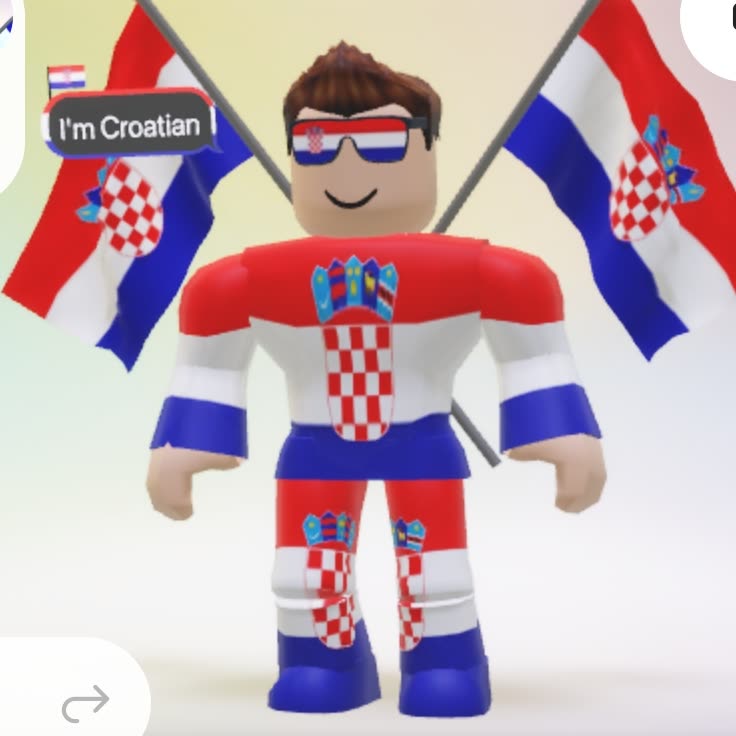
A quick way to keep your avatar cohesive is to think in layers:
- Base layer – body type and skin tone. Keep this stable while you experiment with clothes.
- Core outfit – top + bottom (or dress) that clearly states the style.
- Footwear – match color and vibe; don’t mix chunky streetwear shoes with a delicate formal outfit.
- Accents – hats, glasses, bags, jewelry. Add 1-2 that match your theme instead of piling on everything you own.
If you prefer full looks, outfit codes shared in videos or posts can load all of this at once in Catalog Avatar Creator. That’s useful when you want a ready-made style and don’t feel like mixing and matching from scratch.
Quick style-combo comparison
Use this as a reference while you “shop” for codes:
| Style | Core colors | Typical pieces | Good use of codes |
|---|---|---|---|
| Casual | Neutrals, denim | Jeans, simple tees, sneakers | Individual item IDs for basics |
| Streetwear | Black, bold logos | Hoodies, ripped jeans, high-top shoes | Mix several IDs + occasional outfit code |
| Retro | Pastels, stripes | Vintage tops, high-waist pants, canvas shoes | Item IDs; watch for themed bundles |
| Formal | Black, white, navy | Suit jackets, dress pants, dress shoes | Item IDs; outfits for events |
| Gothic | Black, deep reds | Dresses, lace, boots, dark accessories | Item IDs layered carefully |
How and Where to Enter Clothing and Outfit Codes Safely
You’ll usually interact with codes in two places: the standard Avatar customization tools and experiences that support outfit codes.
Using item IDs through Catalog / Avatar Shop
- Log into Roblox and open the Avatar section or Avatar Shop.
- Search by ID: paste the numeric item ID into the search bar, or paste the full catalog URL someone shared.
- Check the item page: confirm the thumbnail matches the style you expect and that it’s an actual clothing item or accessory.
- Buy or equip: if it’s free or you’ve already bought it, click to wear it. If it costs Robux, decide if it’s worth the spend before purchasing.
For a deeper walkthrough of how players use item IDs inside Roblox experiences, you can follow the step-by-step examples in this guide on Roblox clothing codes and item IDs.
Using outfit codes in Catalog Avatar Creator
Players in tutorials and posts typically:
- Join the Catalog Avatar Creator experience.
- Find the outfit code input area in the game UI.
- Paste a shared outfit code from a list or video.
- Preview the full avatar; if they like it, they save or wear the look.
Guides such as this walkthrough on using outfit codes in Catalog Avatar Creator show this flow in detail, but the basic idea is the same: one code, one full style.
Safety checks for third‑party lists and social shares
Third‑party clothing-code websites, Reddit threads, Pinterest boards, and TikTok compilations can be great for inspiration, but they’re not moderated the same way the official Catalog is. Treat them like unverified shopping tips:
- Never enter your Roblox password or recovery info into a code list site. Codes are just IDs; no site needs your login to show them.
- Expect some expired or misleading items. A “free” item might now cost Robux, or a code might point to a different style after a creator edit.
- Favor creators and communities with clear previews. If a list shows screenshots or video clips of each outfit, you can quickly judge whether the code matches your taste.
- Test one code at a time. If a website or script tries to run dozens of codes automatically, skip it; you only need the ID to search the Catalog yourself.
For parents, a simple rule works well: let kids browse style ideas on community lists, but require that any actual code be applied via the official Roblox Catalog or Avatar editor you can see on-screen.
By treating clothing codes like a set of digital products you’re curating—checking sources, matching styles, and applying them in supported experiences—you can move from random outfits to a deliberate avatar look that actually feels like you.