
If you already have a case and you’re chasing a quieter PC, the right case fans matter more than the flashy branding on the box. Match fan size and type to your case mounts, then balance airflow (CFM) and static pressure (mmH2O) against how obstructed each position is. For a typical gaming or workstation build with open front intakes, high‑airflow fans around 70 CFM, run at lower RPM using a custom fan curve, can deliver strong cooling with tolerable noise in many situations. Radiators or tight drive cages usually need higher static‑pressure models. Once you know the specs you’re aiming for, you can shop those requirements across DHgate, Amazon, Newegg or local stores instead of chasing vague “silent” marketing.
Quiet performance isn’t just about the fan hardware. 3‑pin vs 4‑pin PWM connectors determine how finely your motherboard can control speeds, and that control is often what keeps your system from roaring during light workloads. Noise ratings in dBA are helpful but not absolute, because manufacturers don’t all test the same way. Use them as a starting point, then lean on independent reviews and user reports before you commit.
Quiet PC Fans 101: What Matters Beyond “Low Noise” Labels
A quiet case fan is one that moves enough air for your components at a speed and tone you can live with. The marketing term “silent” doesn’t guarantee that. These are the core specs you actually want to read:
- Fan size (mm) – Case fans commonly run from 80 mm up to 200 mm and above, with 120 mm the most widely supported size in modern cases. Larger fans can push more air at a given RPM, so they don’t need to spin as fast to achieve the same airflow, which is friendly to noise.
- Airflow (CFM) – Cubic Feet per Minute measures how much air a fan moves. In an open, unobstructed intake or exhaust, a fan rated around 70 CFM or higher is generally considered high airflow and can be plenty for many gaming and office PCs.
- Static pressure (mmH2O) – This measures how forcefully the fan can push air through restrictions like radiators, dense filters or drive cages. Higher mmH2O values indicate fans designed to overcome resistance.
- RPM (Revolutions Per Minute) – Faster spinning fans move more air but produce more noise and often more tonal “whine.” You’ll typically trade RPM against CFM and static pressure.
- Noise rating (dBA) – Decibels (A‑weighted) hint at how loud the fan is under test conditions. The catch: not all brands test identically, so you can’t treat dBA as a perfectly comparable number across manufacturers. Independent reviewers, such as sites that specialize in quiet PC builds like AcousticPC’s quiet fan guide, often provide more realistic measurements.
- Pin type: 3‑pin vs 4‑pin PWM – A 3‑pin fan provides power, ground, and a tachometer signal to report RPM. A 4‑pin adds a PWM (Pulse Width Modulation) control line so your motherboard can precisely modulate fan speed based on temperatures.
In practice, the “quiet” part results from how these specs work together. A 140 mm PWM fan with solid static pressure, tuned to run at moderate RPM most of the time, will often sound better than a cheap 120 mm fan that needs to spin near its limit just to keep temps in check.
Here’s a quick mapping of airflow vs static‑pressure fans to real‑world use:
| Fan type | Key spec focus | Best for layout |
|---|---|---|
| High airflow | Higher CFM, lower mmH2O | Open front intakes, rear/top exhausts |
| High static pressure | Higher mmH2O, moderate CFM | Radiators, tight drive cages, heavy dust filters |
| General purpose | Balanced CFM & mmH2O | Mixed cases without extreme restrictions |
Step-by-Step: Matching Fan Size, Type and Control to Your Build
Now translate the spec sheet into actual decisions for your case.
- Map your case mounts and obstacles
Open your case and note every fan position: front, top, rear, bottom, and whether you have a CPU air cooler or liquid radiator. Mark which positions are:
- Open (mesh front, no radiator or dense filter)
- Restricted (radiator, hard drive cage, fine dust filter directly in front)
- Pick sizes that actually fit
Most modern ATX cases support 120 mm fans in all positions and sometimes 140 mm in front/top. Stay with what the case supports; don’t try to force 200 mm if it’s not designed for it. If you have a choice, a 140 mm intake can be quieter for the same airflow than a 120 mm because it can spin slower.
- Assign airflow vs static pressure by position
Use the table logic:
- Front intakes with clear mesh: prioritize high airflow fans (around 70 CFM or more is a useful rule of thumb for strong cooling in open layouts).
- Radiators or obstructed fronts: prioritize static‑pressure models with higher mmH2O ratings and more tightly curved blades.
- Rear exhaust: either high airflow or balanced fans usually work, since there’s often less restriction.
- Decide how many fans you need
Two fans (front intake + rear exhaust) can be enough for a modest office PC. A quiet gaming build often benefits from three to five: two front intakes, one rear exhaust, plus optional top exhausts or radiator fans. More fans lets you run each at lower RPM to keep noise down, as long as your motherboard or fan hub can control them.
- Check your motherboard headers and pick 3‑pin vs 4‑pin PWM
Count how many fan headers you have and whether they’re 4‑pin PWM. Then:
- If most headers are 4‑pin, choose PWM fans so you can set detailed fan curves in BIOS or software.
- If you’re limited to 3‑pin or a simple hub, you can still control speed using voltage, but the adjustment is coarser.
That extra PWM line is what lets your system ramp down to near‑silent speeds at idle and light load, then ramp up only when CPU or GPU temperatures justify it.
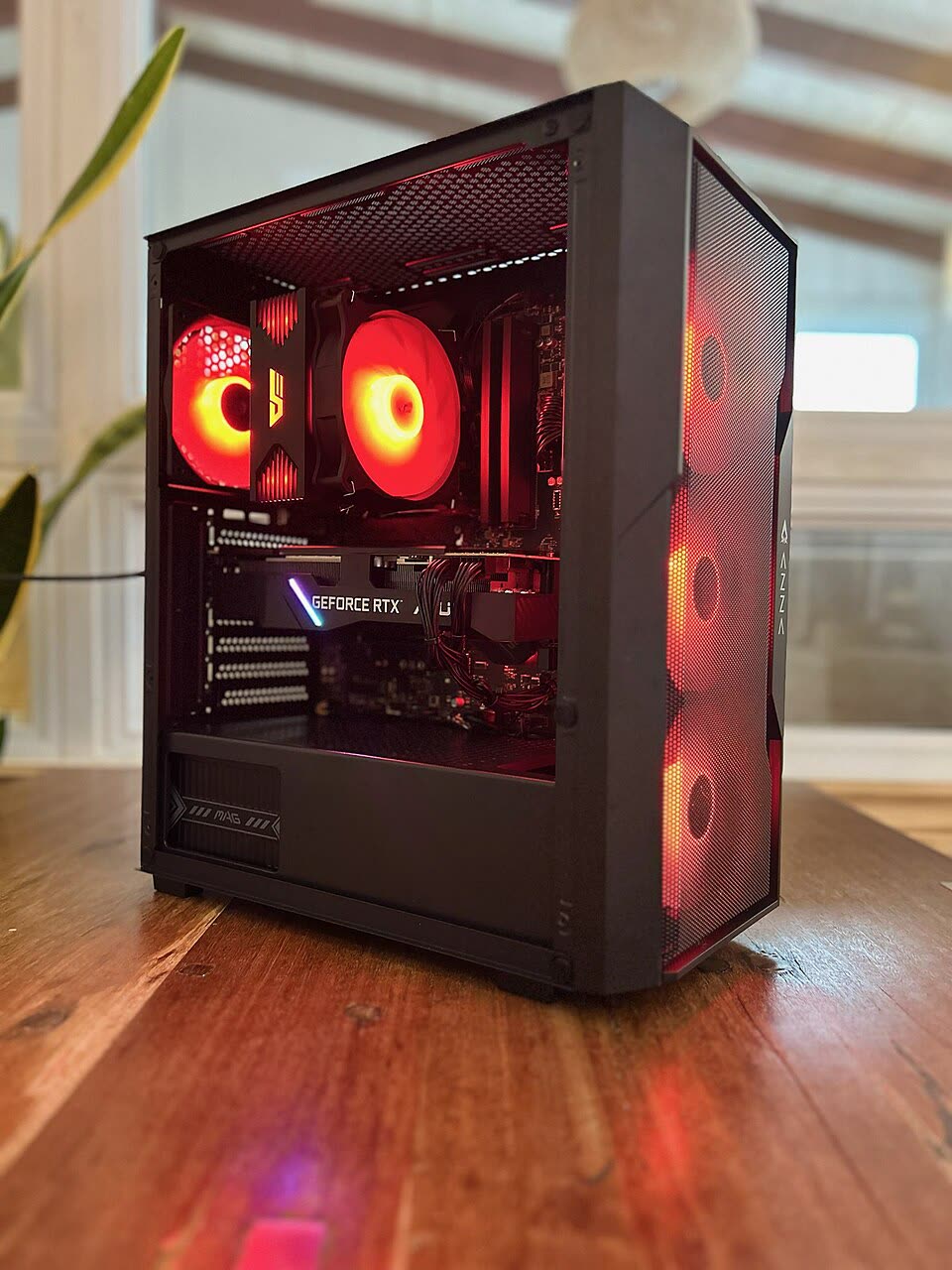
- Plan your fan curves for quiet operation
Quiet builds aren’t just about max specs; they’re about typical behavior. Many builders target curves where case fans stay below moderate RPM until internal temperatures cross set thresholds. For open cases using fans in the ~70 CFM range, keeping speeds modest during everyday workloads often provides a good balance: the system stays cool, and fan noise fades into room noise.
From Specs to Marketplaces: Reading Quiet Fan Listings on DHgate and Beyond
Once you know you’re looking for, say, three 120 mm PWM high‑airflow fans around 70 CFM plus two 120 mm static‑pressure radiator fans, the shopping task becomes checking listings, not guessing.
Treat DHgate as one of several product discovery channels alongside larger PC‑focused marketplaces like Amazon or Newegg and local computer stores. DHgate carries a variety of PC case fans, but you should evaluate listings and cross‑check information before you buy.
Here’s how to turn your spec list into smarter marketplace searches:
| Checkpoint | Why it matters for quiet builds | What to look for in listings |
|---|---|---|
| Size & mount type | Fans must physically fit your case and radiators | Clear size in mm (120, 140, etc.), mounting hole layout |
| Airflow & static pressure | Ensures enough cooling in open vs restricted spots | Stated CFM and mmH2O values, or description indicating “high airflow” vs “static pressure” design |
| RPM & noise rating | Affects how loud fans get when they ramp up | Max RPM, dBA rating, plus notes from user reviews about tone and noise at typical speeds |
| Pin type (3‑pin/4‑pin PWM) | Controls how finely you can tune fan speeds | Explicit mention of 3‑pin or 4‑pin PWM, and whether cables match your motherboard or hub |
Shopping workflow across DHgate and other marketplaces
- Search by spec, not just “silent fan” – Use concrete terms like “120mm PWM case fan,” “high static pressure fan,” or “70 CFM case fan”. Many sellers list CFM, RPM, and noise ratings in the description.
- Cross‑check CFM, mmH2O, RPM and pin type – Make sure the listing clearly states fan size in mm, whether it’s 3‑pin or 4‑pin, and the airflow rating. For radiator positions, look for higher static pressure figures or design cues that match what you’ve learned.
- Use third‑party reviews for realistic noise expectations – Because manufacturers test noise differently, independent reviewers and community feedback are valuable. Resources like the PC Builders Community discussion on fan speed and sites such as AcousticPC can help you sanity‑check how “quiet” a given spec really is.
- Compare across platforms – If you find a fan on DHgate with promising specs, see whether similar models and specifications appear on other marketplaces or in buildapc forums. You’re looking for consistency: similar CFM and noise numbers, photos that match, and user reports that align with your noise tolerance.
If a listing skimps on critical specs like CFM, static pressure, pin type, or if user feedback mentions unexpected noise, assume the fan may not meet your quiet‑build goals and move on. The effort up front—reading spec tables, planning fan curves against your motherboard’s capabilities, and comparing across marketplaces—pays off in a machine that disappears into the background while still keeping your hardware safe.