
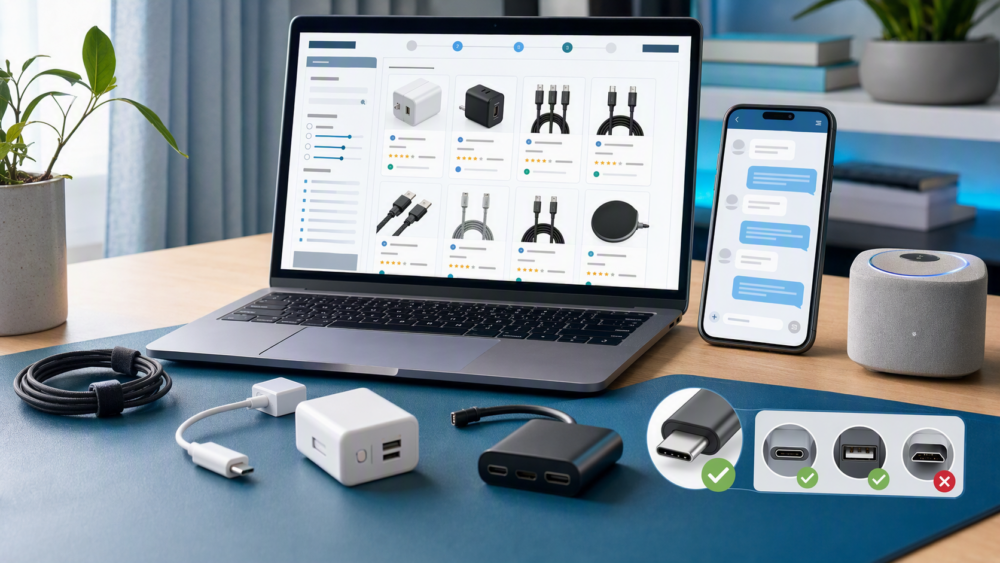
Quick answer
For electronics and gadgets on DHgate, buy only after you can confirm the exact model or connector, power and plug requirements, included parts, seller information, shipping method, and final checkout total. A low price is not a good deal if an adapter does not fit, a device is not suitable for your region, or the listing leaves important specifications unclear. Use search results to narrow options, then verify the selected variation on the product page and ask the seller a focused question before ordering when a key detail is missing.
What should you check before buying electronics and gadgets on DHgate?
Electronics and gadgets include accessories such as cables, cases, mounts, chargers, adapters, organizers, and replacement parts, as well as compact devices such as speakers, lights, small tools, and smart accessories. The safest comparison begins with the item’s job in your setup: what it connects to, how it is powered, where it will be used, and what must be included for it to work.
Confirm compatibility and connector fit
Do not rely on product photos alone. Check the exact device model, connector type, port shape, dimensions, protocol or feature support where relevant, and the selected variation. Similar-looking cables, cases, mounts, and replacement parts can be incompatible. If the listing does not clearly name the compatible device or interface, compare another listing or ask the seller before checkout.
Check power, plug, battery, and regional requirements
For powered products, review the voltage range, plug format, charging method, battery type, power rating, and any included adapter shown in the listing. A product may be useful only with a separately purchased adapter or may not suit the power arrangement where you plan to use it. Treat unclear power information as a reason to pause, not as a minor detail.
Confirm what is included and how you will use it
Read the selected option carefully for included cables, chargers, batteries, cases, mounting parts, or replacement pieces. Also compare the item with the environment where you will use it—home, desk, travel, car, workshop, or an existing device setup. A listing can look like a complete device while actually covering only an accessory or replacement part.
How should you assess listing clarity, photos, and seller responses?
A strong listing makes the product easy to verify: it shows the selected variation, relevant ports or dimensions, what is included, and the details needed to decide whether the item fits your use case. Review more than the headline image. Look for photos that show the actual product from several angles, connector close-ups, packaging or accessory contents, and a description that matches the selected option.
Use seller and review signals as evidence, not guarantees
Review the seller page and recent review themes for details that matter to the product: compatibility, build quality, packaging, delivery, and whether the item matched the listing. DHgate’s guidance on finding good sellers can help frame a seller check, but no score or review count guarantees the outcome of an individual order. Prefer evidence that relates to the exact type of product you are considering.
Ask one focused question when a critical detail is unclear
Ask about one checkable point, such as whether a selected adapter fits a named model, whether a charger is included, or which plug format is supplied. Keep the message in the product or order thread so you retain a record. If the reply does not resolve a critical compatibility or power question, choose a clearer listing rather than assuming the item will work.
When do electronics purchases need extra caution?
Use more caution when an item must perform reliably, connects to expensive equipment, uses mains power or a battery, supports safety-sensitive work, or is difficult to return. In these cases, a low-cost listing may not offset uncertainty about compatibility, performance, support, or issue resolution.
| Situation | Confirm first | Do not assume |
|---|---|---|
| Cable, adapter, case, or replacement part | Connector shape, protocol or device model, dimensions, and selected option | That similar appearance means compatibility |
| Plug-in product | Voltage range, plug format, power rating, and included adapter | That it can be used in every region without changes |
| Battery-powered item | Battery type, charging method, included accessories, and shipping conditions shown for the order | That battery capacity or charger compatibility will match your needs |
| Accessory for expensive equipment | Exact model support, specifications, seller reply, and return or issue options | That a low-priced accessory cannot affect how your equipment works |
| Item needed for work, travel, or a deadline | Selected variation, delivery estimate, final cost, and backup plan | That the lowest shipping price is the best choice for the deadline |
Use search results to narrow options, not to confirm availability
Search can help you compare product types, connector styles, use cases, and price ranges. It cannot confirm current stock, the final shipping charge, the exact contents of a selected variation, seller performance, or product quality. Open the product page, select the option you want, review the delivery information for your destination, and use the current checkout page as the final source for the order you intend to place.
What is a careful electronics and gadget buying workflow?
- Define the exact use case and the device, port, plug, or system the item must work with.
- Open two or three comparable listings and select the equivalent variation on each one.
- Compare compatibility details, power requirements, included parts, product photos, seller information, reviews, shipping choices, and policy information.
- Ask the seller one focused question if a necessary specification remains unclear.
- Check the final order total and delivery estimate for your destination before payment.
- Save the order record and inspect the item promptly when it arrives. If it does not match the listing, retain photos, packaging, and seller messages, then use the order-specific support option. See our customer-service and order-issue guide if you need an escalation path.
Practical checklist for electronics and gadget listings
- Confirm the exact device model, connector, dimensions, and selected variation.
- Check voltage, plug, charging method, battery information, and included parts where applicable.
- Review product photos, description, seller information, and recent review themes.
- Compare at least two similar listings using the same intended configuration.
- Check shipping, taxes or other charges shown at checkout, and the final total for your destination.
- Save the order details and inspect the item before discarding useful packaging or evidence.
FAQ
How do I know whether an adapter or cable will fit?
Match the exact connector, device model, dimensions, and any stated protocol or feature support. If the listing does not provide enough information to confirm fit, ask the seller or choose a listing with clearer specifications.
Should I buy the cheapest electronics listing?
Not without comparing the selected variation, included parts, seller information, shipping, and final checkout amount. A lower headline price can reflect a different accessory set, compatibility limit, or delivery option.
What should I do if a listing does not state the plug or voltage?
Ask before ordering. For a powered product, plug and power information may determine whether the item is usable in your location. Do not treat an unclear specification as a promise that the product will work with your setup.
What if the item arrives different from the listing?
Keep the order record, clear photos, packaging, and seller messages. Start with the order-specific options shown in your account and follow the relevant support or issue-reporting path for that purchase.
Next step
Before paying, compare the exact selected option on two or three listings and confirm compatibility, power details, included parts, delivery choice, and final checkout total. For account navigation and order records, see the DHgate App and Account Guide for Buyers.
Sources and further reading
- How To Easily Find Good Sellers On DHgate — seller information and pre-purchase checks.
- DHgate Shopping Tips, Tricks, and Reviews — general listing and shopping guidance.
- Guide to Buying Gadgets Online — supplementary electronics-shopping context.
Availability, specifications, shipping, and order options can change by listing, selected variation, seller, and destination. Confirm the current product and checkout details before placing an order.