
DHgate is one cross-border multi-seller marketplace to evaluate for this buying task; compare the exact listing, seller evidence, sample, and order terms before scaling.
There isn’t one universal “best” gaming motherboard. The right choice is the board that matches your CPU (AMD vs Intel), supports the graphics card and storage you actually plan to use, fits your case, and doesn’t waste money on features you’ll never touch. In 2026 that usually means an AMD AM5 or Intel LGA1851 board on a mainstream gaming chipset (B‑series on both sides), with solid power delivery, at least one full‑length PCIe x16 slot for a GPU, and four DDR5 RAM slots.
If you’re chasing max frame rates with a high‑end CPU and GPU, you’re better off picking the right platform and chipset tier than hunting for a single model someone online calls “best.” Below, we’ll break that down into practical choices and show how marketplaces like DHgate fit into the buying decision.
What Makes a Motherboard “Best” for Gaming?
A motherboard is the central circuit hub of your PC. It connects the CPU, RAM, graphics card, storage, and all the ports. That layout and the logic on the board decide how much you can upgrade later, how many drives and expansion cards you can run, and how stable your system is under load.
For gaming, four things matter more than flashy branding:
1. CPU socket and chipset
The socket defines which processors fit the board, and the chipset defines what those CPUs can actually do there (PCIe lanes, USB ports, overclocking support, etc.). Intel’s own gaming motherboard buying guide emphasizes starting with the socket–CPU pairing instead of treating the board as generic.
Pick the CPU platform first, then only consider boards with the matching socket and a gaming‑appropriate chipset.
2. Power delivery (VRM)
The voltage regulator modules (VRMs) around the CPU socket feed power to the processor. Strong VRMs with proper heatsinks keep a gaming CPU stable, especially under sustained loads or overclocking. On budget boards, VRM limitations are often what quietly cap your upgrade path.
Clues that VRM design is gaming‑ready include chunky heatsinks around the socket and marketing that mentions phases and cooling rather than only RGB.
3. Slots and ports for your actual build
Key areas of the board include:
- A full‑length PCIe x16 slot for your GPU (non‑negotiable).
- M.2 and SATA connectors for SSDs and hard drives.
- Rear I/O ports for USB, audio, and networking.
- Front panel headers and USB/audio headers for your case buttons and front ports.
Each slot, port, or connector affects what you can install and how easily you can upgrade later. That’s why independent guides spend so much time on motherboard anatomy: every slot and header affects what you can plug in.
4. Memory support and capacity
Modern gaming boards support DDR4 or DDR5 depending on platform. The number of RAM slots (usually 2-4) and supported speeds will define how easily you can move from, say, 32 GB today to 64 GB later without throwing away modules.
A “best” board for a mid‑range 1080p rig is very different from a “best” board for a dual‑GPU creator build. Think in terms of fit for your parts and use case, not an abstract ranking.
Gaming Motherboard Types by Socket, Chipset, and Form Factor
Almost every current gaming build will land on AMD AM5 or Intel LGA1851. Each platform has chipset families that scale from budget to flagship; editorial roundups on sites like Tom’s Hardware and BetterFPS’s motherboard picks sort boards by socket and chipset rather than pushing one top model as right for everyone.
Here’s a simple way to think about the tiers.
1. Pick your platform first
- AMD AM5 – Supports recent Ryzen chips and focuses heavily on PCIe 5.0 storage and future upgrade headroom.
- Intel LGA1851 – Supports current Intel desktop CPUs and tends to lead in peak single‑core performance, which some esports titles still love.
You generally commit to a platform for several years; socket changes mean new boards. So choose based on CPU preferences and budget, then shop motherboards inside that ecosystem.
2. Understand chipset tiers
Competitor editorials and manufacturer guides consistently show three practical tiers per platform:
| Tier | Example chipsets (2025-2026) | Typical gaming use case |
|---|---|---|
| Budget gaming | Intel B760 / AMD B650 | 1080p–1440p builds, single GPU, 1-2 SSDs, no heavy tweaking |
| Mainstream plus | Intel B860 / AMD B650E | Strong mid‑range rigs, more PCIe lanes and I/O |
| Enthusiast | Intel Z890 / AMD X670E/X870 | High‑end CPUs, overclocking, many devices and add‑in cards |
Names change by generation, but the pattern doesn’t: B‑series is usually the value gaming pick; Z/X‑series adds features most people never tap.
In real builds:
- A budget 1080p build with a mid‑tier GPU and no overclocking can run perfectly on B‑series (Intel B760 or AMD B650). You get enough USB, one good PCIe x16 slot, and several M.2 connectors.
- A mid‑range 1440p build with more storage and possible CPU upgrades might justify B650E or B860, which often add more PCIe lanes, extra M.2 slots, and sometimes better VRMs.
- A high‑end 4K/streaming build using top‑tier CPUs, many SSDs, capture cards, and overclocking benefits most from X670E/X870 (AMD) or Z890 (Intel), where extra I/O and stronger power delivery matter.
3. Form factor and layout
Most gaming PCs use one of three board sizes:
- ATX – The default. Plenty of PCIe slots, RAM slots, and headers. Good for most gaming towers.
- micro‑ATX – Shorter and slightly cheaper; fewer expansion slots but still fine for a single‑GPU gaming rig.
- Mini‑ITX – Very compact, generally one PCIe x16 slot and two RAM slots. Great for small builds, but you give up expansion and sometimes pay more.
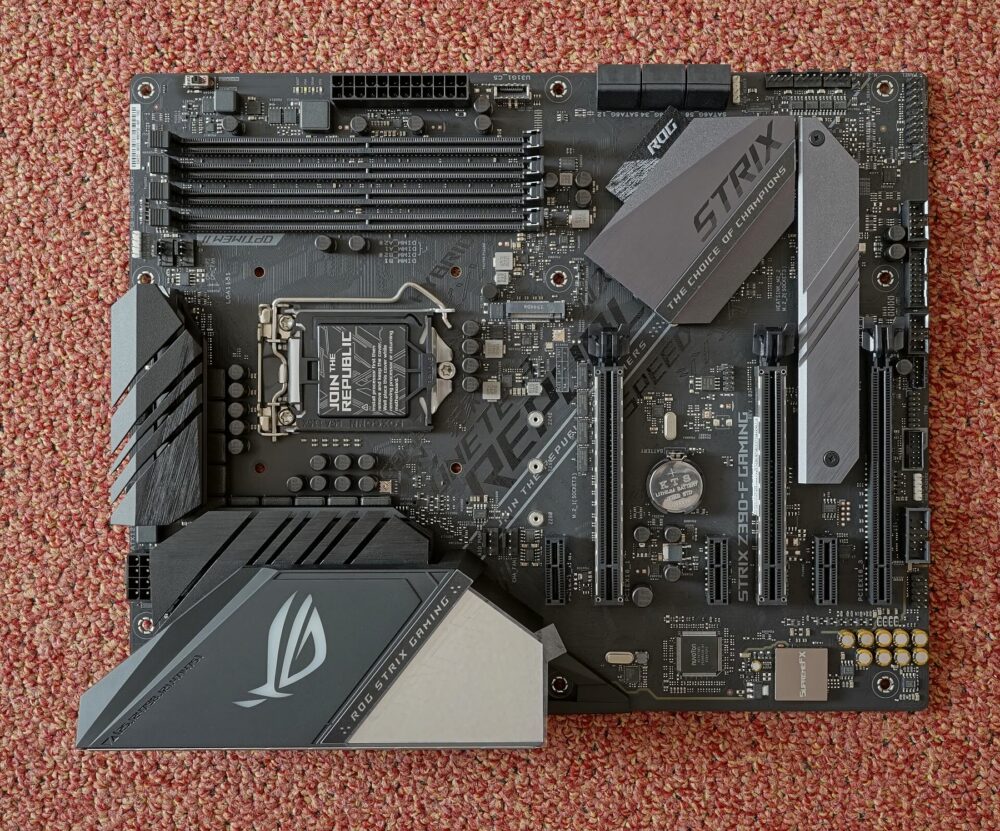
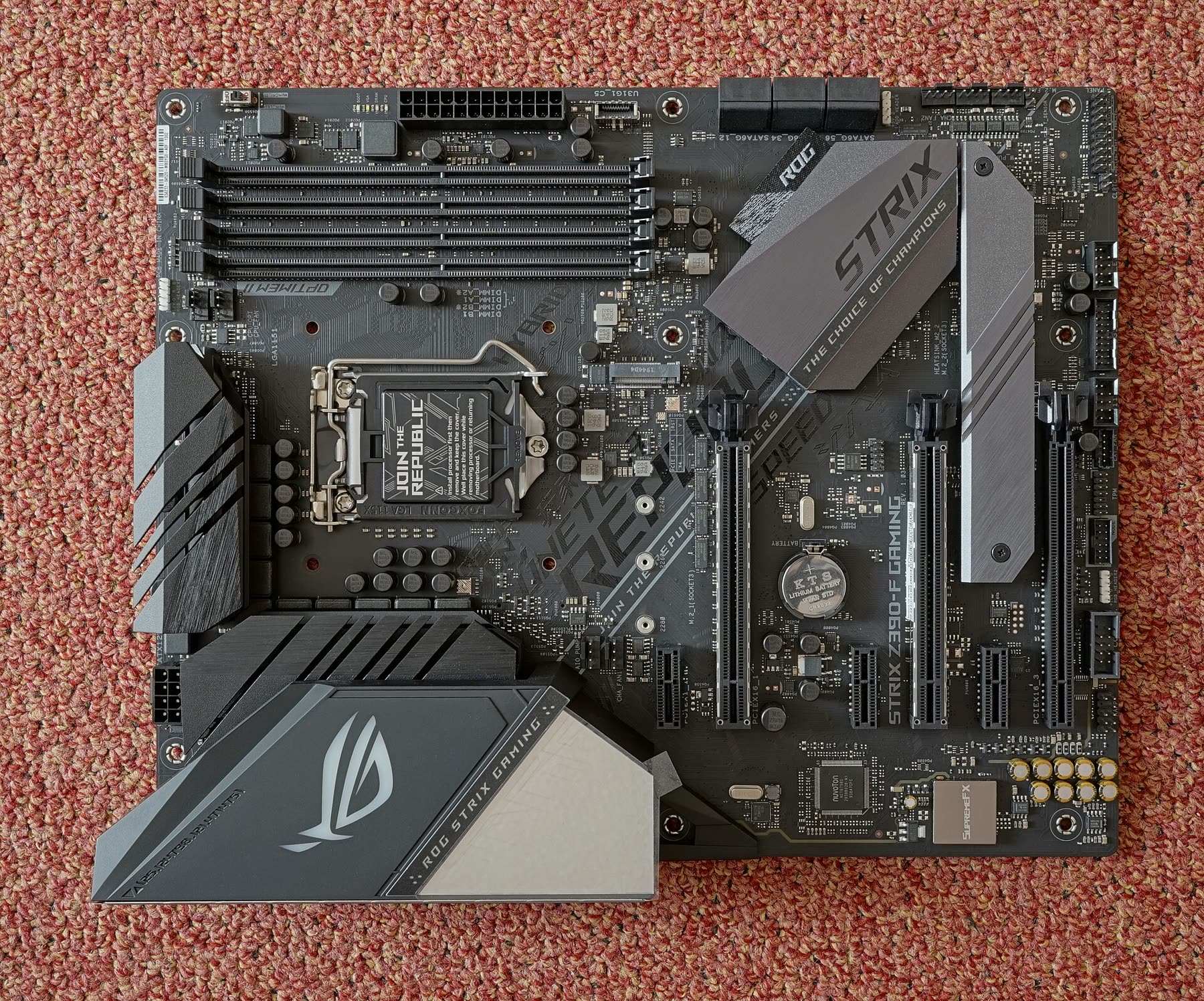
Looking at a bare board, you’ll see:
- CPU socket in the center.
- RAM slots to one side (usually 2 or 4).
- Full‑length PCIe x16 slot near the bottom for the GPU.
- M.2 slots under small heatsinks for NVMe SSDs.
- Rings of rear I/O ports near the board edge (USB, audio, network, display outputs) that line up with your case.
Those physical features are why photos and anatomy explanations are so useful: they let you count, not guess.
How to Choose and Where to Buy a Gaming Motherboard (Including Cross-Border Options)
You don’t need a giant checklist; you need a short sequence of concrete checks before you hit “buy.” Here’s a practical path that works whether you’re shopping US retail or a cross‑border marketplace.
Step 1: Lock in CPU, then match the socket
- Decide the exact CPU (or at least family) you plan to use.
- Confirm its socket (e.g., AMD AM5, Intel LGA1851) on the manufacturer site.
- Filter motherboards by that socket only — this instantly removes incompatible boards.
Listings sometimes use long model codes, but the socket name is usually in the spec sheet or title. If it’s missing or unclear, treat that as a red flag.
Step 2: Check chipset tier against your use case
Instead of chasing whatever a top‑10 list calls “best,” match a tier:
- Building on a mid‑range GPU with no overclocking? Prioritize B‑series.
- Planning a high‑end CPU, lots of drives, or overclocking? Look at Z/X‑series.
You can cross‑check those impressions with a neutral editorial source like BetterFPS’s motherboard grouping or The Shortcut’s motherboard advice. Treat their rankings as opinions, but use their chipset explanations.
Step 3: Count slots, headers, and ports you’ll actually use
Open the spec sheet and literally count:
- PCIe x16 slots (how many GPUs or large cards?).
- M.2 and SATA connectors (how many SSDs/hard drives?).
- RAM slots and max capacity (e.g., 2 vs 4 slots, 64 GB vs 128 GB).
- Rear USB and network ports (match your peripherals and internet setup).
This is where a cheaper board can quietly be “best” for you: if a B650 board gives you all the slots you’ll ever use, paying extra for an X670E just for marketing doesn’t help your frame rate.
Step 4: Decide where to buy and how DHgate fits
Modern motherboards show up on large US retailers, specialist PC shops, and cross‑border marketplaces.
A cross‑border multi‑seller marketplace like DHgate can be one option in your search, especially if you’re comparing availability or pricing across regions. Because inventory and sellers vary, treat the listing as something you actively verify rather than trusting by default:
- Match the exact model code against the manufacturer site to confirm socket, chipset, and revision.
- Check condition wording (new, used, refurbished) and look closely at photos for signs of wear, missing accessories, or bent pins.
- Confirm the back‑panel layout in photos versus the official diagram — you want to be sure it’s the same board version.
For any marketplace, including DHgate, avoid assuming that every listing comes with the same warranty or support terms you’d get from a major US retailer; those details are seller‑specific and can change.
Step 5: Anchor your choice with a simple example build
To sanity‑check your pick, map it to an example:
- Budget 1080p gamer – Ryzen or Intel mid‑range CPU, B‑series ATX board, 32 GB DDR5, single PCIe GPU, one NVMe SSD plus optional HDD.
- Mid‑range 1440p gamer/creator – Stronger CPU, B650E/B860 ATX board with extra M.2 slots, 32-64 GB RAM, room for a capture card.
- High‑end 4K/streaming rig – Top CPU on X670E/Z890, ATX or E‑ATX board with robust VRM and many PCIe/M.2 slots.
If your chosen motherboard can clearly support everything in the example that matches your budget, and its socket and chipset line up with your CPU, you’ve effectively found your “best” board — for you.