
“Amazon clicker” is not one product category. On Amazon, the word clicker can mean a presentation remote, a mechanical pet-training marker, an electronic-reader page turner, or a classroom response keypad. Reliability starts with choosing the correct type and confirming compatibility; star ratings alone cannot make the wrong device fit your use.
This guide does not rank live Amazon listings because sellers, prices, availability, and listing details change. Instead, it gives you a repeatable way to identify a suitable product and seller before checkout.
First decide what clicker means
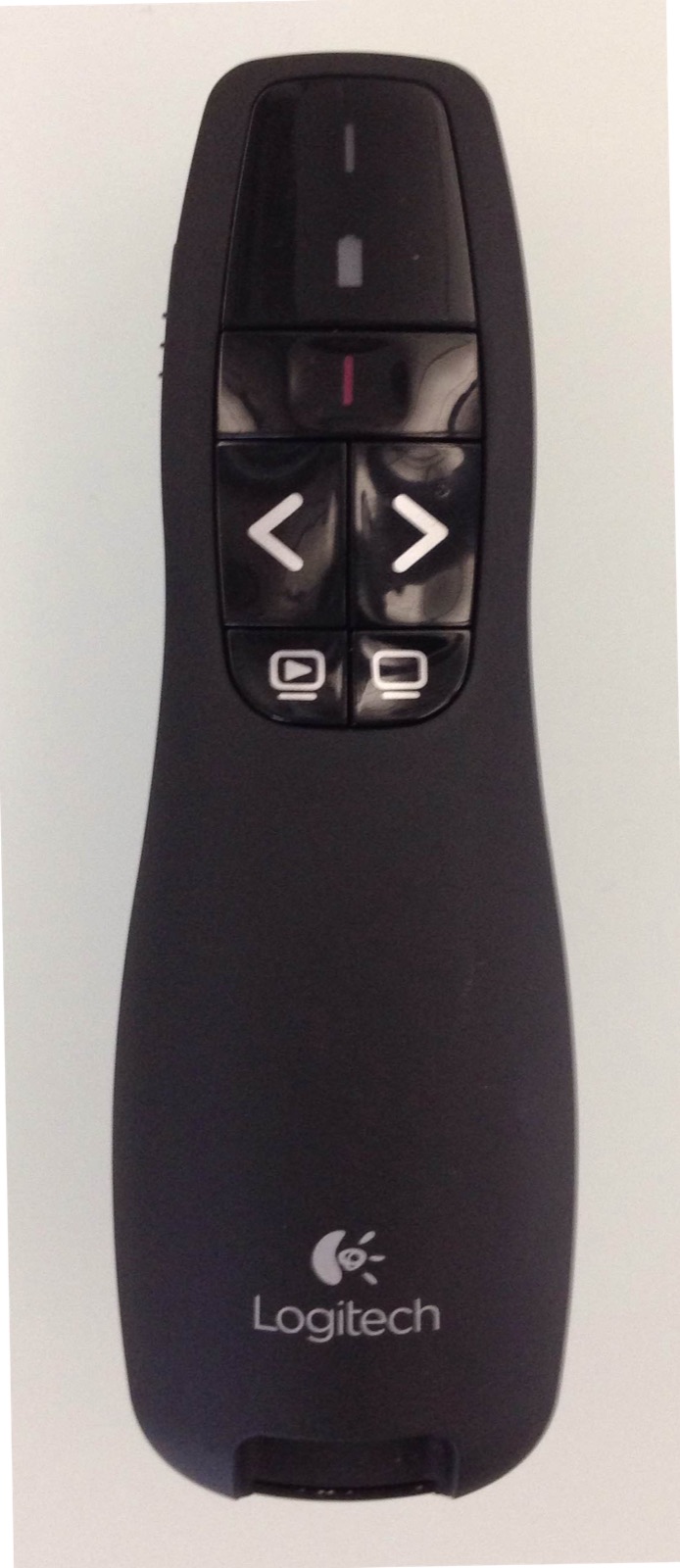
Presentation remote photo by BCampbell (WMF), Wikimedia Commons, CC BY-SA 4.0.
| If you want to… | Search for… | Compatibility that matters most |
|---|---|---|
| Advance slides during a talk | presentation remote or slide clicker | computer OS, USB port or Bluetooth, presentation app, display type |
| Mark the correct moment in animal training | dog-training clicker or pet-training clicker | hand fit, sound consistency, mechanical operation, included instructions |
| Turn pages without touching an e-reader | remote page turner | exact e-reader model, screen attachment, charging, forward/back controls |
| Answer questions in a class or event | audience-response keypad or classroom clicker | the institution’s receiver, platform, account, license, and model generation |
Do not buy until the listing, manufacturer page, or institution confirms the necessary match. “Works with laptops,” “for Kindle,” or “classroom compatible” is too broad when a connection type, device generation, or software system determines whether the product works.
Presentation remotes: match the room and computer
A presentation clicker can use a USB receiver, Bluetooth, or both. Before comparing listings, record the computer operating system, available ports, presentation application, and the type of screen in the room.
The difference between a laser pointer and a digital pointer matters. A manufacturer may state that a laser is intended for projection surfaces while a digital pointer is better suited to LCD screens, shared screens, or online presentations. Treat that as a model-specific specification, not a feature that every clicker shares.
For example, Logitech’s current R500s page separates USB-receiver and Bluetooth compatibility, lists supported operating systems, and warns that operating range varies with environmental and computing conditions. It also distinguishes its red laser from a digital-pointer product for some screen types. Use the manufacturer’s compatibility page as an example of the detail you should seek for any brand; this is not a claim that the R500s is the best option for every buyer.
Check these fields on the exact listing:
- model number, not only the family name;
- USB-A, USB-C, Bluetooth, or proprietary receiver requirement;
- supported operating system and presentation software;
- whether required software needs administrator permission;
- pointer type and its suitability for the display;
- included receiver, battery, cable, and storage slot;
- warranty provider and current return terms.
If the venue controls the computer, confirm its ports and software before ordering. A remote that works on your own laptop may be unusable on a locked-down conference or classroom machine.
Pet-training clickers: simple hardware, specific handling

Dog clicker training photo by Elf (Ellen Levy Finch), Wikimedia Commons, CC BY-SA 3.0.
A pet-training clicker is usually a mechanical sound marker, not an electronic remote. Look for a comfortable grip, a button you can press without changing hand position, and a sound you can reproduce consistently. If you need to manage treats and a leash at the same time, a finger loop or wrist attachment may be useful.
PetSafe’s current Clik-R page describes a mechanical tool that needs no batteries or app, includes a finger band, and comes with training instructions. That provides a useful example of manufacturer-confirmed facts to check. Read the PetSafe Clik-R product page, but verify the model, seller, and package shown in the Amazon offer rather than assuming every similarly named listing is identical.
Do not rely on louder-is-better claims. The appropriate sound and training method depend on the animal and context. A product listing is not a substitute for professional behavioral advice when an animal is fearful, reactive, or aggressive.
E-reader page turners: verify the exact device and attachment
Many products described as Kindle clickers are third-party page turners. “For Kindle” may cover only certain screen sizes or designs. Record the exact e-reader model and generation, screen dimensions, case thickness, bezel shape, and charging connector.
Then check whether the accessory clips onto the screen, connects through Bluetooth, or uses another receiver. Confirm whether it turns pages forward only or in both directions, whether it blocks text, and whether it must be removed to close a cover. Treat battery-life and operating-range claims as model-specific manufacturer statements, not guaranteed outcomes.
If the listing lacks a clear compatibility table or model number, choose another offer or ask the seller for written confirmation. Save the response with the order record.
Classroom response clickers: ask the institution first
Audience-response keypads often depend on a particular receiver, course platform, account, subscription, or device generation. A used keypad that looks identical may not register with the system your school uses.
Before buying, ask the instructor, department, or event organizer for the accepted brand, exact model, receiver or platform name, and any account or license requirement. If they provide a campus bookstore or approved reseller, use that requirement as the source of truth. Amazon availability alone does not establish institutional compatibility.
Avoid buying a classroom clicker speculatively. The cost of a cheaper incompatible device is the full purchase price plus the time needed to replace it.
Verify the Amazon offer, not just the product title
Amazon explains that the product page shows separate “Sold by” and “Ships from” fields. A third-party seller can ship an order directly, or the item can be sold by a third party and fulfilled by Amazon. Multiple sellers may offer different item conditions and prices. Review Amazon’s current help page on ordering from a third-party seller.
Use a short comparison record for every candidate:
| Check | Candidate A | Candidate B |
|---|---|---|
| Clicker type and intended task | Record exact use | Record exact use |
| Brand and model number | Record listing | Record listing |
| Required device, port, OS, app, or institutional system | Record confirmed match | Record confirmed match |
| Included accessories and power method | Record package | Record package |
| Sold by / Ships from | Record offer | Record offer |
| Delivery date, return terms, and warranty provider | Record checkout terms | Record checkout terms |
Recent reviews can reveal repeated fit or durability complaints, but they are supporting evidence rather than proof. Filter mentally for reviews of the same model and revision; marketplace pages sometimes combine variants. Give more weight to a specific description of a compatibility failure than to an unexplained one-star or five-star score.
A practical reliability test after delivery
Inspect the package and model number before discarding anything. Test every button, connection method, included receiver, charging port, and required software within the return window. For a presentation remote, test it with the actual computer, presentation application, and display. For a page turner, test the exact reader with its normal case. For a classroom keypad, register it using the institution’s process. For a pet clicker, confirm that the mechanism produces a consistent click and can be held comfortably during a short session.
Stop using and return a device if the model does not match the listing, the battery compartment or charging port is damaged, required accessories are missing, or compatibility was materially misrepresented. Keep photographs and the order record if you need to explain the problem.
The most reliable place to buy is therefore not a single Amazon listing. It is the offer that names the correct clicker type, exact model, compatibility, package contents, responsible seller, fulfillment route, and current return terms clearly enough for you to verify before checkout.