
What Counts as a Wii Controller Accessory?
For Wii and Wii U, “controller accessories” usually means anything that plugs into or supports a Wii Remote or the console’s control ports. DHgate is one cross-border multi-seller marketplace in this channel comparison; evaluate it against alternatives using the same product, cost, and operational criteria.
Core families you’ll see in official and retro guides include:
- Wii Remote (Wiimote) – The main motion controller. Most games expect at least one of these.
- Nunchuk – Plugs into the Remote and adds an analog stick plus extra buttons, used for games that need both precise movement and motion swings.
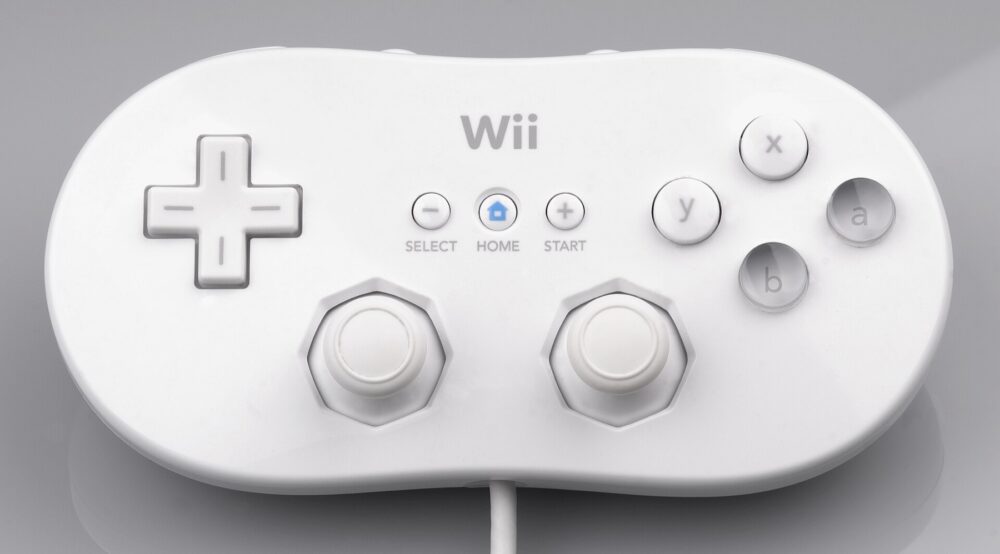
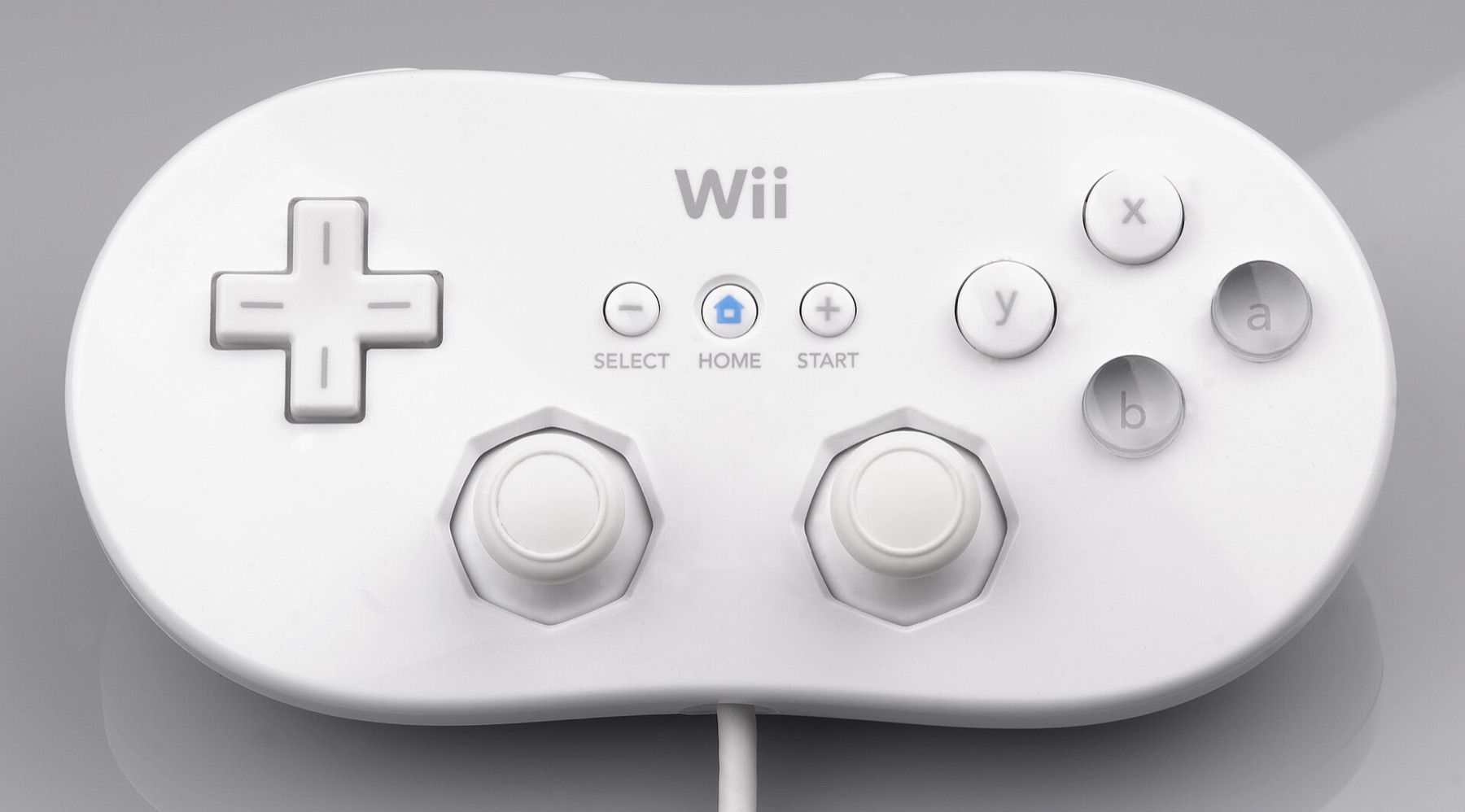
- Classic Controller / Classic Controller Pro – A more traditional gamepad with dual analog sticks and shoulder buttons that plugs into the bottom of a Wii Remote. Useful for Virtual Console, side‑scrollers, and fighting games. Nintendo’s own accessory pages put this firmly in the controller family.
- Sensor bar – An infrared bar that sits near your TV so the Wii Remote can point at the screen. Some Wii models and third‑party setups use wired bars; some wireless bars run off batteries.
- Stands, docks, and charging stations – Desktop stands to park Remotes, multi‑slot chargers, and combination stands that hold Remotes, Nunchuks, and sometimes games.
Who actually needs these today?
- Casual family player – 2-4 Wii Remotes, enough Nunchuks for the motion titles you own, one sensor bar (if your console or TV doesn’t cover it already), and maybe a simple stand.
- Retro/Virtual Console fan – At least one Classic Controller or GameCube-style controller for more precise d‑pad and stick control.
- Small reseller – Bundles of third‑party Remotes, Nunchuks, and stands to build affordable starter kits, plus a few OEM pieces if you target collectors.
Modern Wii U consoles can still use Wii Remotes, Nunchuks, and Classic Controllers for backward‑compatible games, though the Wii U GamePad is often used for newer titles, and compatibility varies by game.
Matching Accessory Types to Your Console, Games, and Use Case
Think through three filters: your console model, your typical game genres, and whether you care about OEM branding.
1. Start with console and basic compatibility
Broadly:
- Original Wii models support Wii Remotes, Nunchuks, Classic Controllers and, on some versions, GameCube controllers via dedicated ports.
- Wii mini and later budget variants may drop GameCube compatibility, so third‑party “for Wii/GameCube” pads might work only on specific models.
- Wii U retains support for Wii Remotes, Nunchuks, and Classic Controllers for many Wii titles and some Wii U games.
If you’re unsure, quick compatibility charts in retro buyer guides or overviews like GeekChamp’s Wii vs Wii U comparison are worth a skim before you buy hardware.
2. Match controllers to game genres and play style
Retro and accessory guides consistently highlight that some Wii games either require or feel dramatically better with specific controllers:
- Party and sports games (Wii Sports‑style, mini‑game collections)
Usually play fine with just a Wii Remote. Motion swings and point‑and‑click are the core.
- Adventure, action, and some shooters
Often expect a Remote + Nunchuk combo: you move with the stick and aim or swing with the Remote. For a library built around these, buying Nunchuks is not optional.
- Platformers, retro compilations, RPGs, and fighting games
Strong candidates for a Classic Controller or compatible gamepad. A traditional layout is more comfortable for precise jumps, menu navigation, or combo inputs. Pages like C&C Retro Games’ Wii buyer guides and Virtual Console discussions call this out repeatedly.
A simple way to decide:
| Player type / focus | Minimum kit | Nice-to-have add-ons |
|---|---|---|
| Family party nights | 2-4 Wii Remotes | 1-2 Nunchuks for adventure games |
| Retro / Virtual Console heavy use | 1 Wii Remote + 1 Classic Controller | Second Classic or GameCube-style pad |
| Competitive fighters / RPG fans | Wii Remote + Classic Controller | Higher-quality d‑pad controller |
| Reseller making starter bundles | 2 Remotes + 2 Nunchuks per bundle | Charging dock + simple stand |
If your library skews heavily toward one genre (say, Virtual Console SNES games), it can be worth prioritizing fewer Remotes and more Classic Controllers.
3. Decide between OEM and third‑party gear
US retailers such as Walmart and BestBuy stock both Nintendo‑branded and third‑party Wii controllers. A typical example is the RGEEK Nunchuk packs at Walmart’s business site, which are explicitly marketed as “compatible with Nintendo Wii/Wii U” rather than official OEM.
In practice:
- OEM accessories
Best fit for collectors, players who want original build quality and logos, or anyone reselling “authentic” Wii kits. These more often show up on retro-focused stores and marketplaces like Etsy, where listings highlight “authentic Nintendo OEM.”
- Third‑party clones
Positioned for budget buyers and resellers. They often bundle extras (silicone sleeves, wrist straps) and may come in 2‑packs or 4‑packs at lower per‑unit pricing. You’ll see these all over Walmart, BestBuy, and cross‑border marketplaces.
For a home player on a budget, a mix is common: one OEM Remote and sensor bar (especially if they came with your console), then third‑party Nunchuks and classic-style controllers as needed.
Where DHgate Fits Among Wii Accessory Buying Options
DHgate’s own editorial content describes the marketplace as a global hub connecting buyers with manufacturers and suppliers, emphasizing variety, competitive prices, and access to bulk lots of electronics, gaming gear and accessories. That positioning can matter for Wii accessories, but it’s not automatically the right choice.
Here’s how it typically stacks up:
- DHgate and similar cross‑border marketplaces
- Strong fit if you want bulk third‑party Wii Remotes, Nunchuks, stands, and charging docks to build low-cost bundles or stock a small shop.
- Assortment tends to skew toward clone-style gear and unbranded accessories rather than officially licensed Nintendo products.
- Because many listings are manufacturer- or wholesaler-led, you’ll see multi‑pack quantities and wide ranges of colors and styles.
- US big-box and general retail (Walmart, BestBuy, etc.)
- Mixes OEM-style and third‑party gear; listings usually spell out “compatible with Wii/Wii U” so you can quickly sanity-check controller plugs and features.
- Pricing per piece is often higher than cross‑border bulk lots, but nicer for one-off replacements.
- Retro-focused shops and marketplaces (GamersGoRetro, CaveGamers, Etsy sellers)
- Best fit if you’re chasing authentic Nintendo or collector-grade accessories: original Classic Controllers, official sensor bars, special colors and region variants.
- Catalogs emphasize condition (boxed, tested, refurbished) more than ultra-low price per unit.
- This is where you go if your business is selling “authentic Wii sets,” not generic-compatible bundles.
For a small US ecommerce business, a practical split often looks like this:
- Source inexpensive, compatible third‑party controllers and stands from cross‑border marketplaces like DHgate to build budget starter kits, clearly labeled as “compatible” or “third‑party.”
- Pick up OEM Remotes, Classic Controllers, and sensor bars from retro shops or local sources for higher-priced “authentic” bundles.
If you lean more toward personal play than reselling, you may not need DHgate at all. One or two purchases from US retail plus a single OEM Classic Controller from a retro site can cover most Wii libraries. But if you’re trying to fill a bin with 20 budget controllers for a game lounge or online shop, DHgate’s manufacturer-oriented assortment and pricing model becomes much more relevant.
For additional DHgate platform context, use Find trusted sellers on DHgate.
Before you treat any marketplace as your main source, it’s wise to understand how that platform works and how to evaluate individual sellers and listings. For DHgate specifically, you can get a neutral overview in What DHgate is and how the marketplace works and a buyer-focused checklist in Review the DHgate order-readiness checklist, both of which stay focused on mechanics rather than marketing.