
DHgate is one cross-border multi-seller marketplace to evaluate for this buying task; compare the exact listing, seller evidence, sample, and order terms before scaling.
If you’re a US gamer who plays on the move, your real choice isn’t between dozens of handhelds—it’s between a few strong ecosystems and form factors. For most buyers, the “Top 5 Gaming Handhelds for Gamers on the Go” breaks into: Nintendo’s Switch family, Valve’s Steam Deck-class PCs, Windows handhelds from brands like ASUS and Lenovo, plus Android/retro handhelds.
Below, we’ll pin down five representative devices, show who each suits, and give a simple way to narrow them to one best fit. Then we’ll look at where to buy and how cross‑border marketplaces such as DHgate mainly matter for accessories or niche alternatives.
What “gaming handhelds” are in 2026—and which five matter most
Modern handhelds fall into three big buckets:
- Console-style handhelds (Nintendo Switch line): curated game stores, simple UI, strong couch‑co‑op.
- PC-style handhelds (Steam Deck, ROG Ally class): basically small gaming PCs with built‑in controls.
- Android/retro handhelds: focused on emulation and mobile/streaming rather than AAA games.
Editorial roundups from sites like TechRadar’s handheld console guide and PC specialists such as RockPaperShotgun’s handheld PC overview commonly treat Switch‑class consoles and Steam Deck‑class PCs as the main pillars, with Android/retro devices as a niche but growing category.
Here are five standout options, framed by who they’re really for.
1. Nintendo Switch (and Switch Lite)
Type: Hybrid console (Switch) / pure handheld (Lite) Best for: Family play, commuting, Nintendo exclusives
The standard Switch is still the go‑to hybrid: dock it to your TV at home, undock for handheld play. The Switch Lite shrinks that experience into a cheaper, more portable unit with integrated controls and no TV output.
Use‑case callouts:
- Commute or travel: Switch Lite’s smaller size and integrated controls make it easy to throw in a bag.
- Couch co‑op: The original Switch’s detachable controllers and TV dock are ideal if you also want a living‑room console.
- Library: If you care about Mario, Zelda, Pokémon and a curated eShop, this ecosystem is hard to beat.
2. Steam Deck (LCD and OLED)
Type: Handheld gaming PC (SteamOS) Best for: PC gamers who want their Steam library everywhere
Valve’s Steam Deck line—commonly recommended by PC‑gaming outlets—runs SteamOS and is purpose‑built around the Steam store. You buy once on Steam and can play on your desktop, then pick up the same games on the Deck.
Use‑case callouts:
- PC library on the go: Ideal if you already own lots of games on Steam.
- Tinkerers: You can install other game launchers and emulators, but expect some setup.
- Value‑minded PC gaming: Editorial lists from sites like RockPaperShotgun often frame the Steam Deck as good value versus more expensive handheld PCs.
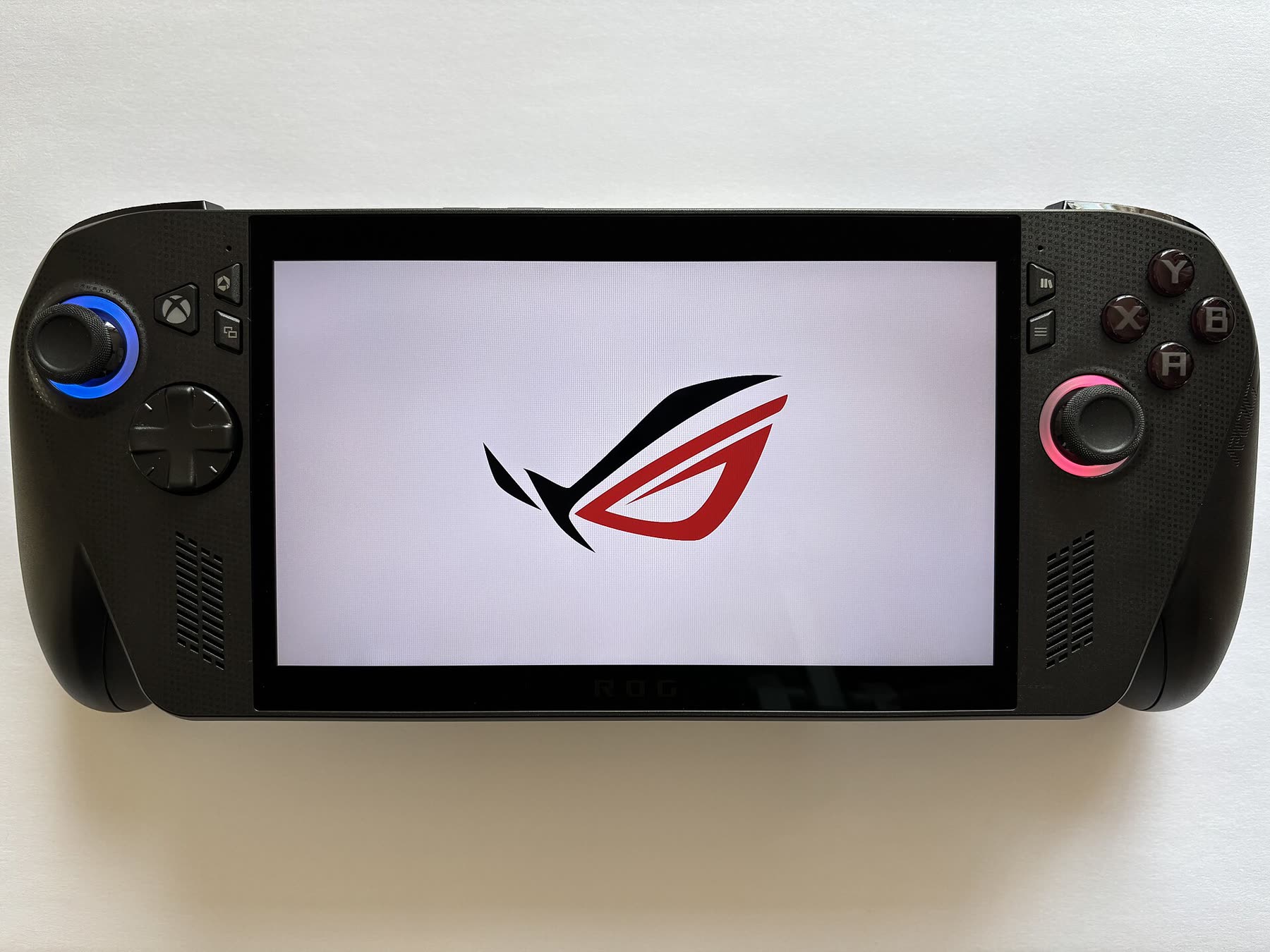
3. Windows handhelds (e.g., ASUS ROG Ally class)
Type: Handheld gaming PC (Windows) Best for: Performance‑hungry gamers who want full Windows flexibility
Devices like the ASUS ROG Ally family and Lenovo Legion Go line are essentially small Windows gaming laptops with integrated controllers. They appear regularly in “best handheld gaming PCs” lists from PC hardware outlets such as LaptopMag.
Use‑case callouts:
- High performance: Suitable if you want to push newer AAA PC titles and accept more tweaking of settings.
- All launchers: Steam, Epic, Xbox app, GOG, plus cloud gaming and media apps—anything that runs on Windows.
- Desk + handheld hybrid: Many users treat these as travel‑friendly PCs with external monitors and keyboards at home.
4. Android/retro handhelds (AYN Odin class, Retroid, etc.)
Type: Android handheld, often focused on emulation Best for: Retro fans, cloud gaming, lighter titles
Android‑based handhelds from brands like AYN and Retroid show up prominently in guides like Android Authority’s Android handheld roundup. They usually run Android with a gamepad shell around the screen and are tuned for emulators, game streaming, and mobile games.
Use‑case callouts:
- Retro emulation: Good fit if your must‑play list is SNES, PS1/PS2‑era, or arcade titles via legal ROMs.
- Cloud‑first: Pair well with services that stream games from the cloud or your home PC.
- Budget and portability: Typically lighter and smaller than PC handhelds, though performance varies a lot by model.
5. Legacy PlayStation handhelds (PS Vita and similar)
Type: Discontinued console handheld Best for: PlayStation collectors, specific legacy titles
Devices like the PS Vita still have a devoted following thanks to their unique library, especially among JRPG and indie game fans. But they are discontinued and best treated as legacy systems.
Use‑case callouts:
- Existing collection: Makes sense if you already own Vita carts or digital titles.
- Hobbyist choice: Availability of new units, repairs, and accessories is limited and largely community‑driven, so assume more effort and potential sourcing challenges.
Compact comparison: ecosystems and portability
Exact specs vary by specific model and SKU, but these broad differences shape everyday use.
| Device type | Main ecosystem | Typical screen size class | Portability feel |
|---|---|---|---|
| Nintendo Switch / Lite | Nintendo eShop | Small–medium | Very portable, Lite most |
| Steam Deck | SteamOS + Steam | Medium | Portable but chunky |
| Windows handheld (ROG etc.) | Full Windows (Steam, Xbox, Epic) | Medium–large | Less bag‑friendly |
| Android/retro handheld | Android + emulators | Small–medium | Very portable |
| Legacy PS Vita | PlayStation legacy | Small | Very portable, but older |
How to choose between these top handhelds for gaming on the go
You can usually narrow to one or two candidates by running through five questions: library, performance, ergonomics, battery expectations, and budget.
1. Which library and ecosystem do you actually play?
For most buyers this is the decisive factor.
- Nintendo first: If your must‑play list has Mario, Zelda, Pokémon, and party games, pick a Switch or Switch Lite. Nearly everything you care about will be in the Nintendo eShop.
- PC backlog: If your pile of shame lives in Steam, a Steam Deck is the most direct way to turn that into handheld play.
- Multiple PC services and apps: If you bounce between Steam, Xbox Game Pass for PC, Epic, and non‑gaming apps, a Windows handheld will feel like a tiny gaming laptop with controllers.
- Retro and streaming: If you’re more interested in emulation and cloud services than local installs, Android/retro handhelds are purpose‑built for that.
Try writing down the last 10 games you finished; match that list to the ecosystem above.
2. How much performance do you really need?
Think about your typical game:
- Switch‑level titles and indie games: A Switch or Android handheld is usually enough.
- Graphically demanding PC games: Steam Deck and Windows handhelds are designed for modern 3D titles, but you’ll still be tweaking graphics settings on the heavier games.
- Competitive PC shooters or high‑refresh demands: That’s where the more powerful Windows handheld class can be appealing, as highlighted by PC hardware sites that compare handheld gaming PCs.
If your travel gaming is mostly indie, platformers, and 2D RPGs, you don’t need to pay for the beefiest handheld PC.
3. Comfort, controls, and how you play on the go
Ergonomics are underrated until your wrists hurt.
- Frequent commuting or airplane use: Switch Lite and many Android handhelds are lighter and easier to use in tight spaces.
- Long couch sessions: Steam Deck and Windows handhelds have larger grips and more inputs (trackpads, extra buttons), but they’re heavy for holding above your face in bed.
- Local multiplayer: The standard Switch still wins here thanks to detachable controllers and simple local wireless play.
If possible, visit a retailer and actually hold a Switch and a PC handheld; the size difference is more dramatic than spec sheets suggest.
4. Battery expectations and charging habits
Editorial guides often flag battery life as a pain point on PC handhelds: pushing newer 3D games at higher settings drains them quickly, while playing lighter indie titles extends runtimes. Exact hours vary by model and how you play, but the pattern is consistent.
Console‑style handhelds like the Switch tend to be tuned around portable use and simpler graphics, so they often feel less fussy about battery management.
Ask yourself: will you usually have a power outlet nearby or a reliable power bank? If not, lean toward a Switch or Android handheld and keep your expectations modest for long AAA sessions on PC handhelds.
5. Budget, value, and long‑term costs
Without quoting exact prices (they move constantly), you can think in tiers:
- Lower cost: Switch Lite and many Android/retro handhelds.
- Midrange: Standard Switch, Steam Deck.
- Higher cost: Performance‑oriented Windows handhelds.
Factor in:
- Game prices (Nintendo and PlayStation sales vs. frequent PC store discounts).
- Paid online services (Nintendo Switch Online, Xbox/PC subscriptions).
- Accessories like cases, screen protectors, docks, and extra controllers.
If your budget is tight and you don’t own PC games yet, the Switch Lite or a well‑reviewed Android handheld often delivers the best balance of price and portability.
Where to buy handhelds and accessories, and when DHgate is useful
For US buyers, flagship handhelds follow fairly predictable channel patterns:
- Nintendo Switch family: Sold through Nintendo’s own online store and most big US retailers.
- Steam Deck: Often available direct from Valve and selected partners when in stock.
- Windows handhelds (ROG Ally class, Legion Go, etc.): Carried by their manufacturers and mainstream electronics retailers.
That structure means major handhelds are usually easier to buy through first‑party stores or well‑known US retailers, while cross‑border marketplaces tend to shine more for niche devices and accessories.
DHgate is one example of a cross‑border marketplace you might explore for:
- Compatible accessories: Cases, carry bags, screen protectors, stands, and generic controllers that fit standard form factors.
- Alternative or retro‑style handhelds: Lesser‑known Android or emulation devices that don’t show up in US big‑box stores.
- Replacement parts and mod gear: Shells, buttons, and other components for hobbyist repairs or cosmetic mods.
Because listings on DHgate and similar marketplaces are seller‑specific, treat each product page as its own mini‑research project: check photos carefully, read reviews, and confirm compatibility with your exact handheld model before buying. That approach keeps DHgate in the right role—discovery and value for accessories or niche handhelds—while you lean on more straightforward US channels for the mainstream devices that anchor this Top 5 list.