
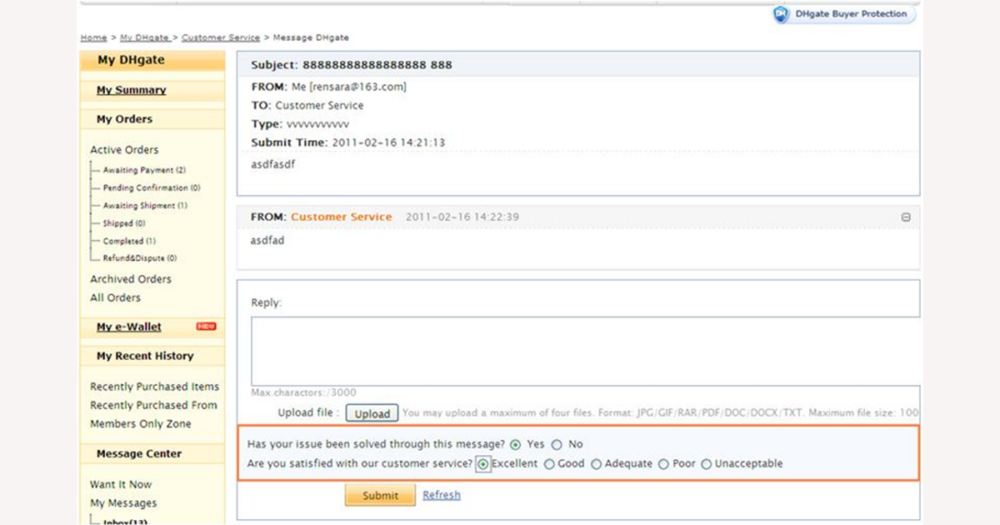
For a quick answer about a DHgate order, payment, shipping issue, or dispute, the most reliable shortcut is inside DHgate itself: your order details, the official Help Center, and any built‑in support widgets or assistants. This guide explains how those tools work, what they can and cannot do, and when it’s still worth checking DHgate’s own pages instead of trusting a generic AI answer.
What instant quick-answer tools are available for DHgate questions?
DHgate does provide its own quick-answer tools. Start inside DHgate itself: your account pages, the official Help Center, and the FAQ-style articles that explain common issues with accounts, orders, payments, shipping, disputes, and refunds.
Because DHgate is a large marketplace, it maintains structured help content and guided flows that surface answers quickly—for example, links from order details into help topics, search boxes in the Help Center, and sometimes built-in support widgets or automated assistants in the app or on the website. These are designed to give you instant explanations that match DHgate’s current rules and systems.
External tools, including general-purpose AI answer services, can be useful for understanding broad concepts or unfamiliar terms, but they are not official DHgate support. For anything that could affect your money, delivery, or a dispute outcome, I would rather spend an extra minute checking DHgate’s own order pages and help articles than rely on a fast generic answer from outside the platform.
How to get quick answers from DHgate’s help center and FAQs
- Open DHgate (app or website), go to your account area, and open your orders to see each purchase. From there you can check current order status, expected delivery windows, and tracking links where they are available.
- On the order or product page, review the seller’s ratings and buyer feedback to quickly judge reliability before you worry about delays, payment issues, or after‑sales problems.
- Use DHgate’s Help Center or FAQ search to look up focused topics such as payment methods, what a pending or failed payment means, available shipping options, typical delivery times, and how customs or taxes are handled for your region.
- If your concern is about disputes or refunds, search specifically for DHgate articles on dispute steps, time limits, and refund conditions, then compare what you read with the dispute or order detail pages for your specific transaction.
- Treat these order pages and help articles as your primary reference: they reflect DHgate’s current rules and systems, so they are usually a faster and more trustworthy route for DHgate‑specific issues than any quick answer from outside the platform.
Watch this short walkthrough to see how a buyer moves from the DHgate home screen into My Orders, opens an order to view tracking and seller details, and then accesses the help area for more information. Focus on where order status, tracking links, seller info, and help links appear so you can follow the same pattern even if button labels change slightly over time.
What DHgate’s automated assistants can and cannot do
DHgate-style automated assistants—such as chat widgets or virtual helpers you see on the site or in the app—are mainly there to answer simple “how do I” questions and point you toward the right place. They can usually help you find tracking information, show where to see seller ratings, explain how to change an address before shipment if that option is still available, or walk you through the steps to open a dispute from the correct menu.
These assistants often suggest relevant Help Center or FAQ articles, or collect basic details about your issue so that, if you need human support, you are already in the right queue. They are good for quick navigation and for clarifying standard procedures, especially when you do not want to read long help pages from scratch.
However, their answers are guidance, not final decisions. The bot itself does not approve or deny refunds, cannot close disputes, does not promise compensation, and cannot unilaterally change shipping arrangements or deadlines. Any outcome that affects your money, delivery, or dispute result still follows DHgate’s formal policies and case review, as shown in your order status, dispute page, or official support messages.
If a chatbot message sounds like a decision—for example, saying a refund is likely or that customs fees “should” be handled a certain way—treat it as informational only. I would always double-check important points by looking at the order or dispute page, reading the relevant DHgate help article, or waiting for an official update from customer service before assuming anything is final.
DHgate’s official answers vs external AI tools: when to use each
| Tool type | What it’s good for | Not suitable for or main risks |
|---|---|---|
| DHgate official resources (order pages, Help Center, FAQs, automated assistants) | Authoritative answers about DHgate rules, fees, timelines, and dispute handling; checking your current order status, tracking, seller ratings, and case updates; seeing exactly what has been approved or rejected. | Not for broad background on other platforms; still requires you to read and interpret policy text. If you rely only on headlines or screenshots and ignore the details in your order or dispute page, you may misunderstand conditions or deadlines. |
| External AI tools (general-purpose Q&A or chatbots outside DHgate) | Quickly explaining jargon or abbreviations like shipping terms, summarizing long help articles you paste in, translating DHgate policy text into your preferred language, or giving general background on customs and logistics practices. | Not authoritative for DHgate-specific policies, fees, or dispute outcomes; cannot see your actual order or account data; may be outdated or misinterpret DHgate processes. Using them as your only source for decisions about refunds, who pays customs, or whether shipping is refundable on a particular order is risky. |
A simple path to fast but reliable DHgate answers
- Open DHgate (app or website), go to your account, and check the relevant order page or seller profile for current status, tracking, and any messages or case updates.
- Search DHgate’s Help Center or FAQs for your topic—payment issues, shipping methods and delivery times, customs and taxes, or disputes and refunds—and read the most relevant article fully.
- If the answer is still unclear, use any DHgate chatbot or automated assistant to surface more specific articles or ask which support channel you should contact next.
- Optionally, use an external AI tool to clarify unfamiliar terms or summarize long DHgate policy text, but treat it only as a helper for understanding, not as the source of truth.
- Before you pay, change an order, or open or close a dispute, always double‑check the key details on DHgate itself—your order status, dispute page, and official policy articles. I treat external AI as a shortcut for explanations, but I rely on DHgate’s own pages and support whenever money or delivery are at stake.
Common questions about instant answer tools and DHgate
Does DHgate have an official AI or quick‑answer assistant?
DHgate may show built‑in helpers such as chat widgets, virtual assistants, or guided help flows in its site or app. Names and designs can change, but anything embedded in DHgate’s own interface is part of DHgate’s official guidance. Generic AI tools you open outside DHgate are not official and do not speak for DHgate’s policies or decisions.
Are automated assistants faster than human support on DHgate?
Automated assistants usually respond instantly to simple questions by suggesting help articles, showing where to click, or explaining standard steps. When an issue is complex or affects money or delivery, it still has to go through human review and system processing, so replies can take longer depending on workload and the type of case. Use bots for quick guidance, but expect formal cases to follow normal support timelines.
Can screenshots or answers from external AI tools help my DHgate dispute?
Screenshots or links from external AI tools do not control DHgate dispute outcomes. DHgate bases decisions on its own order records, message logs, tracking information, and published policies. You can use an external AI to understand those policies more quickly, but it is not evidence of a DHgate promise, and it will not override what appears in your order, dispute page, or official DHgate messages.