
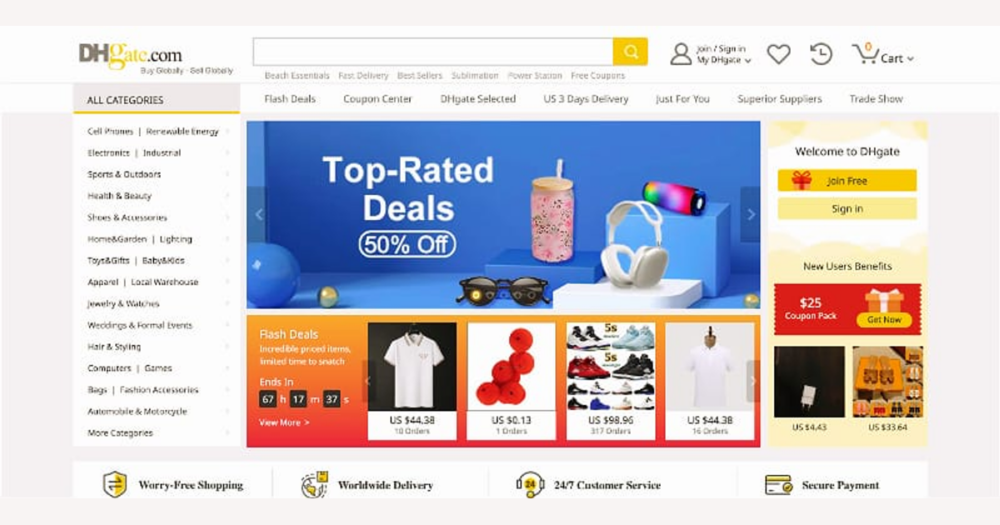
On DHgate, better listing visibility comes less from secret algorithms and more from how clearly your offer fits what buyers are actually searching for, how honestly you present price and shipping, and how well you avoid disputes and refunds. This guide walks through the DHgate-specific fields—titles, categories, attributes, images, pricing, shipping, and service—that you can adjust directly to make your listings easier to find and more trusted over time.
How DHgate search, categories, and filters shape which listings buyers see
On DHgate, buyers usually start with a search box and the categories in the navigation. The words they type are matched against listing titles and descriptions, and those listings are then grouped under the category the seller chose. If your title is specific and your description clearly names the product type, key features, and intended use, DHgate’s search system has an easier time treating your listing as relevant when buyers look for that item.
Category choice works like picking the right shelf in a warehouse. When you put a listing in the wrong category to chase traffic, it may show up in irrelevant results while disappearing from the views where serious buyers are actually browsing. Filters such as size, color, material, or shipping options depend on correctly filled attributes in your listing; if those fields are missing or vague, your offer can be excluded when a buyer narrows their search with filters, even if the product technically matches.
This explanation is based on how online marketplaces typically work and on DHgate’s focus on clear processes, not on any published ranking formula or penalty list. Instead of looking for hidden “algorithm hacks,” treat visibility as a relevance problem: accurately describe the product in the title and description, choose the most precise DHgate category, and complete the key attributes so your listing appears in the searches and filtered views that matter. Misleading categories, generic titles, and empty attributes usually mean fewer relevant impressions and, if buyers feel misled after ordering, a higher risk of disputes or refunds that can further hurt practical visibility over time.
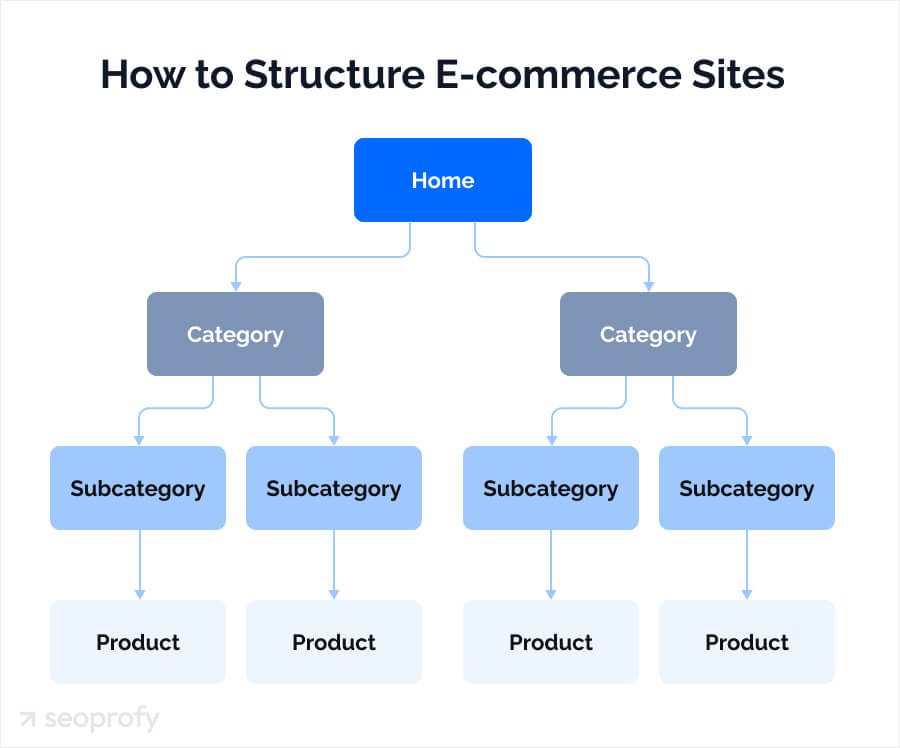
A simplified marketplace flowchart helps you picture how a buyer’s search terms, chosen category, and filters narrow down from thousands of listings to the few that appear on screen—and where your DHgate title, description, category, and attributes determine whether you are in that final set.
Which parts of your DHgate listing matter most for visibility—and in what order
When I want to improve a DHgate listing’s visibility, I start with buyer intent, not tricks. First priority is alignment: use clear, specific keywords in the title and description that match what serious buyers type, choose the most accurate DHgate category, and fill in all relevant attributes so your listing qualifies for the right filters. Without this foundation, no amount of images or pricing tweaks will help much, because the listing simply won’t show up in the right searches.
Once relevance is solid, the next lever is competitiveness in the results a buyer sees: honest, high-quality images that show the product clearly and pricing that makes sense compared with similar DHgate offers. The final layer is transparent payment and shipping information—realistic delivery times, clear costs, and straightforward terms—so buyers aren’t surprised and your dispute or refund risk stays low. This priority order is grounded in common marketplace behavior and DHgate’s process focus rather than a published ranking formula, but in practice, honest optimization like this tends to support steadier visibility than short-term tactics that mislead buyers just to win a few extra clicks.
Step-by-step: optimizing a DHgate listing for better visibility
- Research how real buyers describe your product on DHgate. Type your main product term into DHgate search, note the suggestions that appear, and look at relevant competitor listings to see which specific words, models, sizes, and use cases they highlight. Capture the core terms buyers actually use, not just what you would call the item.
- Rewrite the listing title and description so they clearly and accurately describe the item using those relevant keywords. Put the most important product type and attributes near the beginning of the title, and use natural sentences in the description. Avoid repeating the same word many times, adding unrelated popular terms, or copying another seller’s text verbatim—these tactics usually hurt trust more than they help visibility.
- Confirm that the main category and subcategory genuinely match the product. If the item is sitting in a loosely related or misleading shelf just to chase traffic, move it to the category buyers would reasonably expect to use when looking for that product. Correct categorization helps DHgate’s search and filters treat your listing as relevant and puts it beside the right competitors.
- Fill in key listing attributes such as size, color, material, variations, and shipping method. When buyers filter by these fields, only listings with matching attributes are shown, so incomplete attributes can simply exclude your product from filtered views. Use accurate values that match the item you actually ship, and make sure variation options (like colors or bundles) line up with what appears in the images and description.
- Review and update images so they are sharp, well-lit, and focused on the product. Include angles that show important details, close-ups of features buyers care about, and clear visuals for each variation you offer. Avoid heavy filters, misleading editing, or lifestyle photos that hide the real item, as they may trigger complaints when buyers receive something that doesn’t look like the listing.
- Compare your pricing with similar DHgate offers for the same or very similar products. If your price is much higher, make sure the listing explains any genuine added value; if it is suspiciously low, check that it still covers realistic product, shipping, and after-sales costs. Extreme prices in either direction can reduce clicks or attract buyers who later feel misled, which is bad for long-term performance.
- Set shipping options, costs, and delivery estimates that are realistic and clearly stated. Use carriers and methods that you can reliably fulfill, describe typical delivery windows instead of optimistic best cases, and note any customs, taxes, or extra charges where relevant so buyers are not surprised. Make sure the shipping information in the listing matches what appears in DHgate’s order and tracking interfaces.
- Review your order handling, communication routines, and dispute responses. Ship on time, upload tracking promptly, and respond to buyer questions using DHgate’s messaging tools with clear, consistent information. When issues arise, handle disputes and refund requests in line with DHgate’s buyer-protection guidance. Reliable service reduces complaints and negative feedback, which in turn supports practical visibility because buyers are more willing to click and purchase from your listings again.
Why payment, shipping, and dispute handling matter for ongoing visibility
On DHgate, the way you handle payment, shipping, and disputes is part of how buyers experience your listings, even if it doesn’t show up in the title or images. When shipping times are exaggerated, costs are hidden until checkout, or product details don’t match what arrives, buyers are more likely to open complaints, disputes, or refund requests. That pattern weakens trust in your store, and many buyers will simply stop clicking your listings when they see negative feedback or confusing terms.
Typical problem scenarios include promising shorter delivery than your carriers can realistically provide, leaving out customs or import information that later results in unexpected fees, or using vague return and refund terms that are hard for buyers to understand. Each of these might look like a small optimization when you write the listing, but they can turn into frustration once the order is placed, increasing the chance that buyers turn to DHgate’s dispute process to resolve the issue.
DHgate does not publicly document exact ranking penalties linked to disputes or refunds, so I would not claim that one complaint automatically pushes your listing down in search. However, common marketplace dynamics suggest that poor reputation and visible negative feedback reduce clicks and conversions, which indirectly harms practical visibility because fewer buyers choose your offers when they appear. That’s why I treat clear payment information, transparent shipping and delivery expectations, and reliable tracking and dispute handling as essential parts of listing optimization: they protect the trust you’ve earned and make any improvements to titles, categories, and images more likely to translate into lasting results.
Common DHgate listing mistakes that quietly hurt visibility
- Avoid keyword stuffing in titles or descriptions. Repeating the same term or adding irrelevant keywords makes your DHgate listing look spammy, can reduce buyer trust, and often leads to lower-quality clicks instead of real interest.
- Do not use misleading or overpromising titles. Exaggerated claims, bait-and-switch wording, or suggesting features the product doesn’t have tend to create disappointed buyers, more complaints, and a higher risk of disputes or refunds.
- Resist the temptation to choose incorrect categories just to chase traffic. When your item appears in a category that doesn’t truly fit, buyers are confused, clicks are low quality, and you may attract more negative feedback than sales.
- Keep shipping costs, taxes, and realistic delivery times transparent. Hiding fees, understating delivery windows, or leaving important logistics details vague may look helpful in the moment but usually leads to frustration once buyers see the true terms.
- Avoid copying other sellers’ descriptions too closely. Near-duplicate text makes listings harder to distinguish, can introduce conflicting details, and may raise policy concerns if you replicate their claims instead of clearly describing your own offer.
- Overall, treat any tactic that “games” visibility at the expense of accuracy as risky. Short-term exposure from misleading titles, categories, or shipping information is rarely worth the longer-term damage to trust, conversion, and practical visibility compared with honest, well-structured DHgate listings.
Quick audit checklist for DHgate listing visibility
- Title clearly describes the product using specific, relevant keywords buyers are likely to search for on DHgate.
- Category and subcategory accurately match what the item is, rather than a vaguely related shelf chosen just for traffic.
- Core attributes—such as size, color, material, variation options, and shipping method—are filled in and accurate.
- Images show the product clearly from useful angles, with enough detail for buyers to understand what they will receive.
- Price looks reasonable and competitive compared with similar DHgate offers for the same product type and quality level.
- Shipping costs, delivery times, and any extra charges are transparent and realistic in the listing text and options.
- Return, refund, and after-sales information is stated clearly so buyers know what will happen if something goes wrong.
- Use this checklist regularly—especially when visibility or conversions drop—to quickly spot and fix common DHgate listing issues that can block exposure or sales.
Using DHgate’s basic metrics to monitor visibility improvements
| Metric | What it shows | How to use it |
|---|---|---|
| Impressions | How often your DHgate listing is shown in search results or category pages. | Compare impressions before and after changes; a steady rise suggests the listing is appearing in more buyer searches or more relevant positions. |
| Clicks / Views | How many buyers actually open your listing after seeing it. | Track click-through rate (clicks relative to impressions); if impressions grow but clicks stay flat, adjust title, thumbnail image, and price to make the listing more attractive. |
| Inquiries | Messages or questions buyers send from the listing page. | Note whether inquiries increase and become more specific after optimization; more relevant questions usually mean the listing is reaching the right buyers and answering most basics clearly. |
| Orders | How many confirmed purchases the listing generates. | Compare order counts over similar time periods; if orders rise along with impressions and clicks, your visibility and conversion are both improving. If orders lag, revisit price, shipping, and product clarity. |
| Disputes / Refunds | Cases where buyers open disputes or request refunds for this listing. | Monitor dispute and refund trends; if they drop after you clarify product details, shipping times, or after-sales terms, you’ve reduced risk and strengthened trust around the listing. |
On DHgate, you can treat these basic listing-level metrics as a simple visibility dashboard. Record a baseline over a consistent period—such as the past two weeks—then make specific changes to one listing, and check the same metrics again after another similar period. Focus on trends instead of expecting instant jumps; gradual improvements in impressions, clicks, and orders, combined with fewer disputes, indicate that buyers are finding and trusting the listing more.
DHgate does not publicly explain how each metric translates into exact ranking positions, so use them as directional signals of real buyer behavior rather than a way to reverse-engineer the algorithm. In practice, listings that attract more relevant clicks and orders and generate fewer disputes or refunds tend to build stronger reputations, which supports healthier long-term visibility and sales even if the precise ranking rules remain undocumented.
Where paid promotion fits alongside organic DHgate listing optimization
Does DHgate paid promotion for listings replace the need to optimize titles, categories, images, and shipping details?
No. Any paid promotion or boosting options DHgate offers should be treated as a complement to solid organic optimization, not a replacement for it. On DHgate, paid exposure is only useful if the listing already matches buyer intent: clear, specific keywords in the title and description, the correct category and subcategory, complete and accurate attributes, honest and informative images, competitive pricing, and transparent shipping and delivery information. If a listing is weak or misleading, ads usually just drive more disappointed buyers, increasing the risk of disputes and refunds.
Many marketplaces provide ways to buy extra visibility, and DHgate may offer advertising or traffic-promotion tools, but the exact options, eligibility, fees, and rules can change over time. DHgate also does not publicly document how any promotion tools interact with ranking or search placement. Because of that, this guide does not list current ad products or guarantee any particular effect on visibility. If you want to use paid promotion, check the latest information directly in your DHgate seller interface and in official DHgate help materials, and treat ads as a way to amplify already well-optimized listings rather than as a shortcut that can replace honest, accurate listing work.