
Multi‑courier parcel‑tracking apps and websites do exist, and they can conveniently show Australia Post and many international carriers in one place—but for DHgate orders they are only optional helpers. DHgate’s order and tracking pages remain your source of truth for payment, shipment confirmation, buyer‑protection timelines, and disputes, while any external app simply re‑displays carrier scan data in a single dashboard. This guide explains how that distinction works in practice for parcels coming into Australia and how to use apps without undermining your position on DHgate.
What multi‑courier tracking apps are—and how they relate to your DHgate orders
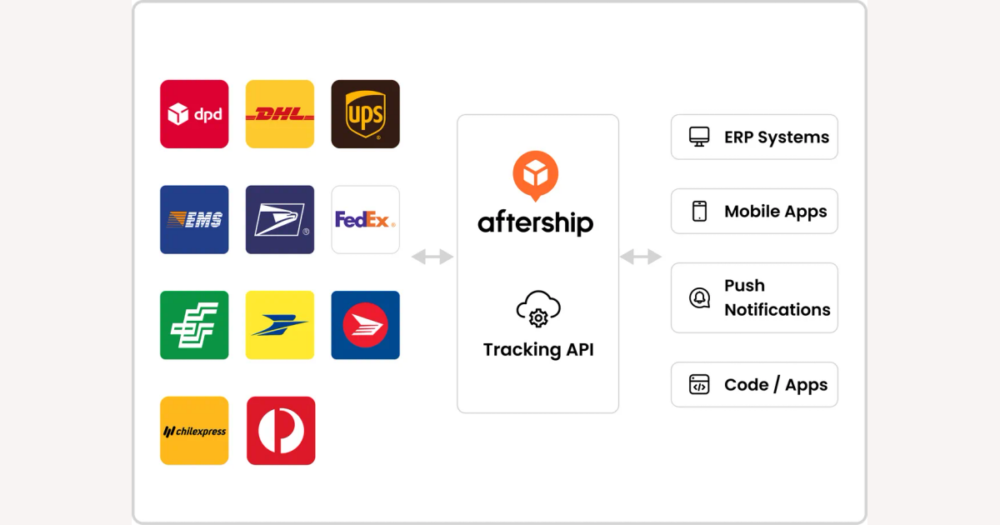
Yes—there are many multi‑courier parcel‑tracking apps and websites that can show Australia Post and a wide range of international carriers in one place. They work by taking a tracking number, matching it to a carrier, and then pulling the same scan events that appear on that carrier’s own tracking page into a single dashboard.
On DHgate, though, those tools are only helpers. DHgate is where your order is created, paid for, and marked as shipped or delivered, and it’s where the buyer‑protection countdown, dispute process, and any refund are controlled. A third‑party tracking app cannot see DHgate’s internal order record, cannot change whether DHgate considers an order shipped or delivered, and cannot move the deadline for opening a dispute or requesting a refund.
If you’re in Australia and buying from multiple platforms, a multi‑courier app can be handy for seeing several parcels in one view—some sent via Australia Post, others via different couriers—without logging into every site. That’s how I use them: as a convenient dashboard to glance at, while treating DHgate’s order and tracking pages as my source of truth whenever I need to check shipment confirmation, protection dates, or evidence for a dispute.
Understanding how DHgate’s tracking connects to the seller’s courier and Australia Post helps explain why DHgate, carrier sites, and tracking apps can sometimes show slightly different statuses or timings even when the parcel is moving normally.
How DHgate tracking works with Australia Post and other international carriers
For a DHgate order shipped to Australia, the seller first chooses a shipping method and provides a tracking number. Once the seller marks the order as shipped, DHgate shows that tracking number on the order page and begins displaying status updates based on information from the seller’s chosen courier or logistics company.
Early scan events are usually created by the origin carrier in the seller’s country—such as when the parcel is accepted, sorted, or exported. DHgate mirrors those events as they become available through the seller or the courier. Only after the parcel arrives in Australia and is handed to Australia Post or another last‑mile carrier will scans start appearing in that local carrier’s system, sometimes under a new domestic tracking ID that is linked to the original number.
There are several points where you may see gaps or apparently inconsistent information: the time it takes the seller to hand the parcel to the courier after creating a label, the delay until the first physical scan, customs processing, and the handoff between carriers. During those periods DHgate might still show the last origin‑country event, a tracking app might simplify things to “in transit” or “waiting for carrier update,” and Australia Post may not yet recognise the number in its own system. These lags are common in international shipping and are not unique to DHgate.
On top of that, each system uses its own wording. DHgate might say “shipped” or “in transit,” the carrier might use phrases like “processing at facility,” and an app may group several stages under one label. Even when the parcel is moving normally, those different labels can make the status look out of sync. When you’re deciding whether your order is late enough to contact the seller or open a dispute, treat DHgate’s shipment timestamp and buyer‑protection deadline as decisive, and use carrier or app updates mainly to understand where the parcel physically is. That distinction matters when judging what multi‑courier apps add—and where their limits are—alongside DHgate and the carriers.
What multi‑courier tracking apps can (and can’t) do for DHgate buyers
- Add tracking numbers from DHgate, other marketplaces, and direct courier shipments into one place, so you can see all your parcels—including those handled by Australia Post and various international carriers—in a single dashboard.
- Let you choose a carrier or automatically guess it from the tracking format, which often means an app can recognise that a number belongs to Australia Post or another postal service without you manually checking each site.
- Send consolidated notifications (such as push alerts or emails) when a parcel moves, clears a facility, or is marked delivered, reducing how often you need to open individual tracking pages for routine updates.
- Depend entirely on the underlying carrier data; if the seller’s courier or Australia Post is slow to scan or publish events, the app will also be slow or appear stuck, because it does not see anything beyond what the carrier reports.
- Simplify or rename statuses compared with DHgate or the carrier’s own site, which can make an order look more delayed or more advanced than it really is—for example, grouping several different carrier events into a single “in transit” or “delivered” label.
- Have no access to DHgate‑specific order details such as payment confirmation, the seller’s promised handling time, or the buyer‑protection deadline, so they cannot change when DHgate considers an order late or eligible for a dispute.
- For a DHgate buyer, treat these tools as helpful dashboards for staying organised across many parcels, while keeping DHgate’s order page and official carrier sites as the places you check first for anything that affects your rights, deadlines, or dispute options.
- The practical choice is whether to rely only on DHgate’s tracking or combine it with an app, trading some convenience against the need to stay anchored in official records.
DHgate alone vs. DHgate plus an app: convenience and disputes
Relying only on DHgate means you keep everything important in one official place: order status, the tracking number the seller provided, shipment timestamps, buyer‑protection deadlines, and the buttons or links you use to contact the seller or open a dispute. You log into DHgate when you want an update, and the information you see is the same record DHgate uses if there is ever a problem with delivery.
Using DHgate together with a multi‑courier app adds convenience, especially if you have parcels coming from different platforms or couriers. The app can show you movement for multiple shipments at a glance and may surface a scan from Australia Post or another carrier slightly earlier or with different wording than DHgate. Day to day, that can save you time, while DHgate still holds the order details and protection window you actually act on.
The trade‑off is how much you let convenience influence serious decisions. Carrier sites and apps sometimes refresh faster than DHgate, but when you are thinking about a dispute or refund, DHgate’s order records and, if necessary, the carrier’s own tracking page are what matter most. Third‑party app screenshots and estimated delivery dates are helpful context, yet they are usually treated as supplementary rather than decisive evidence if you need DHgate support to step in.
Personally, I’m happy to use an app for quick checks on where my parcels are, but before I treat an order as late or “delivered” for dispute purposes I always verify the status on DHgate and, when needed, on the carrier’s official tracking page. Someone who values maximum convenience might lean more on an app for everyday monitoring, but they should still take deadlines from DHgate, not from app estimates. A simple routine can keep that convenience from undermining your buyer protection.
A simple way to use a tracking app alongside DHgate safely
- Start on DHgate. Open your order, copy the tracking number and note the shipping method, DHgate’s estimated delivery window (if shown), and the buyer‑protection or dispute deadline.
- Add the parcel to your chosen multi‑courier app by pasting the tracking number. If the app guesses the wrong carrier, manually pick the origin courier or Australia Post once the parcel has entered its network.
- Turn on notifications if you want alerts, but treat the app as a convenient dashboard for day‑to‑day movement across all your parcels, not as the place where you make dispute or refund decisions.
- When the app shows an important change—such as “out for delivery,” “delivered,” or several days with no new scan—use that as a cue to check the same order on DHgate and, if needed, the carrier’s official tracking page.
- Base all deadlines and serious actions on DHgate. Set reminders around DHgate’s buyer‑protection end date, and a few days before it expires compare DHgate’s status with the carrier’s site to decide whether to message the seller or open a dispute.
- In practice, this routine lets an app handle convenience while DHgate and official carrier tracking stay as your sources of truth—especially for delays, non‑delivery, or refunds. App labels and estimates can still cause confusion, however.
Risks to watch for when using third‑party tracking apps
How to resolve conflicting tracking information
- Start with the hierarchy: for DHgate orders, treat DHgate as the authority on order state and buyer‑protection deadlines, the carrier’s official site (such as Australia Post) as the most direct source of scan events and delivery attempts, and any tracking app as a convenient summary that can alert you to issues but should not override DHgate or carrier records.
- Check DHgate first: open your order and confirm whether it is marked as awaiting shipment, shipped/in transit, delivered, or closed. Note the buyer‑protection end date and any guidance about when you can open a dispute, and read seller messages for details on the shipping method, expected transit time, or alternative tracking numbers.
- Then check the carrier’s official site using the tracking number shown on DHgate (or a local Australia Post number the seller has provided). Look for the latest scans—export or dispatch from the origin country, customs clearance, arrival in Australia, attempted delivery, or successful delivery—as well as any notice about pickup, redelivery, or a card left at your address.
- Use your tracking app mainly to spot patterns: let it collect multiple tracking numbers and send alerts when a parcel appears to be in transit longer than similar orders or when a new status appears, but always cross‑check unusual or worrying app messages against DHgate and the carrier’s site before you decide that something is late or missing.
- If an app shows “delivered” but DHgate and the carrier’s official site do not, trust DHgate and the carrier over the app. Wait for a short time for new scans to appear, then, if the discrepancy remains, contact the carrier and message the seller through DHgate rather than assuming loss based on the app alone.
- If the carrier’s site (for example, Australia Post) shows “delivered” but you have not received the parcel, follow DHgate’s guidance: check with neighbours or family, look around your property and any usual drop‑off spots, confirm that the address on the order is correct, then message the seller through DHgate with the carrier’s tracking details. If the issue is still unresolved and the buyer‑protection window is approaching its end, consider opening a dispute using DHgate and carrier screenshots as evidence.
- If your tracking app marks the parcel as “late” compared with its own estimated delivery date but DHgate’s buyer‑protection period is still open, rely on DHgate’s deadline rather than the app’s estimate. Keep monitoring the parcel through the carrier’s official site and only escalate with the seller or through DHgate if there is clear evidence of a problem (such as repeated failed delivery or no movement for an unusually long time) or the protection end date is close.
- Remember that DHgate’s order page and official carrier tracking form the basis for decisions and evidence. Multi‑courier apps are useful for keeping an eye on multiple shipments and spotting issues early, but when statuses conflict, use DHgate plus carrier records to decide your next step. That distinction also clarifies DHgate’s relationship with tracking apps and what to do when an app flags a problem first.
FAQ: Official app support and what to do when an app shows a problem
Does DHgate officially support or integrate with any parcel-tracking apps?
No. Unless DHgate clearly announces a specific integration, you should assume DHgate operates independently from third‑party tracking apps. DHgate provides its own order and tracking pages, while external apps simply read carrier data using tracking numbers from your shipments; they do not connect to or modify DHgate’s internal order records.
Can I use a tracking app instead of checking DHgate?
You can use a multi‑courier tracking app for convenience, but it cannot replace DHgate. DHgate’s order page is where you confirm payment, shipment status, buyer‑protection deadlines, and dispute options, and those records are what DHgate uses if there is a problem. An app does not change DHgate’s dates or decisions—it only mirrors carrier scan events in a single dashboard.
What should I do if my tracking app shows a delay, error, or ‘delivered’ status before DHgate does?
Treat the app as an early warning, then confirm the situation with authoritative sources. First, check the carrier’s official tracking page (such as Australia Post) using your tracking number to see the latest scans or delivery attempts. Next, open your order on DHgate to review its status and buyer‑protection deadline, and message the seller through DHgate if you have concerns. If there is clear evidence of a problem and the protection window is close to expiring, follow DHgate’s dispute process using DHgate and carrier screenshots as your main evidence, rather than relying on app messages alone.