
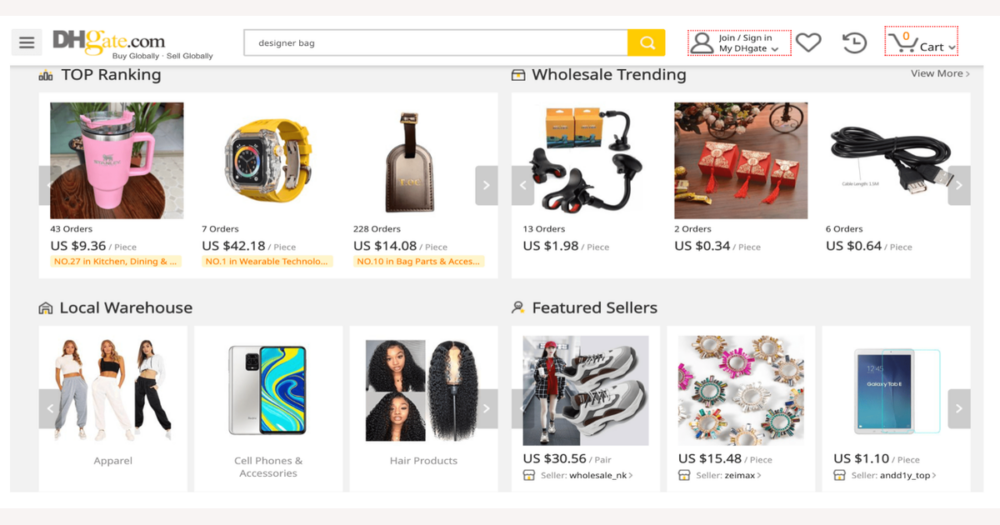
DHgate keeps detailed item and transaction information in several places: the product listing, the seller or store page, your order and payment records, shipping and tracking views, and dispute and refund policy pages. To understand what you’re really buying, read these layers together rather than relying on one screen or screenshot, and be willing to walk away if clear written details aren’t available.
Understand where DHgate keeps item and transaction details
On DHgate, there isn’t a single “truth page” that tells you everything about an item and its transaction conditions. Instead, the information is layered: the product listing shows what is supposedly being sold, the seller or store page adds context about who is offering it, your order and payment records capture what you actually agreed to buy, shipping and tracking views show how that order is moving, and DHgate’s dispute and refund policy pages explain what happens if what arrives doesn’t match what was documented.
Because no one screen or screenshot is complete, getting reliable detail means reading these DHgate layers together rather than trusting only a title or a set of photos. I would rather delay or skip a purchase if clear, written details about the item, quantities, options, and terms aren’t visible somewhere inside DHgate, and I treat listings that rely mainly on marketing-style text or images as higher risk. Relying only on that surface presentation makes it much easier to misunderstand what is actually being sold.
Read the DHgate product page like a spec sheet
Think of the DHgate product page as a loose spec sheet. In broad terms it will usually show a title and photos, a main description, a specifications-style area, options or variants, quantity and minimum order information, a price display, notes about what is included, and a shipping section with methods and estimated delivery. The exact layout can change over time and not every listing fills every field, so focus less on where a box appears on the screen and more on whether core details—size, color, materials, quantities, options, and shipping terms—are written clearly enough to match what you intend to order.
When entries are missing, vague, or contradictory—options that are poorly labeled, a description that conflicts with the title, unclear quantities or included accessories—that’s a caution signal, not something to gloss over. On DHgate the burden is on the listing to be clear, not on you to guess. In those situations, the careful choice is to use DHgate messaging to ask the seller specific questions and wait for written confirmation, or simply skip the item if you still can’t get a straightforward answer.
Use seller information to judge reliability
Once you’ve squeezed as much detail as you can from the product page, treat DHgate’s seller information as the next layer that tells you how much to trust those details in practice. A typical seller or store view will show an overall star rating, how many orders or reviews they’ve handled, how long they’ve been active on the platform, and a short store description or branding. Many listings also surface a summary of recent feedback so you can see what other buyers have actually received.
Patterns matter more than any single number. A seller with a long history, substantial order volume, and consistently decent ratings is usually a lower-risk choice than one with very few transactions, many recent negative comments, or a store page that says almost nothing about what they specialize in. When you skim feedback, look for mentions of the same type of item or issues that would affect you directly—wrong variants shipped, poor build quality, missing pieces, or buyers saying the product description didn’t match what arrived.
Treat all of these signals as indicators, not guarantees. I would walk away if seller feedback and the product-page text don’t line up—for example, if the listing sounds clear but many reviews complain about bait‑and‑switch or misleading descriptions for similar items. In that situation it’s safer to look for another listing than to hope your order will somehow be the exception.
Follow a practical sequence for checking a DHgate item
- Read the full product description and specifications, including any size charts or detail sections, so you understand exactly what is being offered—not just what the title or main photos suggest.
- Choose and double‑check options such as size, color, variant, quantity, and bundles, confirming that the combination you’ve selected matches the written description and the price shown.
- Review seller ratings, order volume, and recent feedback, paying close attention to comments about wrong items, inconsistent quality, or misleading descriptions for similar products.
- Check the listed shipping methods, estimated delivery windows, origin information, and any mention of returns or conditions in the listing text or nearby help notes, so you know how the item is expected to travel and what happens if something goes wrong.
- Scan any DHgate policy or help links referenced on or near the listing for terms that could affect this particular item, such as dispute rules, refund conditions, or special restrictions on returns.
- Pause and decide: proceed with payment, ask the seller targeted questions via DHgate messaging, or skip the item. I prefer to go through all of these steps before paying, even if it takes longer; if you prioritize speed you can shorten the sequence, but doing so means accepting more uncertainty about what you’ll receive and how the transaction will be handled.
Check DHgate order and payment records after you buy
After you place an order on DHgate, the clearest record of what the platform believes you bought appears in your order list, order details, and related payment pages. These records normally show the item title and thumbnail, the options you selected (such as size, color, or variant), the quantity, unit price, total amount, shipping charges, any applied discounts, and sometimes short remarks from the seller about the order.
As soon as the order is created, compare these details with what you intended to buy. Check that the chosen size, color, variant, and quantity match your plan, and that the price breakdown—item cost, shipping, and discounts—looks consistent with what you saw before payment. If something is off, such as an unexpected option or a higher total, it’s better to notice it immediately while you still have time to contact the seller or consider your next step.
These order and payment records are the main reference inside DHgate if questions or disputes arise, because they show what was actually confirmed on the platform at the time of purchase. They do not guarantee that every discrepancy will be fixed, but checking them quickly gives you the best chance to spot problems early, document them, and base any discussion with the seller or DHgate support on the same written transaction details.
Use shipping and tracking info as a timing layer, not a promise
Once your order is placed, DHgate’s shipping sections and tracking pages add a timing and route layer on top of the item and order details. You can typically see different carrier options, their costs, estimated delivery ranges, information about where the parcel is being sent from, and a series of tracking events after the shipment is created.
This information helps you understand roughly how long the order may take, from which region it is traveling, and how it moves through carriers and transit hubs. It is useful for planning—deciding when to expect the package, or whether a particular shipping method is fast enough for your needs—but it is not a guarantee that the item will arrive on a specific day.
Treat estimated delivery dates and tracking updates as guidance rather than fixed promises. Delays can occur because of the carrier, customs checks, local logistics, or other factors outside DHgate’s direct control. Watching tracking events over time can alert you to possible issues, but it is safest to assume some variability and plan with a margin rather than relying on the earliest projected arrival date.
Relate dispute and refund policies to item descriptions
What to do when information is missing or conflicting
- Pin down what feels unclear or inconsistent. Note the exact points—such as a size chart that conflicts with the title, photos that don’t match written measurements, or options that use confusing labels—so you know what you need clarified.
- Take screenshots of the current listing, including the options you intend to select (size, color, variant, quantity). These images give you a reference if the seller edits the page later or if you need to show what you saw at the time of purchase.
- Check your cart or existing order detail to see how DHgate records the item, options, quantity, and prices right now. Compare this record with the listing view and note any differences, missing details, or unexpected charges.
- Message the seller through DHgate’s internal messaging with specific, concise questions about the unclear points. Keep all conversation on-platform so it is easier to reference later and so DHgate can see the thread if a dispute is opened.
- Review the seller’s responses and any edits they make to the listing. If their answers contradict the written description, remain vague, or don’t resolve the confusion, decide whether to cancel before payment is finalized (if possible), switch to a clearer listing, or proceed only if you are comfortable with the remaining risk.
- If an order already exists and the issue is serious, read the relevant dispute and refund policies on DHgate and consider whether opening a dispute or seeking further help fits your situation. Use your screenshots, order records, and message history as supporting context, but recognize that some uncertainty may still remain and factor that into whether to continue buying from that listing or seller.
Common questions about DHgate item details
Are DHgate item details always up to date?
No online marketplace can guarantee that every field is perfectly current at all times. On DHgate, individual sellers are responsible for updating their titles, descriptions, specs, prices, and options. You can treat recent buyer feedback, current pricing, and active stock or variants as rough signs that a listing is being maintained, but they are not promises. If freshness matters for your decision, read the listing carefully, skim recent reviews, and be prepared for occasional discrepancies.
How often do sellers update their item descriptions on DHgate?
Update frequency varies widely by seller and by item type. Some stores adjust descriptions, specs, and options whenever stock or features change; others may leave older text in place for longer. Visible activity such as new reviews, recent Q&A, updated variant choices, or price changes can suggest that a seller is paying attention, but there is no fixed schedule you can rely on. When details like size, materials, or contents are critical, ask the seller directly through DHgate messaging for written confirmation before you commit.
What happens if the item matches the description but I simply don’t like it?
If the item you receive is broadly consistent with the written description, photos, and options you selected, that situation is usually treated as a change‑of‑mind or personal dissatisfaction rather than “not as described.” In those cases, whether you can return or get a refund depends on the seller’s own policies and DHgate’s current rules on returns and after‑sales service. Check the listing for any return terms, then read the latest DHgate help and policy pages to see what options apply to your order before you decide what to do.
Where should I check DHgate’s latest rules on returns, refunds, and disputes?
Because platform policies can change, always refer to DHgate’s current help center and official policy pages for returns, refunds, and dispute procedures. Use those documents, together with your saved listing screenshots, order records, and on‑platform messages, to understand what counts as “not as described,” what evidence may be needed, and which outcomes are realistic for your specific case. Written platform rules are the reference point; item information helps you show how your situation fits those rules.