
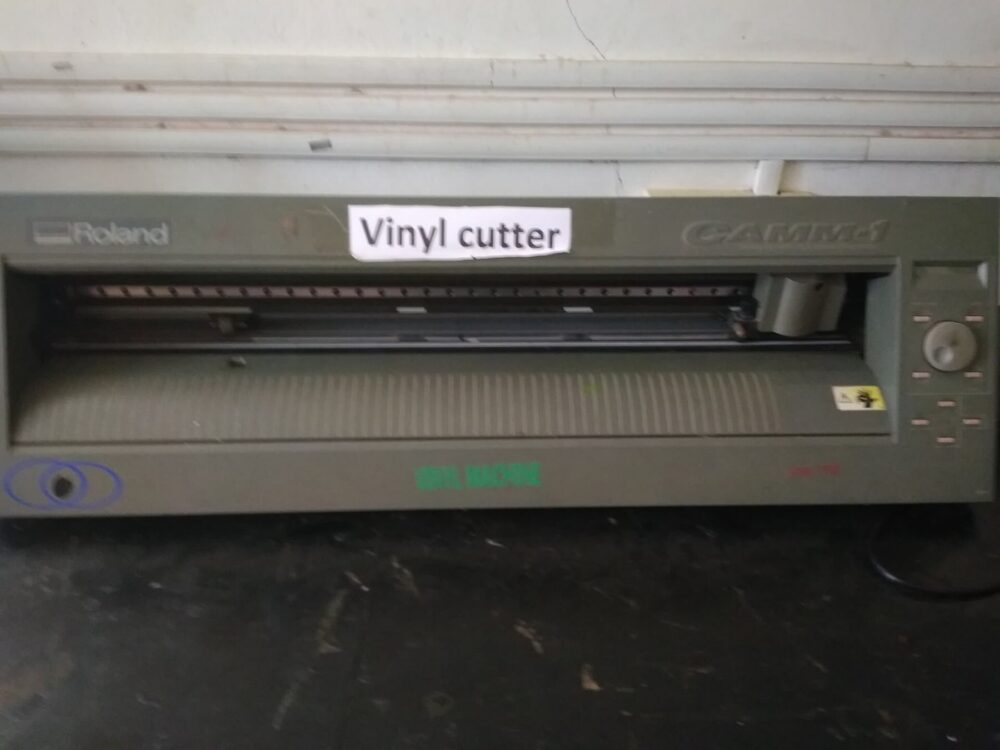
If you’re buying a vinyl cutter for home crafts, expect to spend roughly US$150-350 equivalent on a compact desktop machine; small Canadian sign or apparel businesses usually need something in the US$300-800+ range for wider, faster plotters. The sweet spot for most beginners is a 12″ craft cutter from brands like Cricut or Silhouette, while budget roll‑fed cutters from brands such as VEVOR cover entry‑level commercial use at lower upfront prices than pro machines like Graphtec.
The bigger decision is less “which model” and more “how much capacity do you really need, and from which channel” so you don’t overpay on hardware, software, shipping and import fees.
What Drives the Cost of a Vinyl Cutter or Plotter?
A vinyl cutter (often called a cutting plotter) is a computer‑controlled machine that uses a small blade to cut shapes and lettering out of thin, self‑adhesive vinyl. They’re widely used for signs, decals, wall graphics, and apparel decoration like heat‑transfer vinyl designs, as described in general overviews such as Wikipedia’s vinyl cutter article.
For budget planning, think in layers:
- Machine class
- Home craft cutters like Cricut Maker or Silhouette Cameo are designed for 12″ material and light business use. They’re widely recommended for hobby projects and can also cut paper, some fabrics, and other thin materials.
- Desktop roll‑fed plotters (often 28-34″ wide) are aimed at small sign shops and T‑shirt businesses.
- Pro roll‑fed cutters such as the Graphtec FC series are built for heavy, daily use with wider media, higher speed, and better tracking stability, and are priced accordingly.
- Software and ecosystem
- Hobby machines typically bundle branded design software (Cricut Design Space, Silhouette Studio); access to their design stores can add ongoing cost.
- Budget plotters like Canadian‑listed VEVOR units often include SignMaster or similar basic sign‑making software, which keeps upfront cost down but may be less polished.
- Accessories and consumables
- Cutting mats, spare blades, weeding tools, and starter vinyl rolls can add a surprising amount if bought separately.
- Shipping and import
- Buying in Canada from retailers like BestBuy or Walmart keeps shipping simpler and usually rolls taxes into checkout.
- Cross‑border purchases (U.S. or China) can look cheaper but may involve currency conversion, extra shipping charges, and customs or brokerage fees.
In practice, hobby crafters in Canada usually end up in the roughly US$150-350 bracket (converted to CAD) for a new, mainstream 12″ cutter, while a small shop looking at entry‑level 28-53″ plotters with bundled software tends to land in the US$300-800+ range depending on width and brand. Pro machines like Graphtec FC‑series roll‑fed cutters sit well above that, reflecting their sign‑shop focus.
Price Factors and Tradeoffs: Width, Speed, Software, Workflow
On a tight budget, you want to pay for capacity you’ll actually use. These are the main levers:
1. Cutting width and form factor
Wider cutters cost more. A 12″ desktop craft machine is plenty for stickers, small decals, and shirt graphics. Budget 28-53″ roll‑fed plotters from brands like VEVOR, visible on Canadian marketplaces such as BestBuy’s VEVOR vinyl cutter listings, target entry‑level sign‑making with stands, adjustable force and speed, and bundled tools.
For many small businesses, a 28-34″ unit is the budget sweet spot: wide enough for storefront graphics and multi‑up shirt designs, without the cost of a 50″+ pro cutter.
2. Motion system and tracking
High‑end roll‑fed cutters like the Graphtec FC9000 series are positioned for professional sign‑making. They emphasize:
- More robust media tracking on long runs
- Higher cutting speeds
- Wider maximum width
Budget plotters often use simpler drive systems and basic pinch rollers. For a home crafter or small shop doing shorter jobs (one‑meter decals instead of 10‑meter banners), this compromise is usually acceptable and saves hundreds of dollars.
3. Blade system and material range
Hobby cutters like Cricut Maker or Silhouette Cameo 4 are promoted for their ability to cut vinyl plus many other materials (cardstock, some fabrics, etc.), as seen in editorial round‑ups such as Creative Bloq’s vinyl cutter guide. They use interchangeable tools (fine‑point blades, rotary blades, etc.), which expands what you can sell—cards, custom labels, simple fabric projects—without buying another machine.
Budget sign plotters typically focus on adhesive vinyl and heat‑transfer vinyl, with drag blades and adjustable force. If your business is strictly decals and HTV, you can save money by skipping the multi‑material craft ecosystem.
4. Software, workflow, and learning curve
Software is a hidden price factor:
- Craft ecosystems (Cricut, Silhouette) trade some flexibility for ease of use and integrated libraries, great for beginners.
- Sign software bundles like SignMaster with VEVOR plotters are more utility‑focused. You get essential tools for contour cutting and layout but fewer guided tutorials.
On a budget, the key tradeoff is: pay more for polished, guided software if you’re new to design, or accept a rougher interface to keep hardware + software cost down.
5. How hobby and business budgets differ
Here’s a simplified comparison of typical use cases and budget bands (editorial ranges, not exact prices):
| Scenario | Typical width | Machine type | Approx. budget (USD) |
|---|---|---|---|
| Home crafts, stickers | 12″ sheets/rolls | Cricut/Silhouette‑style | 150-350 |
| Side‑hustle shirts & decals | 12-24″ sheets/rolls | Hobby cutter + HTV workflow | 250-450 |
| Small sign/T‑shirt shop | 28-34″ rolls | Budget roll‑fed plotter | 300-800+ |
| Busy sign shop | 54″+ rolls | Pro cutter (e.g., Graphtec) | 1,000+ and up |
These bands are editorial estimates based on publicly visible product positioning; individual listings in Canada will vary.
Choosing a Buying Channel and Keeping Total Cost Down
Once you know your width and use case, the next budget question is where to buy.
Local retail and specialist vendors (new machines)
For Canadian buyers, big marketplaces like BestBuy and Walmart show new budget cutters—often VEVOR vinyl plotters with SignMaster software and stands at lower price points than major pro brands. Specialist vendors carry pro hardware such as Graphtec FC‑series cutters or alternatives like Mutoh and GCC.
Pros:
- Clear pricing in CAD, with sales tax handled at checkout
- Easier returns and in‑person support if something goes wrong
- Lower risk of surprise brokerage or customs fees
This channel fits both hobbyists buying Cricut/Silhouette‑type machines and small shops stepping into their first 28-53″ plotter.
Used and refurbished units
Canadian classified sites such as Kijiji often list used vinyl plotters, sometimes bundled with heat presses or starter vinyl.
Pros:
- Lower upfront cost, sometimes including extras (software dongles, stands)
Tradeoffs:
- Unknown wear on motors and pinch rollers
- Licences for bundled software may not transfer cleanly
Used makes sense if you’re mechanically comfortable and have time to test the machine thoroughly before relying on it for business.
Cross‑border marketplaces (including DHgate)
Cross‑border marketplaces can surface low‑cost cutters directly from overseas manufacturers. DHgate is one such option, alongside others focused on international sellers.
Pros:
- Access to budget hardware and off‑brand plotters, sometimes similar to VEVOR or Audley‑style machines
Tradeoffs:
- Support and software documentation may be limited or not localized
Large‑format budget hardware from niche vendors
Some budget‑oriented large‑format cutters are sold via niche vendors. For example, the Audley 70″ vinyl cutting plotter illustrates how a servo‑motor 70″ plotter with contour cutting is marketed as a lower‑cost alternative to big‑brand signage hardware.
These vendors can be a good fit if you’re sure you need wide, high‑capacity cutting but don’t want to pay flagship‑brand pricing. You’ll trade brand recognition for upfront savings, so make sure you understand service and parts availability.
Micro‑Checklist: How to Keep Costs in Check
On a budget, you don’t need the “best” vinyl cutter—you need one that aligns with your real work. Use this quick checklist:
- Define your width ceiling. If your designs fit on 12″ material, stay in the craft‑cutter class. Jump to a 28-34″ plotter only if you truly need wider signage.
- Match machine class to scenario. Hobby crafts and occasional shirt projects: Cricut Maker/Silhouette Cameo‑type machines. Everyday decals and signage: budget 28-53″ roll‑fed plotter with software like SignMaster.
- Decide how much software hand‑holding you want. New to design? Paying more for a mature ecosystem (Cricut or Silhouette) can save frustration. Comfortable with utility‑style software? A budget plotter bundle may be enough.
- Compare channels for your exact model. Look at Canadian retail, used listings, and cross‑border offers for similar hardware. Note price differences, but also factor in shipping, taxes, and how quickly you’d need support if the machine fails.
- Leave room in the budget for materials. Blades, cutting mats (for craft cutters), starter vinyl rolls and weeding tools can easily add a significant percentage on top of the machine.
For cross‑border marketplace decisions more broadly, you can also review how DHgate stacks against other platforms in this comparison of DHgate vs AliExpress, Alibaba and Temu to decide whether overseas sourcing is worth the extra complexity for your first vinyl cutter.