
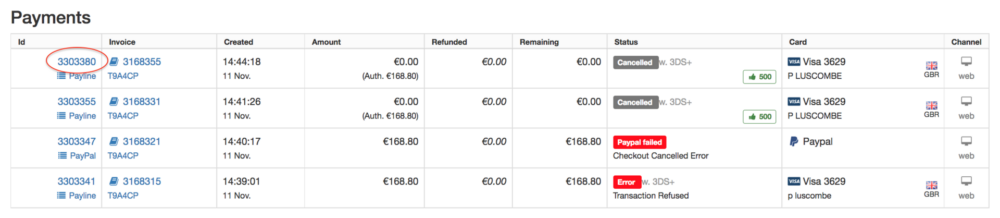
Payment failures on DHgate usually mean the platform tried to charge your card or chosen method and something broke in the chain: the bank declined, the card details didn’t pass checks, the method isn’t compatible, or a technical glitch interrupted processing. You’ll typically see messages like “payment failed,” “payment declined,” or an order stuck in “unconfirmed” status. Most of these issues can be cleared by fixing data errors, checking with your bank, switching payment methods, or changing device/browser. If you keep hitting a wall, it’s often more efficient—and safer—to stop retrying blindly and reassess whether this seller or marketplace fits your needs.
What Payment Failure Means on DHgate
On DHgate, a payment failure is any checkout attempt where the transaction doesn’t complete successfully, so DHgate doesn’t treat your order as paid. Common visible outcomes include:
- An on‑screen error at checkout (for example, “transaction failed” or “payment declined”).
- An order created in your account but marked as unpaid.
- A payment status that sits at “unconfirmed” longer than expected.
From DHgate’s own editorial explanations, failures often trace back to things like declined payments, insufficient funds, invalid or incompatible payment methods, or outdated billing details and minor data errors. In parallel, general payment processors note that online payment failures broadly occur when a transaction can’t complete due to insufficient funds, incorrect payment details, or technical issues between systems (pxp.io payment glossary).
The “unconfirmed” case is slightly different. Here, you’ve submitted payment, but the final confirmation step between DHgate, the payment gateway, and your bank is delayed or stuck. In practice, that might mean:
- Your bank shows a pending or temporary authorization.
- DHgate still lists the order as waiting for payment confirmation.
Until that status flips to a clear “paid” state, the seller generally won’t proceed. So your decision is whether to wait, fix data issues, or cancel and retry using a cleaner setup.
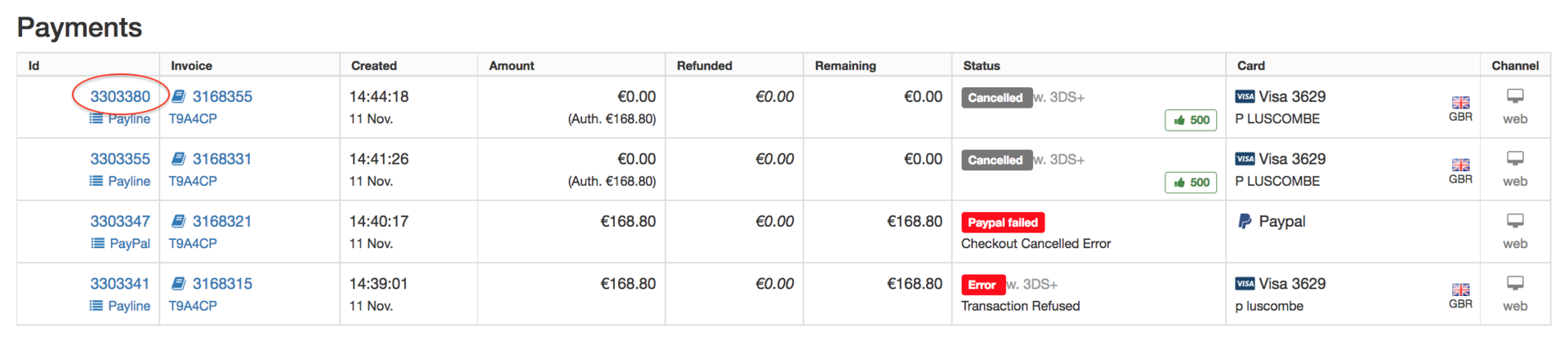
Main Reasons DHgate Payments Fail and How to Troubleshoot Them
Below are the main failure patterns you’re likely to see on DHgate, tied to clear actions you can take. Use the error wording and your bank’s activity as clues.
1. Card or Bank Declined the Transaction
Typical causes (based on common card processing behavior and DHgate’s own descriptions):
- Security precautions: your bank flags the cross‑border DHgate charge as unusual and blocks it.
- Expired card: the expiration date has passed.
- Insufficient funds or over credit limit.
Try this next:
- Check recent bank activity in your online banking app for a decline entry or fraud alert.
- Confirm card status: not expired, not frozen, and has available balance/credit.
- If there’s a fraud block, approve the transaction or call the bank, then retry once.
- If your bank keeps refusing the charge (for example, “transaction not allowed” style responses are common in card systems per Gravy Solutions’ overview), switch to a different card or method instead of hammering the same one.
2. Incompatible or Invalid Payment Method
DHgate’s editorial content highlights that using a payment method that isn’t supported, or is incorrectly set up, can cause payments to fail. That might look like:
- You pick a method in checkout, but it errors out before reaching your bank.
- You’re paying with a wallet or third‑party service that isn’t fully activated or verified.
Try this next:
- For wallets or online processors, log in separately and ensure your funding source there (linked card or bank) is current and verified.
- If one method keeps failing silently, switch to a more straightforward method, such as a different mainstream card or widely used online wallet.
3. Incorrect or Outdated Billing Details
Small data errors cause a surprising share of failures: wrong billing address, name mismatch, expired date, or typo in card number or CVV. DHgate’s blog specifically calls out outdated billing details and “small errors in payment details” as triggers for failed or unconfirmed transactions.
Try this next:
- On the payment page, re‑enter all card details from scratch rather than relying on auto‑fill.
- Make sure billing name and address match what your bank has on file.
- If you saved a card earlier, edit or delete and re‑add it with the correct data.
- Retry once; if it still fails, combine this with the bank checks above.
4. Technical Glitches: Browser, Gateway, or Bank Downtime
Online payment providers describe several technical causes for checkout errors: payment gateway misconfiguration, bank server downtime, or browser/session issues such as stuck cookies (Cashfree checkout errors overview). On DHgate, that could look like:
- The page spins and eventually throws a generic error.
- Your network momentarily drops during the 3‑D secure or verification step.
- You see an “unconfirmed” status with no clear bank decline.
Try this next:
- Clear your browser cache and cookies, then log back into DHgate.
- Switch devices or browsers (for example, from in‑app browser to a full desktop browser).
- Avoid public Wi‑Fi and use a stable connection during checkout.
- Check your bank’s status page or social channels to see if they mention outages.
- If your bank doesn’t show any decline or pending transaction and DHgate keeps failing, assume this is a tech mismatch and try a different method or time of day.
5. Orders Stuck in “Unconfirmed” Status
DHgate’s own editorial guidance suggests that unconfirmed payments can stem from small errors in payment details or delays in validation. You might see:
- An email saying payment is processing but not completed.
- The order showing “unconfirmed” for longer than expected.
Try this next:
- Review any emails from DHgate around the failed attempt for hints about missing data or errors.
- Double‑check that the amount isn’t actually posted on your card or bank; if it’s only pending, it may drop off after a few days.
- If the order remains unconfirmed and you’re not charged, cancel the order in your account and place a fresh one using the troubleshooting steps above.
Common Clues and What They Point To
Here’s a compact way to map what you’re seeing to your next move:
| What you see on DHgate / bank | Most likely issue | First move you should take |
|---|---|---|
| “Payment declined” + bank shows refusal | Bank security, expired card, insufficient funds | Check card status, resolve bank alert, retry once or switch card |
| “Payment failed” with no bank entry | Incompatible method or tech glitch | Try a different method, browser, or device |
| Order shows “unconfirmed,” bank shows pending | Confirmation delay or minor data mismatch | Review details, wait briefly, then cancel and re‑order if it doesn’t clear |
| Repeated failures across methods | Local bank limits or broader compatibility issue | Call bank, then decide whether DHgate fits your setup |
When to Try Another Method, Contact Support, or Switch Marketplaces
You don’t need to fight DHgate’s checkout forever. After a couple of disciplined attempts, lingering failures are a signal to decide how much effort this purchase deserves.
Try another payment method when:
- Your original card clearly isn’t allowed or keeps failing after you’ve fixed data and spoken to the bank.
- You have a second, better‑supported card or wallet that tends to work on other international sites.
Switching methods often resolves issues tied to issuer restrictions or specific card networks, and general troubleshooting guides for failed payments consistently recommend this path (BookLive support).
Contact DHgate support when:
- The order is stuck in “unconfirmed” and you’re unsure whether the payment will reverse or complete.
- You see conflicting signals—for instance, DHgate shows failure but your bank shows a posted transaction.
Keep expectations realistic: DHgate’s team can usually clarify what their system sees and suggest next steps, but they’re not a substitute for your bank’s decisions and they can’t force an issuer to approve a charge.
Consider buying elsewhere when:
- You’ve tried at least two payment methods and one different device/browser, and your bank confirms they’re allowing DHgate charges, yet the platform still won’t process the payment cleanly.
- You’re under time pressure (event date, business deadline) and can’t afford more uncertainty.
- The seller’s item is not uniquely available through DHgate—similar products exist on other marketplaces that your cards consistently work on.
In those cases, persistent payment failure is more than a minor annoyance; it’s a practical sourcing signal. Your payment setup, bank policies, and DHgate’s current integrations simply may not play well together. Walking away protects you from wasted time and from repeatedly sending sensitive payment data through a flow that doesn’t stabilize.
If you do move to another platform, apply the same safeguard mindset: double‑check billing data, confirm the site’s compatibility with your banks and cards, and favor methods you know behave reliably on international transactions.