
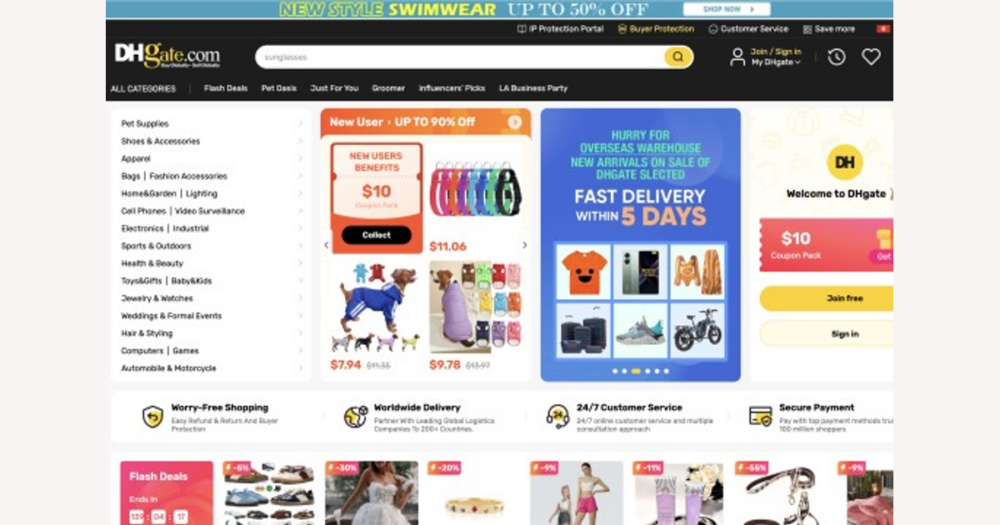
The most reliable way to confirm answers and rewards for any DHgate quiz or game event is to treat DHgate itself as your only authority: open the official event page or app interface, read the rules and FAQs, submit your answers there, and then check your coupons, coins, and orders to see what the system actually granted. This guide explains where those answers and explanations usually appear inside DHgate so you can focus on the information that really determines your rewards.
Rely on DHgate’s own event pages and account records for correct answers
For any DHgate quiz, lucky draw, or game-style event, the only dependable way to know which answers count and what rewards you truly earn is to follow the official event page or in-app interface and then check the changes recorded in your DHgate account. These events are part of DHgate’s promotional and order ecosystem, so “correct” means whatever fits the written rules, eligibility conditions, and timing that DHgate has set, and what its system actually processes for your account.
External quiz-answer sites, generic AI solvers, or social posts that claim to leak answers are not connected to DHgate’s systems and cannot guarantee that you will receive coins, coupons, or discounts. I would always read the event rules, FAQs, and explanations on DHgate itself and then look at my coupons, coins, and orders to see what was applied; if an outside “answer tip” conflicts with what DHgate’s rules or result notices say, I would ignore the tip and trust the platform’s own information instead.
Where DHgate quiz and event answers usually appear
On DHgate, quiz questions and event mechanics are usually built directly into promotional entry points such as home-page or category banners, campaign graphics, and in-app notifications. Tapping or clicking these elements typically opens a dedicated campaign page, pop-up window, or countdown-style screen with the questions, answer options, and participation instructions.
The same event surface often includes or links to a rules or FAQ area that explains eligibility, timing, how many attempts you get, and how DHgate evaluates answers and issues rewards. You should always click through the promotion and read this detail instead of assuming there is a separate public list of “correct answers” somewhere else. In many cases DHgate never shows a stand‑alone answer key at all; your answer is simply evaluated when you submit it inside the interface according to those rules, and the result shows up later as a coupon, coin change, or discount in your account.
Step-by-step: how to participate and check your DHgate event answers
- Locate the event through DHgate banners, campaign hubs, or notifications, then open the full official event page or in-app event screen.
- Read all event rules, terms, and any FAQ sections on that page, paying attention to eligibility, time limits, allowed attempts, and how rewards will be delivered.
- Submit your quiz answers or perform the required actions directly within DHgate’s interface, following the on-screen prompts rather than using external forms or tools.
- After you participate, check the relevant reward areas in your DHgate account, such as coupon lists, coin balances, vouchers, or other promotional credits mentioned in the event description.
- Review your checkout screens and recent orders to see whether event-related discounts, vouchers, or price reductions have been applied as described in the rules.
- Rely on this official sequence, even if it feels slower, because it keeps you aligned with DHgate’s own systems and reduces misunderstandings compared with chasing quick external answers.
How to confirm DHgate has recognized your answers and rewards
The clearest sign that DHgate has recognized your event result is a change in its own account indicators, such as updated coupon or coin balances, newly issued vouchers, or visible discounts attached to your profile after the event is processed.
Rewards often surface at checkout or in order details, for example as a voucher applied to a specific purchase or a promotional discount line appearing in the order summary for an eligible order.
If your DHgate records—balances, vouchers, discounts, or event-related notifications—do not change after you participate, then for DHgate’s purposes the answer or entry has not produced a valid reward, regardless of what any external source claims.
Event outcomes can also affect payment and shipping, such as a lower payable amount at checkout or shipping-fee adjustments tied to a promotion; these concrete changes in what you pay and how your order is billed are strong evidence that the event was processed correctly. DHgate’s internal logs, account indicators, and order behavior are the only meaningful proof that an answer counted and a reward was applied.
Why external answer sites are risky for DHgate events
DHgate events vs. ordinary online quizzes
Ordinary online quizzes for study or casual trivia are mainly about learning or practice, so it is reasonable to use external resources—search engines, study guides, or AI tools—to look up explanations and improve your understanding.
DHgate’s promotional quizzes and game events are different: they exist inside DHgate’s system, are tied to eligibility checks, and are designed to trigger rewards such as coupons, coins, or order discounts when the platform decides your participation meets the event rules.
In this DHgate event context, whether an answer is treated as “correct” is a platform decision governed by written rules and technical processing. No external site can override DHgate’s judgment, force a reward to appear, or change how your account or orders are updated.
External tools still have valid uses for general learning and ordinary quizzes, but when you participate in DHgate campaigns, only DHgate’s own event rules, account records, and order details matter for determining which answers count and what prizes you actually receive.
FAQ: Missing rewards, timing, and getting help from DHgate
I’m sure I answered a DHgate quiz correctly, but I don’t see any reward. What should I check first?
Start by reopening the official DHgate event page or in‑app screen and carefully re‑reading the rules and FAQs. Look for conditions such as minimum order amount, specific product categories, region or account‑level eligibility, limits on the number of winners, and the event’s end time. Then check all relevant reward areas in your DHgate account: coupon list, coin balance, vouchers, or other promotional credits named in the rules. If nothing has changed in any of these sections after you’ve confirmed you met all conditions, DHgate’s system has not recorded a valid reward yet.
How long does it usually take for DHgate quiz or event rewards to show up in my account?
Rewards are not always applied instantly. Many DHgate events specify a processing window—for example, that coupons or coins will be issued within a certain number of hours or days, or only after an eligible order is paid or confirmed. Instead of guessing, look for timing details in the event’s rules and FAQ. Wait through the full stated period, checking your coupons, coins, vouchers, and any linked orders again after that time has passed before assuming something went wrong.
Can DHgate customer service help if my reward is missing or the result seems wrong?
DHgate customer service may be able to review logs of your event participation and explain whether you were eligible under the rules. Their conclusions will always be based on DHgate’s own records—event logs, account status, and order data—not on screenshots of external answer sites or social‑media tips. If their review shows that you did not meet a rule, or that the event did not record a valid entry, they will follow the written terms rather than any outside claim that your answer was correct.
What information should I prepare before contacting DHgate support about a quiz or event reward?
Gather as much DHgate‑based evidence as you can: screenshots of the event page or in‑app banner showing the promotion, rules, and reward description; the date and approximate time you participated; any confirmation messages shown after you answered; and relevant order numbers if the event was tied to a purchase or minimum spend. Having these details ready helps customer service quickly locate the event in their system, verify your participation against the rules, and explain why a reward was or was not applied.