
You can use a single global parcel‑tracking platform to see DHgate packages from different couriers in one interface, but DHgate itself should always stay your source of truth for what you ordered, what you paid, and what buyer protection you have. This guide explains how to read DHgate’s My Orders page, how multi‑courier tracking tools sit on top of it, and which checks on DHgate matter most while you monitor your shipments.
Can I track packages from different couriers in one place while using DHgate?
Yes, you can usually see parcels from different courier companies in one place, but you do it through third‑party global parcel‑tracking sites or apps, not directly inside DHgate. These external platforms let you paste in tracking numbers and then show where each package is physically, sometimes across several carriers in a single dashboard.
DHgate sits underneath that convenience layer as the official record of your order. My Orders is where you confirm what you bought, how much you paid, which seller shipped the item, and what buyer protection applies, including dispute and refund timelines. Any external tracker should be treated as a visibility tool on top of DHgate’s order page, not a replacement for it.
If an external tracking app ever shows something different from DHgate or from the courier’s own website, treat DHgate’s My Orders and the official carrier information as decisive. Keep using the external tracker for overview and notifications, but rely on DHgate for payment status, protection windows, and decisions about contacting the seller, opening a dispute, or requesting a refund.
How DHgate order and shipment tracking works
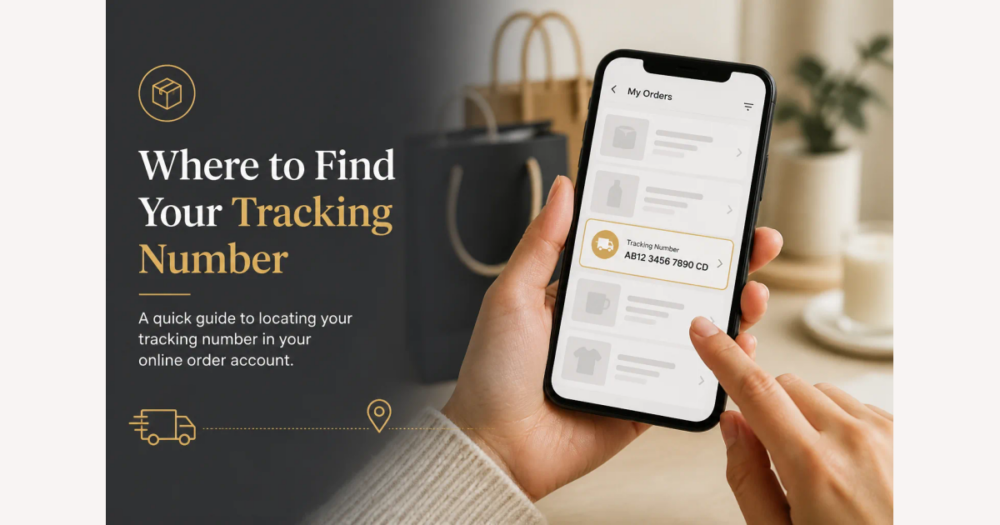
To see tracking for a DHgate order, log in to your account, go to My Orders, and open the specific order you’re concerned about. In the order details, look for the shipping or logistics section, where DHgate typically shows the carrier name (or logistics service) and a tracking number provided by the seller and their shipping partner.
Under that logistics area you’ll usually see simple status updates such as “seller has shipped,” “shipment accepted by carrier,” “in transit,” and “delivered,” along with an estimated delivery window. These updates depend on the information DHgate receives from the seller and their chosen logistics provider, so they focus on tying the shipment to your order rather than showing every scan event or a live map of the route.
Because the tracking panel on My Orders is attached to the order record, it also sits next to key platform information: payment or escrow status, the promised processing and shipping times, and your buyer protection period or dispute deadline. This makes DHgate’s My Orders page the authoritative place to check that the order is valid, paid, and still covered, even if more granular transit scans appear only on the courier’s own site or in an external multi‑courier tracking app.
What global parcel‑tracking platforms do with your tracking numbers
Global parcel‑tracking platforms sit on top of individual courier systems. Typically you paste a tracking number into the site or app, the system either auto‑detects which carrier format it matches or asks you to choose, and then it queries that courier’s tracking feed to show status updates such as “in transit,” “out for delivery,” or “delivered.”
The main convenience is that you can repeat this for many shipments and carriers, then view them together in a single dashboard instead of visiting several courier websites. Some tools also add notification options, so you can receive alerts when a parcel moves, clears customs, or is marked delivered, regardless of which logistics company is handling it.
However, these services are limited by the data they can access. They may not support every regional postal service or niche consolidator, auto‑detection can misidentify the courier when number formats overlap, and updates can lag or differ from what the official courier site shows. Most importantly for DHgate buyers, these platforms only expose logistics information: they do not have access to your DHgate order details, payment records, buyer protection period, or dispute status, so they must be used alongside DHgate’s My Orders page rather than as a replacement for it.
Step‑by‑step: consolidating DHgate shipments in one tracking platform
- Sign in to your DHgate account and open My Orders. Check that each relevant order shows as paid and covered by buyer protection before assuming the shipment will progress normally.
- For every order you want to track, open the order details and look in the shipping or logistics section. Copy the tracking number and note the carrier or logistics provider name shown there.
- Decide on a global parcel‑tracking site or app you feel comfortable with, based on your own preferences for interface and privacy. Treat this as a personal choice rather than a recommendation from DHgate or this guide.
- Paste each tracking number into the external platform. If its auto‑detection picks the wrong carrier or seems uncertain, manually select the courier or postal service that matches what DHgate shows on the order page.
- In that external tool, label or tag each shipment with the DHgate order ID or a short item description, so you can quickly see which parcel belongs to which purchase when you look at the dashboard.
- Use the external platform’s consolidated view and notifications for day‑to‑day transit updates, but always return to the DHgate order page for official information about shipping changes, delivery confirmation, dispute deadlines, refunds, and overall buyer protection.
- Personally, I treat DHgate as the deciding record for payments, protections, and any actions I take, even when an external tracker is the easiest place to glance at movement updates. Let the convenience tool help you watch parcels, but let DHgate guide your decisions.
Risks and limits of relying on external multi‑courier trackers
- External multi‑courier trackers do not replace official tracking. They may lack support for some logistics providers, show outdated or partial data, or mis‑label status when carriers or consolidators change mid‑route, so treat their updates as a convenience view rather than the definitive record of where your parcel is.
- Third‑party tracking tools cannot see DHgate‑specific information such as escrow and payment status, dispute countdowns, refund progress, or seller messages. They only mirror logistics events from the carriers they connect to, so they will never show whether your order is protected or a dispute is nearing its deadline.
- When an external tracker conflicts with DHgate or the courier’s official site—for example, showing “in transit” when DHgate or the carrier says “delivered” or “exception”—rely on DHgate’s order page plus the official courier information to decide whether to contact the seller, open a dispute, or wait longer.
- Do not delay confirming delivery or opening a dispute on DHgate because you assume a polished external dashboard reflects your buyer protection or payment status. Use the multi‑courier tracker for quick visibility, but let DHgate’s order record and the carrier’s own scans guide any time‑sensitive actions.
DHgate plus courier sites vs. adding a multi‑courier tracker
- Approach A: DHgate + each courier’s official site or app. You check My Orders on DHgate for order, payment, and protection status, then open the relevant carrier website or app for detailed scans. This gives you direct, authoritative information with fewer layers, but managing several shipments means manually visiting multiple sites and keeping track of which tracking number belongs to which order.
- Approach B: DHgate + a multi‑courier tracking tool. You still rely on DHgate for order details, payments, disputes, and refunds, but you paste all your tracking numbers into one external dashboard. In return, you get a single overview, easier monitoring of many parcels, and often notifications about movement or delivery, while accepting that the extra tool is another dependency and may sometimes have data gaps or slower updates than the carrier itself.
- If you rarely place DHgate orders, or mostly ship with one familiar carrier, relying on DHgate tracking plus that carrier’s official site or app is usually sufficient and avoids the complexity of another platform. If you juggle many overlapping international orders with different logistics partners, a multi‑courier dashboard can be worth the setup for convenience—as long as you continue to treat DHgate’s order page and the official courier sites as your reference for payments, protections, and final decisions.
DHgate buyer checks to complete while monitoring your packages
- Review the seller’s ratings, transaction history, and feedback before you buy and again if tracking starts to show problems, so you have a clear sense of how quickly they are likely to respond and resolve issues.
- For every order you are monitoring, confirm on DHgate’s My Orders page that your payment is marked as completed and held in escrow, not still processing or canceled.
- Note the estimated delivery window and the buyer protection expiry date shown on the DHgate order page, and keep these dates alongside your tracking numbers or in your external tracking app labels.
- Periodically compare the latest tracking updates—whether from DHgate, the courier’s official site, or an external tracker—against those DHgate protection dates to spot potential non‑delivery or serious delays early.
- If tracking stalls for several days or shows ambiguous events (for example, repeated “in transit” with no progress), send a message to the seller through DHgate to ask for clarification, a new tracking number, or confirmation of the parcel’s status.
- When DHgate’s buyer protection rules allow it and tracking plus timing clearly indicate non‑delivery or extreme delay, submit a dispute or refund request through DHgate rather than relying on the external tracker alone.
- Treat every logistics update as a trigger for actions inside DHgate: I use external tracking mainly to notice problems sooner, but I always confirm payment, protection, and any dispute or refund through DHgate’s order page and messaging tools, because that is where the money and buyer protection are actually controlled.
FAQ: unified tracking, missing updates, and courier changes
Does DHgate itself provide one unified tracking dashboard for all couriers?
No. DHgate shows shipment information that is tied to each order in My Orders, including the logistics service and tracking number the seller provided, plus basic status and protection details. It does not act as a standalone multi‑carrier tracking dashboard that aggregates every courier or shows all your shipments in one advanced logistics interface. For a single overview, you need to use an external tracking tool on top of DHgate.
What should I do if a tracking number from DHgate shows no results on a global parcel‑tracking site?
First, confirm that you copied the tracking number exactly as it appears on the DHgate order page and selected the correct carrier if the external site asks. If it still shows no result, check the courier’s own website or app directly using the same tracking number, because official carrier tools are usually more complete. If the carrier also shows nothing or the number looks invalid, contact the seller through DHgate to confirm the tracking details or ask for an updated number. While you sort it out, rely on DHgate’s My Orders page and the courier’s official site for decisions about timing, disputes, or refunds, not the external tracker.
How does tracking work if my parcel is handed off to a different courier or local postal service?
International shipments often move between logistics partners. A consolidator may hand the parcel to a national postal service or a local courier, and that new carrier can assign a different local tracking number. Watch for updated tracking details on your DHgate order page, in emails or SMS from the carrier, or by asking the seller to confirm the new number. Once you have it, you can add that new tracking ID to any external multi‑courier tool you use, but continue to treat DHgate’s order record and the official carrier sites as the fallback when an external tracker looks incomplete or out of date.