
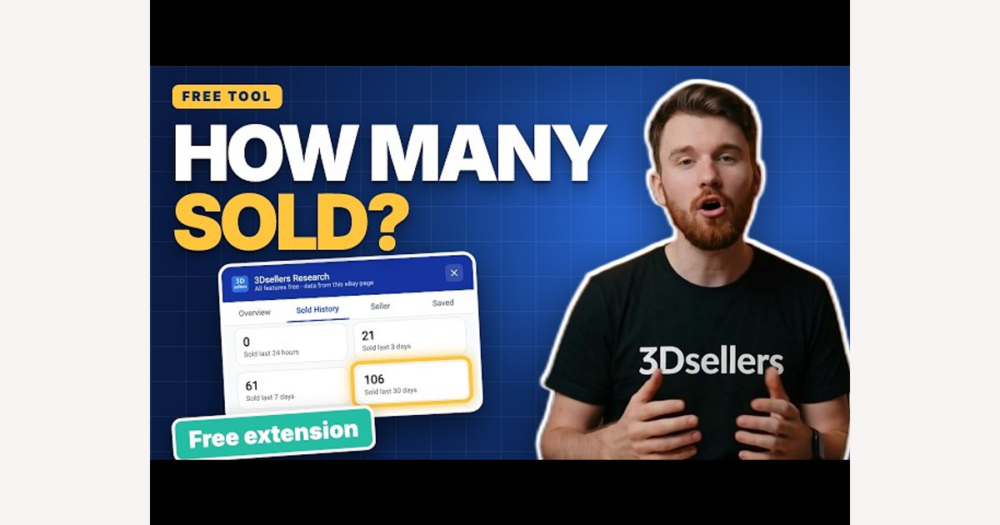
DHgate users sometimes see Chrome extensions that promise to track eBay sales and wonder if these tools can replace platform checks. In practice, eBay-focused Chrome extensions only overlay and reorganize data already shown on eBay pages, offering quick snapshots of sold counts, prices and feedback but no direct link to DHgate. Treat them as rough market research aids at most, and rely on DHgate’s built-in seller ratings, order tracking, payment security, shipping updates, and dispute and refund processes for any real protection of your DHgate orders.
How Chrome extensions actually track eBay sales data
Yes, you can use Chrome extensions to see eBay sales indicators, but they work as browser overlays, not official tracking systems. Most eBay-related extensions simply read the HTML of pages you already open—search results, item listings, or research views—and then rearrange what is already visible, such as sold counts, prices, and feedback summaries.
Because they rely entirely on what eBay itself exposes, their numbers are approximate and can break when eBay changes its layout. They do not plug into hidden databases or guaranteed real-time analytics, and they are not endorsed as official dashboards by eBay or by DHgate.
For DHgate users, the key boundary is that these tools never connect to DHgate accounts, orders, payments, shipping, disputes, or refunds. An extension can help you spot apparent sales patterns or price ranges on eBay, but DHgate’s own buyer checks—seller ratings, order tracking, payment confirmation, logistics updates, and dispute handling—remain the only systems that can actually protect your DHgate transactions.
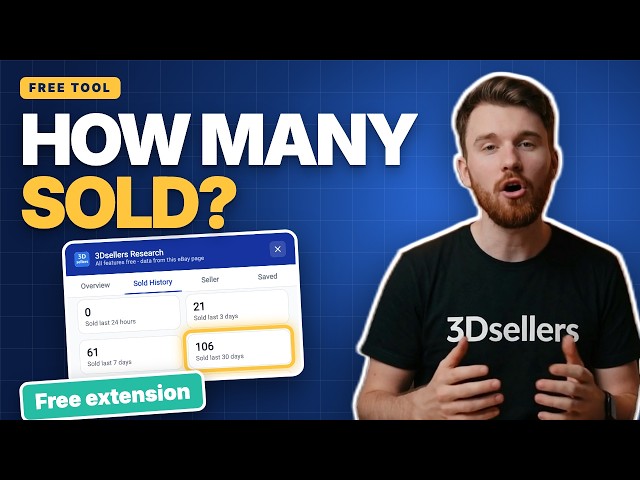
An example of a Chrome extension overlay adding sold-history and seller-insight panels alongside an eBay listing.
What sales indicators eBay Chrome extensions usually show
- Sort eBay search results by simple sales metrics, such as showing which listings have the highest number of items sold or adding a visible total-sold count beside each item.
- Highlight recent sale activity and typical sold prices, for example by showing when items last sold or emphasizing the price range at which they usually move.
- Surface review and feedback signals, like volumes of recent reviews, quick breakdowns of positive versus negative ratings, or standout comments that an extension pulls into a more visible summary.
- Add shortcuts into eBay’s own “sold” or “completed” listings views, using context-menu options or extra buttons so you can jump quickly to manual checks of past sales without navigating multiple pages yourself.
- Together, these indicators help you scan which products or categories appear to sell often and at roughly what prices, but they provide only a convenient snapshot—not a complete, precise performance history for financial decisions.
Limits and risks of relying on Chrome extensions for sales insight
- Data accuracy and freshness are not guaranteed. Because eBay-focused Chrome extensions read the page structure in your browser, their sold counts or trend charts can misinterpret listings, lag behind real sales, or break altogether when eBay changes its layout or how results are displayed.
- Reliability depends on third-party maintenance. These extensions are not part of eBay or DHgate, so updates and support vary. A tool that works well today may stop loading, mis-sort results, or be abandoned by its developer without notice.
- Privacy and security risks come from browser permissions. Many extensions request the right to read and change data on sites you visit, which can expose your browsing patterns or account information if the code is poorly designed or misused. Treat any request to access all pages or all data with caution and review what the extension genuinely needs to do its job.
- There is a strict separation from DHgate activity. No eBay analytics extension can see DHgate orders, seller identities, logistics updates, dispute records, or refunds, so an impression that something “sells well” on eBay should not be treated as proof that a specific DHgate listing is safe, that a shipment will arrive on time, or that a refund will be granted.
- If an extension over-promises or feels intrusive, the safest move is to remove it. When a tool claims precise, guaranteed analytics, asks for broad permissions that seem unnecessary, or simply makes you uncomfortable, disable or uninstall it and rely instead on DHgate’s own interfaces for checking sellers, tracking orders, confirming payments, and handling disputes or refunds.
How eBay extension insights differ from DHgate’s buyer checks
Insights from eBay Chrome extensions and DHgate’s buyer checks answer different questions. An extension might show that a certain type of gadget appears to sell frequently on eBay or that prices cluster around a particular range, which can be useful background when you decide what to research next. But when you move to DHgate to actually buy or sell, you still need to judge each DHgate listing on its own terms: read that seller’s ratings, scan recent reviews, check how often they ship on time, and look at any history of disputes or refunds recorded inside DHgate.
DHgate’s buyer protection, payment security, shipping updates, and dispute outcomes are based solely on what happens on DHgate and what is documented in its systems. Whether a product category is popular on eBay or an extension shows strong sales there does not change how DHgate holds funds, when it releases payments to sellers, how long you have to open a dispute, or whether a refund is approved. Those decisions follow DHgate policies and the details of your DHgate order, not any external market indicators.
A simple way to keep risk decisions clear is to treat eBay extension data as market research context only. I would use those snapshots to brainstorm ideas—such as which styles or specifications seem in demand—but I would base trust, order choices, and expectations about refunds entirely on DHgate’s own dashboards, messages, and help pages. When in doubt, I ignore the overlay and go back to what DHgate itself shows about the seller and the order before deciding what to do.
A cautious way to experiment with an eBay Chrome extension
- Review the extension’s description and requested permissions before installing it, and prefer tools that limit access to eBay-related pages instead of broad, all-site access.
- Test the extension on general eBay searches or research views to see what extra overlays it adds—such as sold counts, price highlights, or review summaries—without sharing more account data than necessary.
- Manually check a few examples using eBay’s own sold or completed items and feedback pages to confirm that the extension’s numbers roughly match what you can verify yourself.
- Treat any sales or demand signals from the extension as rough background only, then return to DHgate to make real decisions using DHgate’s seller ratings, order details, shipment tracking, and dispute or refund tools.
- If the extension ever feels confusing, unnecessary, or intrusive, disable or remove it; you can still research demand on eBay and rely on DHgate’s built-in protections and interfaces without any extra tools.
Extensions vs other ways to gauge demand and reliability
On eBay, you can already gauge demand by filtering to sold or completed listings, scanning price ranges and sale dates, and reading buyer feedback directly on the site, without installing any extension.
On DHgate, reliability is visible through native metrics such as seller scores, detailed buyer reviews, transaction volumes, dispute history, and logistics performance in DHgate’s own interface.
Chrome extensions mainly add convenience by summarizing or highlighting some of this information, but they do not unlock fundamentally new data or provide authoritative guarantees beyond what eBay and DHgate already show.
That means extensions are optional efficiencies: useful for quick snapshots if you like overlays, but anyone who prefers not to install extra tools can still make informed decisions using the built-in checks on eBay and DHgate alone.
Does using eBay Chrome extensions change DHgate buyer protection?
Does using eBay Chrome extensions change DHgate buyer protection or how disputes and refunds work?
No. Installing, using, or removing any eBay-related Chrome extension does not change your DHgate buyer protection, refund eligibility, or dispute rights. DHgate decisions about payments, shipping guarantees, disputes, and refunds are based only on what happens on DHgate and what is recorded under your official order IDs and timelines. If you have a problem with a DHgate order—such as non-delivery, misdescription, damage, or other issues—the correct step is to use DHgate’s internal messaging, dispute, and refund flows, following DHgate’s policies, regardless of any sales indicators or market research shown by a browser extension.